Blog

  • SwitchBot Floor Cleaning Robot S20

    SwitchBot Floor Cleaning Robot S20

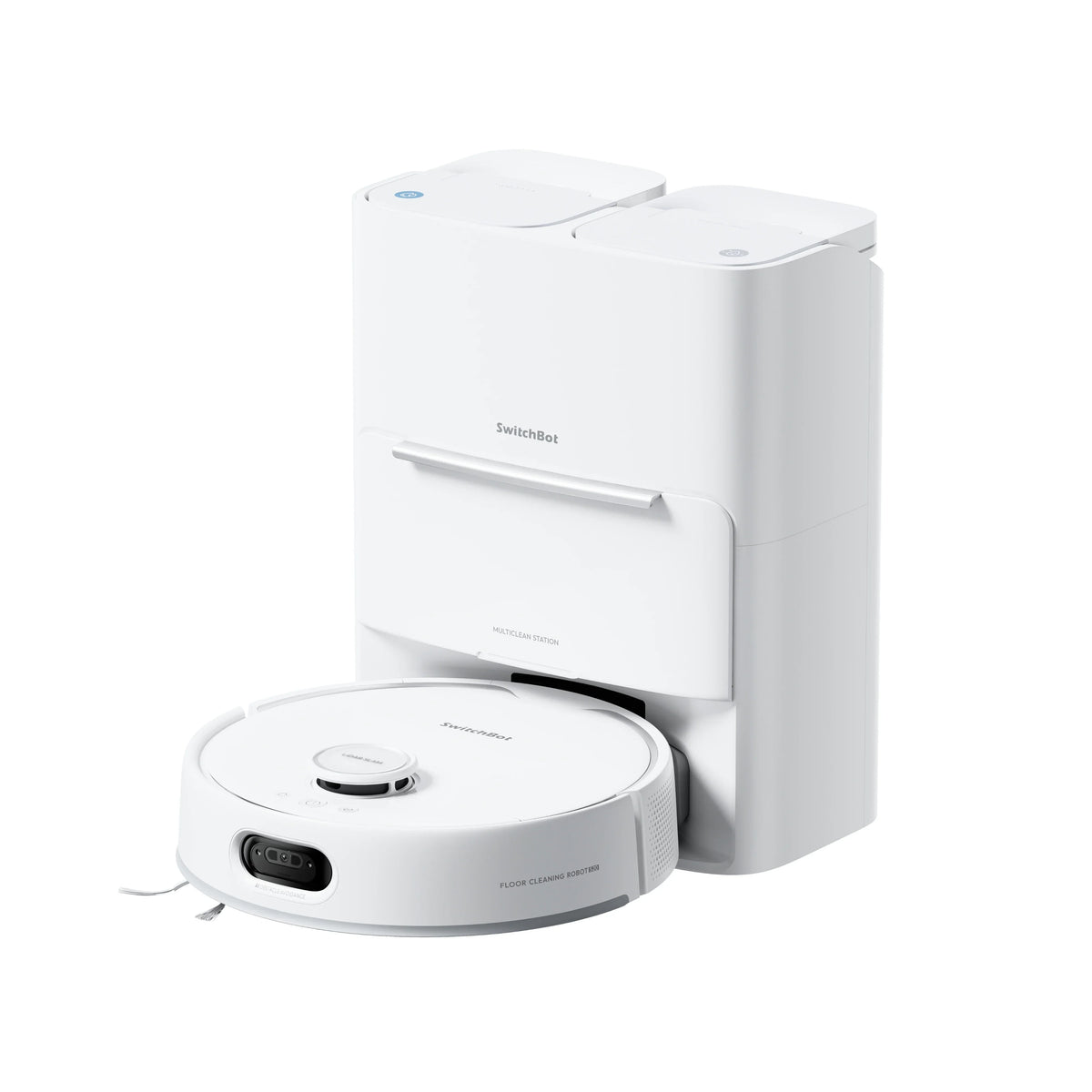
    SwitchBot built the S20 around one idea: a roller mop that rinses itself as it cleans, instead of dragging an increasingly dirty pad around your house. The idea mostly works: TechRadar cleared a soy sauce and milk spill without smearing, and owners call the mopping the machine’s best part. The execution has holes, though: there is no mop-only mode, a damp roller turns any follow-up vacuum run into a debris-smearing mess, and the robot is loud, with erratic docking behavior. At the $799.99 list price those flaws sting; at the $450 to $550 that SwitchBot’s near-constant vouchers produce, this is one of the cheapest self-washing roller mops you can buy.

    Who it’s for

    The S20 makes the most sense in a home that is mostly tile, LVP, or sealed hardwood, where mopping is the priority. The RevoRoll roller presses on the floor with 1kg of force, scrubs 300 times per minute, and gets fed clean water while a scraper pulls the dirty water into a separate onboard tank. That mechanism normally lives in machines like the $1,099 Ecovacs Deebot X8 Pro Omni; flat-pad hybrids at the S20’s street price mostly push moisture around.

    It fits worse in mixed carpet-and-hard-floor homes that want one-button cleaning. The roller cannot be removed, and it stays damp after a mopping run — TechRadar’s hard-floor vacuum test right after mopping ended with oats and tea scattered across the kitchen. Noise-sensitive households should read the next sections carefully.

    • Homes that are mostly tile, LVP, or sealed hardwood
    • Buyers who want a roller mop without paying Ecovacs or Eufy prices
    • Apple Home users who want Siri room-by-room cleaning through Matter
    • Anyone able to plumb in the Auto-Fill & Drain version for hands-off water

    Key specs

    Spec Detail
    Suction 10,000Pa max, four modes, auto carpet boost
    Mop system RevoRoll roller, 300 scrubs/min, 1kg pressure, continuous RinseSync rinse
    Navigation dToF LiDAR plus AI camera, front infrared, and side PSD sensors
    Battery 4,000mAh Li-ion (6 x 21700 cells), 3 to 4 hr charge
    Dock 4L dust bin, 2.7L clean / 2.5L waste water tanks, 50°C hot-air mop drying
    Size and weight 14.4 in diameter, 4.5 in tall, 12.1 lb robot; threshold clearance 0.8 in
    Smart home Matter 1.4 with Apple Home section cleaning; Alexa and Google supported
    Warranty 1 year, with official US repair points

    Living with it

    Mopping earns first mention because it is the reason to buy this machine. The roller gets washed continuously as it works, so it lays clean water on the floor rather than redistributing the last room’s grime — a structural advantage over flat pads that reviewers confirmed in practice. TechRadar’s spill test cleared a soy sauce and milk puddle instead of spreading it, and MacRumors got dried ketchup off the floor in two passes. Limits exist: a single pass barely touched TechRadar’s smeared ketchup patch, the roller cannot reach corners or kick out to edges, and it takes most of a large room to saturate fully.

    Obstacle avoidance is the second genuine strength. In TechRadar’s testing the S20 avoided a charging cable — something the reviewer had never seen a robot do — steered around a shoe, and detoured around a coffee table to finish the zone. It still shoved a tissue box across the room, and once treated a milk puddle as an obstacle to skirt, so the caution cuts both ways.

    Now the flaw you will live with daily: there is no mop-only mode, and the roller neither detaches nor lifts on hard floors. Every mopping run starts with vacuuming, and any vacuum run after mopping happens with a damp roller that smears debris instead of collecting it. The workaround is rigid scheduling — vacuum first, mop last, never the reverse. On carpet the news is better: the mop lifts, water shuts off, and a built-in wiper strips leftover moisture; neither The Gadgeteer nor MacRumors found damp carpet in testing.

    Noise is a real cost. TechRadar called the S20 “louder than average in every cleaning mode,” found the mopping drone grating, and rated the dock’s auto-empty the loudest it had experienced in years of robot vacuum reviews. MacRumors agreed: not a robot to run while working or sleeping in the next room.

    Docking and navigation are the reliability question marks. The robot mapped quickly and mostly cleaned in logical lines, but in TechRadar’s weeks of testing it regularly returned to the base and then failed to dock, and on several evenings it left the dock unprompted at night to re-dock — in a bedroom, a dealbreaker-grade quirk. MacRumors also had it beach itself on a bathroom threshold. Owner sentiment is mixed: aggregated Reddit threads score the S20 around 43 percent positive, praising the roller, questioning the polish. The app is workable with irritations — an eight-character room-name limit, a room divider tool that fights you — while Matter support is a bright spot.

    Cost of ownership

    Both versions — the water-tank model and the Auto-Fill & Drain model that plumbs into your water lines — list at $799.99. SwitchBot discounts aggressively and almost permanently: TechRadar found a 44 percent voucher taking it to $448 shortly after the September 2025 launch, and MacRumors quoted about $520 after 35 percent off. Treat roughly $500 as the real price and never pay list.

    Running costs are trivial on the electric side: charging the 86Wh battery daily costs around $5 a year at typical US rates. The real tax is consumables — dock dust bags on SwitchBot’s claimed 90-day emptying cycle, a washable filter, a side brush, and eventually a replacement roller. Budget roughly $50 to $100 a year depending on pets. The retrofit water station for plumbed-in water runs about $139.99.

    The warranty is 1 year with official US repair points — standard for the category, but thin comfort on a first-generation roller mechanism with moving scrapers and pumps. SwitchBot’s support record in owner reviews is mixed, with reports of slow warranty responses, so buy through a retailer with an easy return window if that worries you.

    How it compares

    The Ecovacs Deebot X8 Pro Omni is the closest rival: a self-washing roller mop with 18,000Pa suction and an edge-extending roller that reaches baseboards the S20 misses. It lists at $1,099 — $300 above the S20. Ecovacs wins on edge cleaning and suction; SwitchBot wins on price and Matter smart-home depth.

    The Dreame L40 Ultra Gen 2 makes the case for spinning pads: 25,000Pa suction, pads that lift and extend, and street prices that have dipped below $600. Its mopping trails a pressurized roller on grimy hard floors, but it transitions between carpet and hard floor without the S20’s damp-roller problem — the better pick for mixed-floor homes, as is Roborock’s comparable Qrevo line with its lifting pads.

    Inside SwitchBot’s own lineup, the SwitchBot K20+ Pro we have reviewed is a different animal: a $699.99 mini vacuum that carries modular accessories — air purifier, security camera, cargo tray — but does not mop at all. Buy the K20+ Pro for the platform tricks, the S20 for floors; they share one app and ecosystem.

    FAQ

    Can it mop without vacuuming first?

    No. Your options are vacuum, vacuum and mop together, or vacuum then mop; Home Assistant users report the same restriction. In practice you schedule mopping as the last job of the day so the damp roller never runs a dry vacuum pass.

    Does it really work with Apple Home?

    Yes, and better than most. Matter 1.4 with section cleaning means Siri or the Home app can send it to a specific room, no hub required, with local control. Map editing, suction levels, and mopping modes still require the SwitchBot app.

    Which version should I buy — water tank or Auto-Fill & Drain?

    They cost the same $799.99. The tank version holds 2.7L of clean and 2.5L of waste water and needs roughly weekly attention. The Auto-Fill & Drain version connects to household water lines and removes that chore, but the dock must sit near a supply and drain point.

    Bottom line

    Buy it if your home is mostly hard floors, mopping is the job you actually care about, and you can catch one of the near-permanent vouchers that put it between $450 and $550. At that price the self-rinsing roller, top-tier cable avoidance, and real Matter and Apple Home support are a combination nothing else offers this cheap, and the plumbed-in version is genuinely hands-off.

    Skip it if your home mixes carpet and hard floor and you want one robot to handle both without babysitting a schedule, if it must dock reliably near a bedroom, or if noise matters — the missing mop-only mode, the damp-roller smearing, and the loud auto-empty are documented across multiple reviews. The Dreame L40 Ultra Gen 2 handles mixed floors more gracefully for similar street money, and the Ecovacs Deebot X8 Pro Omni does the roller-mop concept with stronger suction and edge reach if the budget stretches. At the full $799.99, wait for the voucher; it always comes.
    Sources and further reading

  • Aventon Level 3

    Aventon Level 3

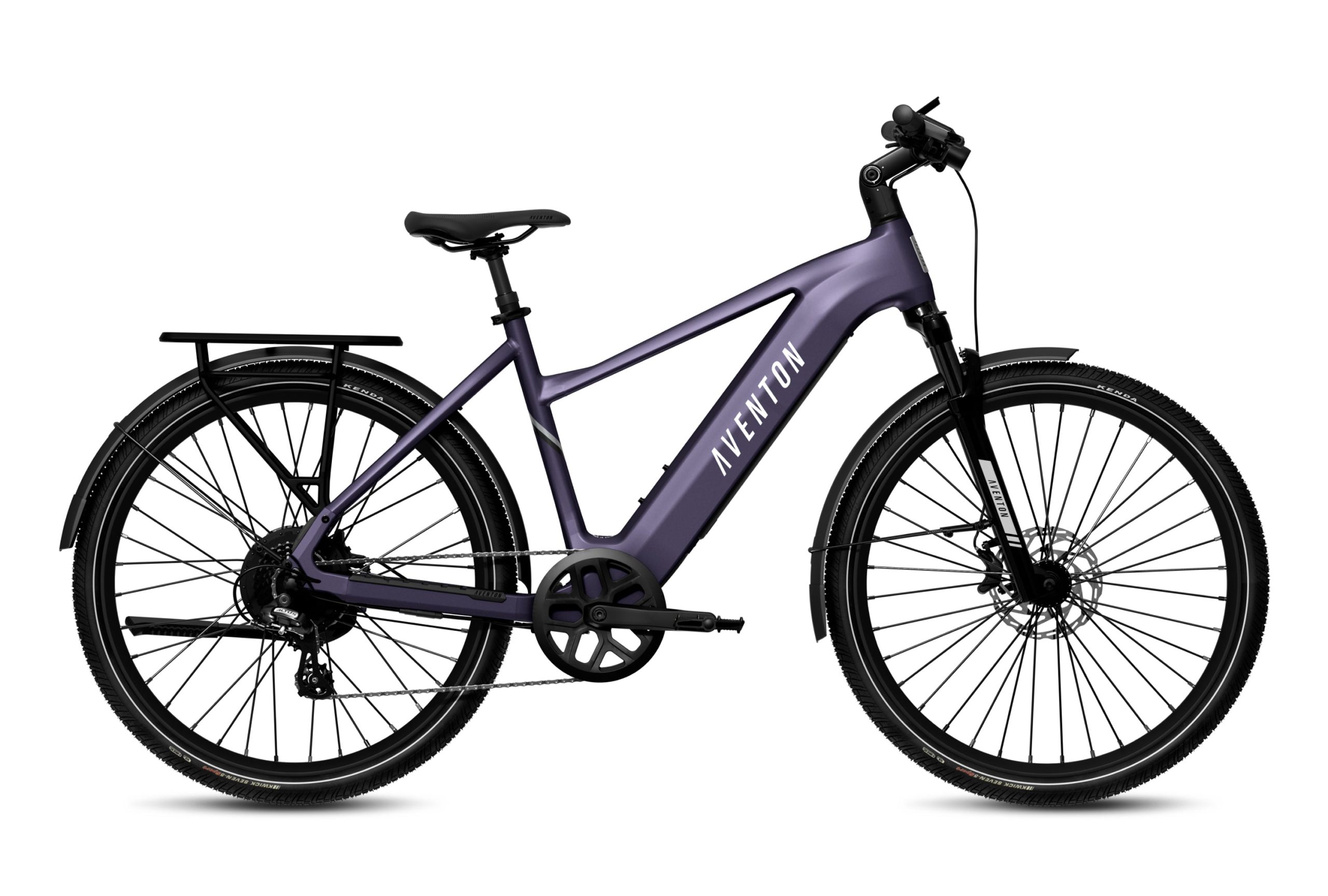
    Aventon built the Level 3 to be the commuter e-bike that looks after itself: a 4G-connected control unit with GPS tracking, geofencing, a motorized wheel lock and an alarm, bolted onto a solid 500W commuter with a torque sensor. Independent testers rode 80.6 miles on a charge against Aventon’s 70-mile claim, and OutdoorGearLab called it “arguably the best commuter bike you can buy for the money.” The catch: Aventon has discontinued the Level 3 for the $2,799 Level 4 ADV, and its store shows both frames out of stock at $1,699, down from $1,899. That turns a straightforward recommendation into a closeout play — a good one, with caveats.

    Who it’s for

    The Level 3 makes the most sense for a commuter who parks in public: nothing else near this price builds GPS tracking, geofence alerts, remote motor shutdown and a wheel lock into the frame itself. It also suits long-distance riders: measured range ran from 44.2 miles in the highest assist mode to 80.6 in Eco, against category averages of 30.3 and 57.3 in the same tests. For a 20-mile round trip, that is a week of riding between charges.

    Fit is generous: two frame styles and two sizes cover riders from roughly 5’1″ to 6’4″, with an adjustable stem. The wrong buyer is anyone who distrusts phone-tethered hardware — the battery ejects electronically rather than with a key, the headline security needs a subscription after year one, and at 67.5 pounds this is not a bike you carry up stairs.

    • Commuters who park outside and want real theft deterrence
    • Riders with 20-mile-plus round trips who hate nightly charging
    • Riders from 5’1″ to 6’4″, step-over or step-through
    • Deal hunters comfortable buying a discontinued model from dealer stock

    Key specs

    Spec Detail
    Motor 500W rear hub (36V), 864W peak, 60Nm, torque or cadence sensing via Sensor Switch
    Battery and charging 36V 20Ah (720Wh), LG 21700 cells, UL 2271, about 5 hr with the 4A charger
    Speed and class Ships Class 2 at 20 mph; pedal assist unlockable to 28 mph in the app
    Range 70 mi claimed; 44.2 to 80.6 mi measured on flat routes, 38.1 mi on a hilly course
    Brakes Hydraulic disc, 180mm rotors; Magura AT-2 or Tektro HD-E3520 depending on build
    Suspension 80mm coil fork with lockout, 50mm travel suspension seatpost
    Weight and load 67 lb claimed, 67.5 lb tested; 300 lb total payload, 60 lb rear rack
    Smart module ACU with GPS, 4G, geofencing, alarm, wheel lock; 4G free year one, then $20/yr
    Warranty 2 years parts and battery, lifetime frame with registration; IPX5, UL 2849

    Living with it

    The motor and torque sensor are the best thing about riding this bike. A 36V, 500W hub looks modest next to the 48V, 750W systems common at this price, but Aventon paired it with a 24-amp controller, and Electric Bike Report’s testers wrote that blindfolded they might have guessed it was a 750W motor. Their hill climb backs that up: 2 minutes flat on throttle alone, 41 seconds quicker than the old Level 2, and 1:23 while pedaling, exactly the category average. The same restraint is how it beat its 70-mile range claim in Eco-mode testing.

    The security suite mostly delivers, with an asterisk. Lock the bike from the app and the rear wheel immobilizes, the alarm arms, and the motor refuses to run; GPS reports position over 4G, with geofence alerts. The asterisk is dependence: there is no physical battery key, so removing the pack needs a working display or app — an owner who asked support what happens if the electronics fail got no comforting answer.

    The braking hardware is strong but the details annoy. Measured stops averaged 22’2″, slightly better than the category norm, and testers praised the Magura AT-2’s power while criticizing the flexy composite levers — they bend enough under hard braking to risk pinched fingers — and the missing motor-cutoff switch. Stranger still, Tektro-equipped builds have a brake-light wire and Magura builds do not, an inconsistency owners found by comparing bikes.

    Connectivity is the other gremlin: at least one owner reports the 4G link dropping whenever the bike powers off, silencing the tamper alerts the system exists to send. The radio also sips power constantly, so a bike parked for weeks needs topping up to keep its own security awake.

    Smaller frictions: no bell or horn, a dim headlight that sits where handlebar bags want to go, and a charge port hidden under the downtube. Comfort, though, is genuinely good — the fork, suspension seatpost and adjustable stem make broken pavement a non-event.

    Cost of ownership

    List price is $1,699 after a $200 cut from the $1,899 launch price. With Aventon’s own store out of stock, the real market is its 1,800-plus partner bike shops, where floor stock may sell at or below list. Treat the discontinued status as leverage.

    Running costs are trivial: a full charge of the 720Wh pack is roughly 12 cents at typical US electricity rates — about $12 a year even charging twice a week. Consumables are ordinary commuter fare. A spare battery lists at $499 and shares parts with current models like the Pace 4 and Aventure 3, which bodes well for availability.

    The subscription is the line item to notice. The ACU’s 4G service is free for the first year, then $20 a year or $2 a month. Skip renewing and the remote features that justify this bike over cheaper rivals go dormant. Cheap insurance, but a bike sold on security carries a phone bill.

    Warranty is 2 years on components and battery, plus a lifetime frame warranty if you register the bike — do it at purchase. The longer-term bet is on Aventon keeping its app and 4G servers alive. The company is large, still ships over-the-air updates, and its current lineup runs the same ACU, so the risk looks low — but a dumb bike does not carry it at all.

    How it compares

    The Lectric XPress2 is the value counterargument at $1,399: suspension fork, hydraulic brakes, the same Altus 8-speed drivetrain, a claimed 60 miles — and a current model you can order today. What it lacks is everything the ACU does — no GPS, no alarm, no wheel lock — and its brake hardware sits a step below the Magura kit. Safer purchase, lesser bike.

    The Ride1Up Vorsa, which we scored 8.2, brings more muscle for similar money: a 750W motor with 95Nm, dual torque-and-cadence sensing, 28 mph assist and a 440 lb payload rating at $1,595 to $1,695. It out-powers and out-carries the Level 3; the Level 3 answers with measured range the Vorsa cannot match, the security suite, and nicer brakes.

    Inside Aventon’s family, the Level 4 ADV succeeds this bike with a mid-drive motor at $2,799 — a big jump for a smoother drivetrain and the same smart features. Going cheaper, the lighter Soltera 3 line drops the rack, fenders and suspension that make the Level 3 commute-ready; our Soltera 3 ADV review explains why we rate it well below this bike.

    FAQ

    Is it still worth buying now that Aventon discontinued it?

    Yes, if the price and seller are right. The 2-year warranty runs from your purchase date, the battery and many parts carry over to current Aventon models, and dealer floor stock often sells below the $1,699 list. Do not pay launch-era money, and confirm the shop will handle warranty service.

    Can the Level 3 go faster than 20 mph?

    Out of the box it is a Class 2 bike: 20 mph on throttle or pedal assist. The Aventon app raises the pedal-assist ceiling to 28 mph, and independent testers confirmed reaching it. The throttle stays at 20 mph, and Class 3 speeds are not legal on every path, so check local rules first.

    Do the security features keep working without the subscription?

    Partly. The first year of 4G is included; after that it is $20 a year or $2 a month. Unpaid, anything cellular — live GPS, remote lock, geofence and tamper alerts — goes dormant; on-bike features like the display passcode continue. Budget the $20 into the price.

    Bottom line

    Buy it if you commute daily, park in public, and can find one at a dealer for $1,699 or less. The measured 44-to-80-mile range, Magura brakes and built-in GPS security are a combination nothing else at this price offers, and both labs that tested it ranked it near the top of the class. Register the frame, keep the subscription, and it should be a five-year bike.

    Skip it if you want a current model with a long support runway — the Ride1Up Vorsa offers more power for similar money and the Lectric XPress2 covers the basics for $300 less. Skip it too if electronic-only battery removal and a subscription-gated alarm sound like future headaches rather than features. On pure hardware this is an 8-plus bike; the discontinued status and the ACU’s small print pull it back to earth.

    Sources and further reading

  • Ergatta Luxe Rower

    Ergatta Luxe Rower

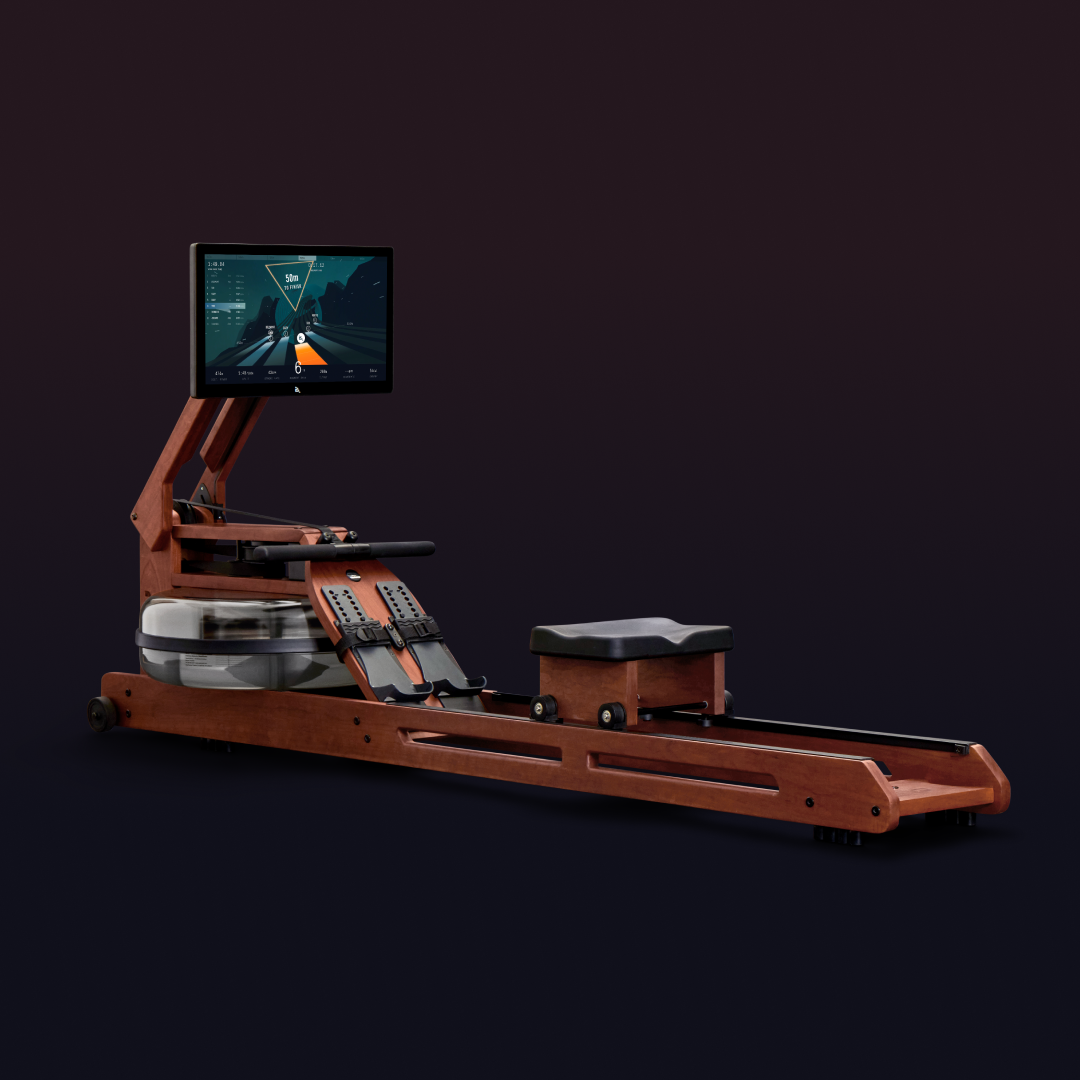
    Ergatta retired its original cherrywood rower in November 2025 and replaced it with the Luxe, a machine built for people who want their cardio equipment to look like furniture and play like a video game. The hardware upgrades are real: a 21-inch touchscreen replaces the old 17.3-inch panel, high-fidelity speakers replace tinny ones, and the weight capacity jumps to 500 pounds. Independent testers scored it well, praising the rowing feel and the racing-game content, then pointed at two problems: the game library that justifies the machine sits behind a $39-a-month membership, and Ergatta’s own $1,699 Lite runs identical software. At the current $2,299 price, down from a $2,499 list, the Luxe is a lovely machine with a math problem attached.

    Who it’s for

    The Luxe is for the buyer who hates instructor-led fitness content. Ergatta’s whole pitch is games instead of coaches: you race other members, chase pace targets through visual courses, and level up, rather than listen to someone shout encouragement from a studio. Reviewers consistently describe this as the reason people stick with the machine, and owner reviews on Ergatta’s site echo that the competition is what keeps them rowing.

    It is also for the household the cheaper Lite excludes. The Luxe carries a 500-pound rider limit and fits people up to 6 feet 8 inches with a 40-inch inseam, against 320 pounds and 6 feet 4 inches for the Lite. Add the handcrafted American cherrywood frame, built in partnership with WaterRower in Rhode Island, and this is the version for shared living rooms rather than garages.

    • People motivated by games and races, not instructor classes
    • Larger or taller households: 500 lb capacity, riders to 6’8″
    • Buyers who want gym equipment that can live in a living room
    • Rowers willing to pay a monthly membership indefinitely
    • Not for data purists or the subscription-averse

    Key specs

    Spec Detail
    Resistance Water tank, resistance rises naturally with stroke rate
    Frame Handcrafted American cherrywood, built with WaterRower in Rhode Island
    Display and audio 21 in HD touchscreen, high-fidelity speakers
    Footprint 86 in long by 23 in wide in use; stores upright
    Weight 106.5 lb with the tank filled
    Rider limits 500 lb capacity, up to 6’8″ or 40 in inseam
    Membership $39 per month, or $27 to $32.50 per month prepaid
    Warranty and trial 5-year warranty, 30-day return window
    Price $2,499 list; $2,299 in August 2026

    Living with it

    The stroke is the best thing about this machine. Start Rowing, which tested the Luxe and the Lite side by side, found the dual-rail seat tracked with zero wobble and called the water resistance feel fantastic, more natural than the magnetic systems on most connected rowers. Because a water tank resists harder the harder you pull, there is no resistance dial to fiddle with mid-race; your effort is the dial. Garage Gym Reviews scored the Luxe 4.2 out of 5 and named it the top water rower on the market.

    The screen and speakers earn their upgrade. The 21-inch panel makes the racing interface legible in a way the old 17.3-inch screen never quite managed; testers noted position and rhythm targets are simply easier to read mid-effort. The speakers drew specific praise as genuinely good rather than gym-equipment adequate, which matters because Ergatta leans on music to drive its race content.

    The annoyances are small but daily. Start Rowing found the single-strap footboards made positioning both feet tricky compared with the ratcheting straps on rival machines. The platform is closed: no Netflix, no Spotify, no third-party apps on that big screen. And CEO Tom Aulet’s launch claim that this is “the most immersive and elegant rower we’ve ever created” is fair, but immersion here means Ergatta’s own game worlds and nothing else.

    Handling is manageable for the size. At 106.5 pounds with water aboard it rolls on wheels and stands upright for storage without extra hardware, though one tester found it less stable than expected when parked vertically, worth knowing in a house with kids or dogs. Self-assembly runs 30 to 45 minutes by Ergatta’s estimate; closer to an hour once you fill the tank, per hands-on accounts.

    Noise is a water rower’s quiet strength: a rhythmic whoosh rather than a fan whine or chain rattle, and owners regularly report early-morning sessions without waking the house. The machine works without a membership as a basic rower, but the races, challenges and progression that define the product all require the subscription, so treat the membership as part of the purchase price rather than an option.

    Cost of ownership

    The list price is $2,499, and Ergatta was selling at $2,299 with free shipping for self-assembly in August 2026. The launch promotion in November 2025 briefly hit $1,999, so discounts of $200 to $500 do happen; patience around holidays is likely to be rewarded.

    The membership is the real long-term cost. At the monthly $39 rate, five years of membership totals $2,340, more than the discounted machine itself. Prepaying cuts it meaningfully: $32.50 a month billed annually, $29 on a three-year plan, $27 on a five-year plan. Even at the cheapest rate you are committing roughly $1,620 over five years on top of the hardware.

    Everything else is cheap. Water resistance needs no electricity, only the screen draws power, and tank upkeep amounts to purification tablets a few times a year for a few dollars. There is no belt drive motor to fail and no resistance electronics to age out.

    Support terms are better than most connected-fitness brands: a 5-year warranty as standard, where Hydrow and Peloton structure most coverage in shorter tiers, plus a 30-day risk-free return. WaterRower has built wooden rowers in Rhode Island for decades, which bodes well for the frame outliving the tablet bolted to it.

    How it compares

    The Ergatta Lite is the Luxe’s own worst enemy. At $1,699 it runs the identical game library on a 17.3-inch screen, weighs 72 pounds, and gives up capacity (320 pounds, riders to 6’4″) and the cherrywood for aluminum and polymer. Start Rowing rated the Lite higher than the Luxe, 4.6 against 4.2, precisely because the experience that matters is the software and the software is the same. If nobody in your house exceeds the Lite’s limits, the Luxe’s extra $600 buys wood, screen and speakers, not better workouts.

    The Hydrow Arc at $2,295 and Wave at $1,995 are the instructor-led alternative: filmed on-water rows with athletes, a required membership at $44 a month, and electromagnetic resistance. Choose by personality; Hydrow for people who respond to coaches and scenery, Ergatta for people who respond to a finish line.

    The Concept2 RowErg remains the value benchmark at $990 with no subscription at all. It is loud, plain and built like farm equipment, and it is what actual rowing clubs use. If the games would not change how often you row, the Concept2 does the physical job for well under half the money.

    FAQ

    Do I need the membership to use it?

    The rower functions without one, but the races, challenges, progression and community that make Ergatta worth choosing all require the subscription at $39 a month, or $27 to $32.50 a month prepaid. Budget for it as part of the machine, because without it you own a very pretty basic rower.

    Is the Luxe worth $600 more than the Ergatta Lite?

    Only if the hardware differences apply to you: the 500-pound capacity, the 6’8″ height accommodation, the larger screen, the better speakers, or the cherrywood looks. The game content is identical on both machines, and at least one independent outlet rated the cheaper Lite higher overall.

    How much space does it really need?

    About 86 by 23 inches in use, a bit more than seven feet of clear floor, plus room to slide in and out of the seat. It stores upright on its wheels without extra equipment, though it is less planted when vertical than when flat, so park it against a wall away from foot traffic.

    Bottom line

    Buy it if game-based competition is what actually gets you to exercise, you want a machine handsome enough for shared space, and your household needs the 500-pound capacity or 6’8″ height range the Lite cannot offer. The stroke feel, build quality and 5-year warranty are genuinely excellent, and at the $2,299 street price with a prepaid membership the total cost is defensible against a Hydrow.

    Skip it if you resent subscriptions, since the content that defines this machine costs $1,620 to $2,340 over five years on top of the hardware. Skip it too if the Lite’s limits fit your household, because $1,699 buys the same games, and a Concept2 RowErg at $990 with no subscription remains the smarter buy for anyone who does not need to be entertained into rowing.

    Sources and further reading

  • Owlet Dream Duo

    Owlet Dream Duo

    Owlet built the Dream Duo around a claim no competitor can make: the Dream Sock inside it is the only over-the-counter pulse oximeter the FDA has cleared for infants, and the Gen 3 bundle pairs it with a 2K camera, room sensors, and a base station that alarms on its own. Hands-on reviewers found the vitals tracking genuinely medical-grade and the camera image clear day and night, then ran into sock-to-base pairing dropouts, occasional loud false alarms, and a $9.99-a-month subscription in front of sleep history. Owner sentiment is strong regardless: 4.56 out of 5 stars across 3,118 Target reviews. At $379.99 the Dream Duo costs more than any camera-only rival, but the extra money buys a capability those rivals simply do not have.

    Who it’s for

    The Dream Duo serves parents who want numbers, not just a picture. A standard monitor shows movement and noise; the Dream Sock reports live pulse rate and oxygen saturation using the pulse-oximetry principle hospitals use, and its base station flashes and sounds an alarm if readings leave preset ranges, phone in hand or not. Parents of newborns who lie awake listening for breathing are the honest target market.

    Just as important is who it does not serve. The American Academy of Pediatrics recommends against using home cardiorespiratory monitors as a strategy to reduce SIDS risk, and Owlet makes no prevention claim. A baby with a diagnosed medical condition needs Owlet’s prescription BabySat and a doctor, not this. And there is no dedicated parent unit: everything runs through a phone app.

    • First-time parents who will actually sleep better with pulse and oxygen numbers on screen
    • Households with solid 2.4 or 5 GHz Wi-Fi, since the camera has no offline viewing option
    • Parents of babies 1 to 18 months and 6 to 30 lbs, the sock’s cleared range
    • Buyers with HSA or FSA funds, which the Dream Duo can draw on
    • Not for buyers expecting a SIDS-prevention device, which this is not and does not claim to be

    Key specs

    Spec Detail
    In the box Dream Sight camera, Dream Sock sensor, 4 fabric socks, base station, wall mount, cable guards
    Health monitoring Live pulse rate and oxygen saturation; FDA De Novo clearance as an OTC Class II device
    Cleared range Healthy infants 1 to 18 months, 6 to 30 lbs
    Camera 2K HD with night vision, 130-degree lens, 4x digital zoom, two-way talk
    Room sensors Temperature and humidity, shown live in the app
    Connectivity 2.4 and 5 GHz Wi-Fi; sock to base via Bluetooth, roughly 30 ft
    Sock battery Up to 16 hours; a 20-minute charge adds about 8 hours
    Subscription Live readings and alerts free; Owlet360 at $9.99 per month for history and insights
    Warranty and price 1-year warranty, 30-night guarantee, $379.99 list

    Living with it

    The sock is the reason this product exists, so start there. In November 2023 the Dream Sock received De Novo clearance from the FDA as the first over-the-counter medical pulse oximeter for infants, after clinical testing in both home and hospital settings. That followed a rougher chapter: an October 2021 FDA warning letter over the original Smart Sock’s unapproved health claims pushed it off the US market until the cleared device returned. The upshot is a vitals readout that has been independently validated rather than merely marketed, which no camera-based competitor can say.

    Connectivity is the recurring complaint, and it shows up in professional testing, not just one-star reviews. Reviewed.com’s Gen 3 tester struggled to pair the sock with its base station, reporting that even held beside the baby’s foot “it would not connect after several attempts,” and only a connect-near-the-crib-then-walk-away routine worked reliably. The Good Trade’s three-month tester also saw the app lag on a current phone. When the connection drops mid-night, the product’s entire promise pauses with it.

    False alarms happen, and they are loud by design. The Good Trade’s reviewer logged alerts triggered by the baby holding her breath while passing gas and by awkward feeding positions, and called the notification volume startling in the middle of the night. That is the trade-off of a conservative alert system: a few adrenaline spikes in exchange for confidence it will not stay silent when it matters.

    The camera side is good rather than great. The Gen 3 Dream Sight produced clear, detailed images day and night in Reviewed.com’s testing, and BabyGearLab ranked the previous-generation Dream Duo first of 13 monitors tested at 86/100, with top marks for sound and range. The same lab found night vision lost fine detail, and the camera cannot pan or tilt remotely; seeing the whole crib realistically requires the wall mount. The status light is bright enough to notice in a dark nursery.

    Daily rhythm settles quickly: 16 hours of sock battery means charging every morning, and the 20-minute fast charge that restores about 8 hours saves a forgotten night. One travel note: the camera will not join open hotel Wi-Fi.

    Cost of ownership

    List price is $379.99 in mint, blue, or rose, and street pricing barely moves: Amazon has sold it at $374.99, and Owlet itself runs 10 percent promo codes. The Dream Duo is HSA and FSA eligible, which effectively discounts it 20 to 30 percent for families with those accounts.

    The subscription line deserves a clear reading. Live vitals, live video, and all safety alerts are free forever, and that core is more generous than Nanit’s model. Owlet360, at $9.99 a month after a 7-day trial, gates sleep history, trend charts, and the morning summary reports. App-store complaints focus less on the price than on the missing family plan: parents of twins pay twice. Skip it and you lose analytics, not safety; keep it for the sock’s full 18-month lifespan and it adds roughly $180.

    Consumables are modest: four fabric socks in two sizes come in the box, and replacements are sold as babies grow. The harder cost is the ceiling: at 18 months or 30 pounds the cleared range ends, so the health half of a $379.99 purchase has a firm expiration date. The camera keeps working as a standard Wi-Fi monitor afterward, and the 1-year warranty plus a 30-night return window cover the early risk.

    How it compares

    The Nanit Pro starts at $289.99 and takes the opposite approach: an overhead camera reads breathing motion from a $34.99 patterned Breathing Wear band, with no electronics touching the baby. Its sleep-tracking analytics are the best in the category, but they sit behind an Insights subscription once the included trial ends, and computer vision estimating breaths is not pulse oximetry measuring oxygen. Choose Nanit for sleep coaching data, Owlet for cleared vitals.

    The SNOO Smart Sleeper is the answer if the real goal is a baby who sleeps rather than a baby who is measured: a $1,695 bassinet, or $159-a-month rental, that detects fussing and responds with motion and sound. It monitors nothing medical and is outgrown by 6 months, so it complements rather than replaces a monitor. Also weigh the Dream Sock alone at $299.99: the bundle’s camera adds only $80, genuinely good value, but a household with a decent Wi-Fi camera already does not need it.

    FAQ

    Does the Dream Sock prevent SIDS?

    No, and Owlet does not claim it does. The American Academy of Pediatrics’ safe-sleep guidance specifically recommends against relying on home cardiorespiratory monitors to reduce SIDS risk, because no study has shown they do. Treat the Dream Duo as information and reassurance layered on top of safe-sleep practice, never as a substitute for it.

    Do I need the Owlet360 subscription?

    No. Live pulse rate, oxygen readings, video streaming, and every safety alert work free, indefinitely. The $9.99 monthly Owlet360 tier adds sleep history, trends, and morning reports after a 7-day trial. Try the free tier for a month first; many parents find live readings are all they actually check.

    How long can my baby use it?

    The sock is cleared for babies 1 to 18 months old weighing 6 to 30 pounds, and four fabric socks in two sizes cover that span, with replacements available. Past 18 months the health monitoring retires, but the Dream Sight camera continues as a regular 2K video monitor for as long as you want it.

    Bottom line

    Buy it if live pulse and oxygen numbers are what will actually let you sleep, because nothing else offers FDA-cleared vitals without a prescription, and the camera, room sensors, and phone-independent alarm make a complete first-nursery kit at $379.99. Owner satisfaction is high, core features carry no subscription, and HSA or FSA money softens the price.

    Skip it if you mainly want sleep analytics or a great camera, where the Nanit Pro does more for less up front, or if a monitor that occasionally wakes the house with a false alarm would feed your anxiety rather than calm it. Skip the bundle, too, if you already own a camera you trust; the $299.99 Dream Sock alone delivers everything that makes this product unique, and no monitor of any price replaces safe-sleep basics.

    Sources and further reading

  • Segway Xaber 300

    Segway Xaber 300

    Segway built the Xaber 300 to take Sur-Ron’s market with the engineering budget of a company that ships millions of vehicles a year: 21 kW peak from a mid-mounted motor, a 3.17 kWh Samsung-cell battery, and fully adjustable Marzocchi suspension in a 187 lb chassis. Electrek’s hands-on review found the claims conservative, saw an indicated 70 mph on a bike rated for 60, and concluded it raises the bar for the whole segment. The catch sits in plain text on the product page: off-road use only. At $5,299.99 plus a dealer destination fee of $200 or more, it undercuts the 2026 Sur-Ron Ultra Bee HP, and that pricing is clearly the point.

    Who it’s for

    This is a motorcycle in everything but registration paperwork. Full-size 19-inch front and 17-inch rear knobbies, a 51-inch wheelbase, and a 330 lb payload rating fit adult riders, not kids. The software stretches across skill levels: selectable modes mimic a 150, 200, or 300-class gas bike, and Beast mode opens the full 21 kW. An adult beginner can start gentle; an experienced rider will not outgrow it.

    The right buyer has somewhere legal to ride and a way to get there: OHV parks, motocross tracks, or private land, reached by pickup, trailer, or hitch carrier, because riding to the trailhead on public roads is not an option in most states. Segway recommends riders 18 and up.

    • Trail riders who want 250-class gas pace without noise, heat, or engine upkeep
    • Adults stepping up from a Sur-Ron Light Bee or Segway X260 who want real suspension
    • Beginners who want power that grows with them through the mode system
    • Not commuters: no street-legal version exists today

    Key specs

    Spec Detail
    Motor Mid-mounted flat-wire motor, 8 kW nominal, 21 kW peak, Segway X720 controller
    Speed and acceleration 60 mph claimed in Beast mode; 0 to 50 mph in about 5 seconds; Electrek saw an indicated 70 mph
    Battery 72V 44Ah (3.17 kWh), Samsung 50S cells, removable 41 lb pack, UL2271 certified, IPX7
    Range Up to 75 mi at 31 mph; 31 mi at full speed in Beast mode; 30 to 40 mi in hard trail riding per Electrek
    Charging 72V 8A charger, about 6 hours for a full charge
    Suspension Marzocchi 37mm fork, 220mm travel; Marzocchi multi-link rear, 220mm wheel travel, fully adjustable both ends
    Brakes Four-piston hydraulic discs front and rear, 220mm rotors
    Weight and load 187 lb with battery, 330 lb max payload, 10.6 in ground clearance
    Extras TCS traction control, e-clutch, hill hold, GPS tracking, NFC key, IPX5 whole-bike sealing

    Living with it

    Refinement is the headline trait, and it shows up before the first ride: the bike arrives on a pallet fully assembled, with a factory toolkit under the seat. Electrek, after years of budget e-dirt bikes, called it a different class of machine, no chain slap against the frame, just motor whine, on a forged aluminum frame Segway says is derived from its Dakar rally prototypes, with suspension that soaked up aggressive trail riding without bottoming.

    The software layer is where Segway distances itself from the mail-order competition. The four modes change the bike’s whole personality, and Pro mode lets you draw a custom power curve in the app. A virtual e-clutch simulates clutch-popping for wheelies, gyro-based wheelie control keeps the front wheel from looping out, and traction control, hill hold, and one-button reverse round out a feature list no Sur-Ron offers. Electrek’s tester called Beast mode “way too much power” and rode a self-built curve instead.

    There are real annoyances. A 62-mile break-in period locks the 300 and Beast modes, so the power you paid for arrives a weekend or two after the bike does. Serious tuning lives in the app, which will bother riders who prefer bikes that never talk to a phone. The six-hour charge with no fast-charge option limits a full riding day, and while the 41 lb battery is removable, Segway has not published US spare-pack pricing yet.

    Read the range numbers carefully. The 75-mile figure comes from a steady 31 mph, which nobody does on a 21 kW dirt bike. Segway’s own chart is more honest: 43 miles at 43 mph in 150 mode, down to 31 miles at full Beast speed, and Electrek’s 30-to-40-mile trail estimate matches that math. By this class’s standards that is genuinely good; it is still less than half the headline.

    The biggest open question is time. The Xaber 300 only reached US dealers in mid-May 2026, so long-term reliability reports do not exist, the aftermarket is tiny next to Sur-Ron’s parts universe, and the owner community is a months-old Facebook group rather than years of forum archives. Nothing reported so far suggests trouble, but nothing has had time to.

    Cost of ownership

    List price is $5,299.99 at Segway’s store and $5,299 at dealers. Most dealers add a $200-plus destination fee, so budget about $5,500 out the door. One current softener: owners of an existing Segway vehicle get a verified 10 percent loyalty discount through September 6, 2026, worth about $530.

    Running costs are where an electric dirt bike quietly wins. A full charge of the 3.17 kWh pack costs roughly 55 cents at average US residential rates, so even a charge-every-ride season lands under $100 a year. There is no gas, no oil change, no air filter, no valve adjustment, and no clutch pack to burn; real consumables are knobby tires, brake pads, and chain wear items, the same as any dirt bike.

    Support is Segway’s structural advantage. The battery carries UL2271 certification, the bike a published limited warranty, and warranty work flows through a nationwide dealer network rather than an importer’s email inbox.

    The hidden cost is access. Off-road-only means OHV permits in many states and a hard stop on riding it to work, and a hitch carrier or used trailer adds $200 to $800 if you do not already own a truck.

    How it compares

    The Sur-Ron Ultra Bee HP is the direct target. The 2026 HP runs $5,799 to $6,450 at US retailers and answers with a higher 24.5 kW peak, plus the deepest aftermarket and owner community in the segment. The Xaber counters with a lower price, better factory suspension, smart features Sur-Ron does not have, and dealer support. Buy the Sur-Ron for proven durability and modability; buy the Segway for polish and a warranty you can drive to.

    The Talaria Sting MX5 Pro is the budget path at $3,199 plus a $249 destination charge. It is well down on power and component quality next to the Xaber, but it is more than $1,800 cheaper, and for a first off-road machine that gap funds a lot of protective gear. Sur-Ron’s own Light Bee X, starting around $4,699 for 2026, splits the difference with a lighter, proven platform.

    Segway’s cheaper sibling is the older X260, which sold for around $5,000 and now reads like the rough draft: slower, shorter on suspension, and the bike Segway’s loyalty program nudges owners to trade up from. It is only worth it heavily discounted.

    FAQ

    Is the Segway Xaber 300 street legal?

    No. Segway classifies it as off-road use only, and it ships without turn signals, mirrors, or a DOT lighting package, so it cannot be registered for road use in most states. Electrek noted the controls look pre-wired for signals, so a street version may follow, but buy the bike that exists today.

    How far will it really go on a charge?

    Plan on 30 to 40 miles of real trail riding, matching Electrek’s estimate and Segway’s own speed-based figures. The 75-mile headline requires holding a steady 31 mph. With a six-hour recharge and no fast-charge option, a long day ends on a plan, not a plug.

    Can a beginner handle it?

    More safely than most bikes this fast. The 150 mode caps output at gentle levels, traction control and wheelie control catch common beginner mistakes, and the mandatory 62-mile break-in keeps full power locked at first. It is still a 187 lb machine capable of 60 mph, so gear, an empty practice area, and patience with the mode ladder are not optional.

    Bottom line

    Buy it if you have legal terrain, a way to haul the bike, and you want the most refined machine in the lightweight e-dirt class. The power-to-weight ratio, adjustable Marzocchi suspension, and software depth beat anything near the price, and at $5,299.99, roughly $500 to $1,100 under a 2026 Ultra Bee HP, the value argument is straightforward. Existing Segway owners with the loyalty discount get an even easier call.

    Skip it if you need to ride on public roads, where a street-homologated machine like NIU’s XQi3 street variant serves better. Skip it too if you want years of proven parts and community behind your bike, or if the budget stops near $3,500, where the Talaria Sting MX5 Pro covers the basics. And if first-year products worry you, waiting a season for long-term reports is defensible; this bike has been on sale for barely three months.

    Sources and further reading

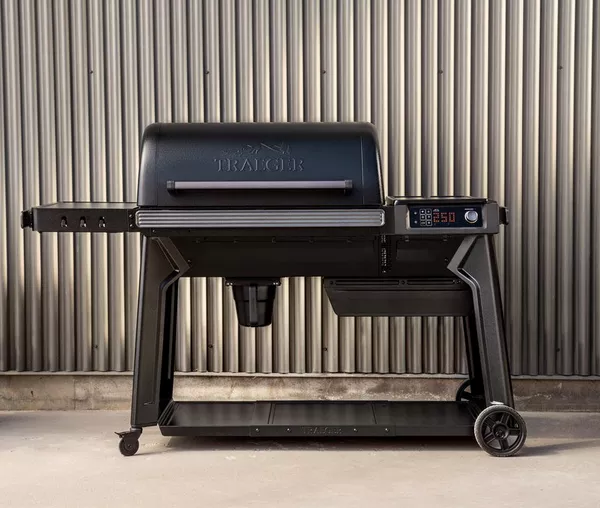
  • Traeger Woodridge Pro

    Traeger Woodridge Pro

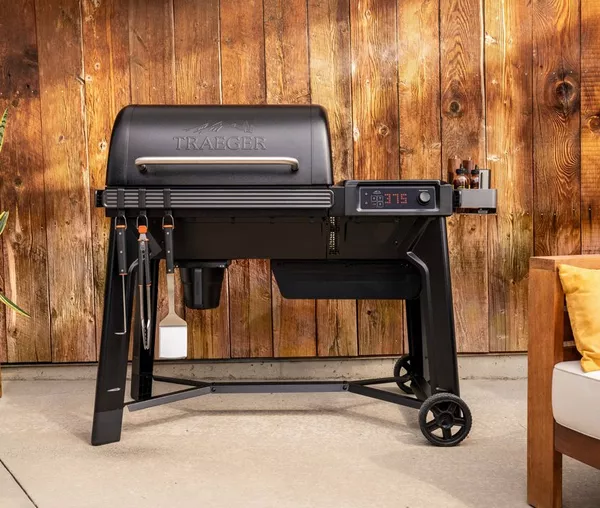
    Traeger aimed the Woodridge Pro at the buyer who wants Ironwood-grade features without the Ironwood price, and the middle child of the 2025 Woodridge line mostly delivers: 970 square inches of cooking space, a 24-pound hopper with a pellet sensor, Super Smoke mode, and the best grill app in the business. AmazingRibs gave it a Gold Medal and Tom’s Guide an Editor’s Choice badge, though AmazingRibs coaxed only 480°F from a grill that claims 500°F. The bigger asterisk comes from owner forums, where a minority of early buyers report mid-cook shutdowns on a platform only on sale since January 2025. At $1,149.99, up $150 from launch, it is a good smoker with real caveats rather than a slam dunk.

    Who it’s for

    The Woodridge Pro is built for the smoke-first cook. Set 225°F, load the hopper, and the controller holds temperature for a 12-hour brisket while you watch the cook from your phone. Tom’s Guide’s reviewer, after decades of babysitting an offset wood smoker, found the hands-off experience genuinely convincing, and the pellet sensor warns you before a long cook runs dry. If your ambitions are ribs, pork butt, brisket, and weeknight chicken, this is the sweet spot of the Woodridge line.

    It is not built for the sear-obsessed. There are no open flames under the grates, the 500°F ceiling proved optimistic in one measured test, and reviewers agree the smoke-flavor advantage fades above roughly 325°F. Traeger’s own answer is the Woodridge Elite, which bolts an infrared burner to the side for $650 more.

    • Low-and-slow cooks who want set-it-and-forget-it smoking with app control
    • Households feeding a crowd: Traeger rates it for 8 rib racks or 8 pork butts
    • Upgraders from older Traegers who want the combined grease-and-ash keg
    • Not for buyers whose priority is flame-kissed, steakhouse-level searing

    Key specs

    Spec Detail
    Cooking area 970 sq in total: 585 sq in main grate plus upper rack
    Temperature range 180°F to 500°F claimed; 480°F max in AmazingRibs testing; Keep Warm holds 165°F
    Hopper 24 lb with pellet level sensor and clean-out chute for swapping flavors
    Pellet consumption About 1 lb per hour at 225°F, about 3 lb per hour at 450°F (Smoked BBQ Source)
    Connectivity WiFIRE Wi-Fi with full-color controller; two probe jacks, one wired probe included
    Cleanup Combined grease and ash keg; optional foil liners
    Size and weight 47 in H x 67 in W x 27 in D, 174 lb, folding left side shelf
    Warranty 10-year limited

    Living with it

    The control system is the star. AmazingRibs, which has tested Wi-Fi grills for a decade, called WiFIRE “one of the best Wi-Fi control systems we’ve encountered,” and Tom’s Guide rated the app the best it had used on any grill. Temperature, timers, Super Smoke, and probe readouts all work from anywhere, and Keep Warm drops the pit to 165°F if the brisket finishes early. AmazingRibs also verified the controller’s accuracy through the low and mid ranges, where a pellet smoker earns its keep.

    Super Smoke is the reason to buy the Pro over the base Woodridge. Below about 325°F it produces noticeably deeper smoke flavor, and AmazingRibs showed a proper smoke ring on its test brisket. Push past that temperature and the effect disappears, which is normal pellet-grill behavior but worth knowing before you expect smoky burgers.

    The top end is less convincing. On a mild 72°F Chicago day, AmazingRibs ran the grill flat out for over an hour and topped out at 480°F, short of the claimed 500°F. Results vary: GearJunkie’s base-model Woodridge pegged 500°F in 20-degree winter weather. Either way, searing comes from hot grates rather than open flame, and Tom’s Guide found accessory sear plates never get hot enough to compete with a live-fire grill. Smoked BBQ Source added that the uninsulated lid leaks a little smoke and the upper rack heats unevenly.

    Cleanup is genuinely better than older Traegers. Grease and ash funnel into a single removable keg instead of a dangling bucket and a shop-vac ritual, though AmazingRibs warns the mixture sets into solid gunk and considers the foil keg liners a must-buy. Smaller irritations pile up: no lights in the chamber or hopper, pellets that bridge in the hopper and trigger false low-pellet warnings until stirred by hand, and lid and wheels secured by flimsy cotter pins on an otherwise stout build, per Tom’s Guide.

    Budget real time for assembly: Traeger claims about an hour, Tom’s Guide needed 90 minutes alone, and GearJunkie spent three hours on the base model. The steel is thinner than an Ironwood’s, part of how the price stays down, but the cart rolls easily on two wheels and two casters despite the 174-pound heft.

    Cost of ownership

    The Woodridge Pro launched at $999.99 in January 2025 and now lists at $1,149.99, a roughly 15 percent increase that tracked across Traeger’s whole lineup. Amazon and Home Depot sell at the same list price, so there is no street discount to hunt beyond periodic holiday promotions.

    Pellets are the recurring bill. At about a pound per hour at 225°F, a 12-hour brisket burns roughly $12 to $15 of branded pellets at typical $20-to-$25-a-bag prices; hot-and-fast cooking triples that. Electricity is trivial, a few cents per cook. Add foil keg liners, and a regular smoker should budget $150 to $300 a year on consumables.

    The 10-year limited warranty is unusually long for this category, and there is evidence Traeger honors it quickly: when the control-unit display died on GearJunkie’s Woodridge two months in, Traeger shipped the part within days, the fix took 15 minutes, and the grill then ran flawlessly for a year. The counterpoint comes from the independent Traeger Owners Forum, where threads collect reports of units shutting down mid-cook with error codes 01 and 06, balky startups, and support holds stretching toward two hours. Those reports are a minority against strong professional reviews, but the platform is young, so buy from a retailer with an easy return window.

    How it compares

    The Traeger Woodridge base model costs $899.99 and gives up 110 square inches, Super Smoke, the pellet sensor, and the folding side shelf. GearJunkie scored it 8.4 out of 10 after 14 months, and if you rarely chase maximum smoke flavor it is the better value. The $250 step up to the Pro buys features you touch every cook, which is why reviewers call the Pro the sweet spot.

    Above it, the Woodridge Pro Plus adds an enclosed storage cabinet for $1,399.99, a convenience rather than a cooking upgrade. The Woodridge Elite at $1,799.99 is the one that fixes a real weakness: its 1,100-watt infrared side burner delivers the genuine sear the Pro cannot, plus an insulated lid for cold-weather stability.

    Outside the family, the Weber Smoque XL undercuts the Pro at $999. Engadget scored the smaller Smoque 83/100 and found it held temperature more steadily than the Woodridge, with faster preheats. Weber’s trade-offs: a one-stat display, no pellet sensor, a SmokeBoost mode that only works at 180°F, and a thinner accessory ecosystem than Traeger’s.

    FAQ

    Can the Woodridge Pro really sear a steak?

    Sort of. The grates get hot enough for grill marks and a crust, but there is no open flame and one independent test topped out at 480°F rather than 500°F. If real searing is the priority, the Woodridge Elite’s infrared side burner or a separate charcoal grill does it properly.

    How much do pellets cost per cook?

    Smoked BBQ Source measured about 1 pound per hour at 225°F and 3 pounds per hour at 450°F. That works out to roughly a dollar an hour for low-and-slow smoking with branded pellets, so an overnight brisket runs $12 to $15 and the 24-pound hopper comfortably outlasts the cook.

    Is the Woodridge Pro reliable?

    Professional long-term experience is mostly good, and in one documented control-unit failure Traeger shipped the fix within days under its 10-year warranty. Owner forums show a pattern of early-unit complaints, including mid-cook shutdowns and error codes, so treat the first month as a shakedown period while returns are easy.

    Bottom line

    Buy it if you smoke more than you sear and want the most polished app-controlled experience in the mid-price bracket. The WiFIRE controls, Super Smoke flavor, pellet sensor, and one-keg cleanup earned this grill a Gold Medal from AmazingRibs and an Editor’s Choice from Tom’s Guide, and at $1,149.99 it undercuts an Ironwood by hundreds while doing the low-and-slow job just as convincingly.

    Skip it if high-heat grilling is half your cooking, because the sear is grate-only and the 500°F claim did not survive independent testing; the Woodridge Elite or a $999 Weber Smoque XL paired with a cheap charcoal kettle serves you better. Skip it too if early-adopter risk bothers you: the platform is barely a year and a half old, owner forums document a real if minority pattern of shutdowns, and the excellent 10-year warranty is only as good as your patience with Traeger’s support line.

    Sources and further reading

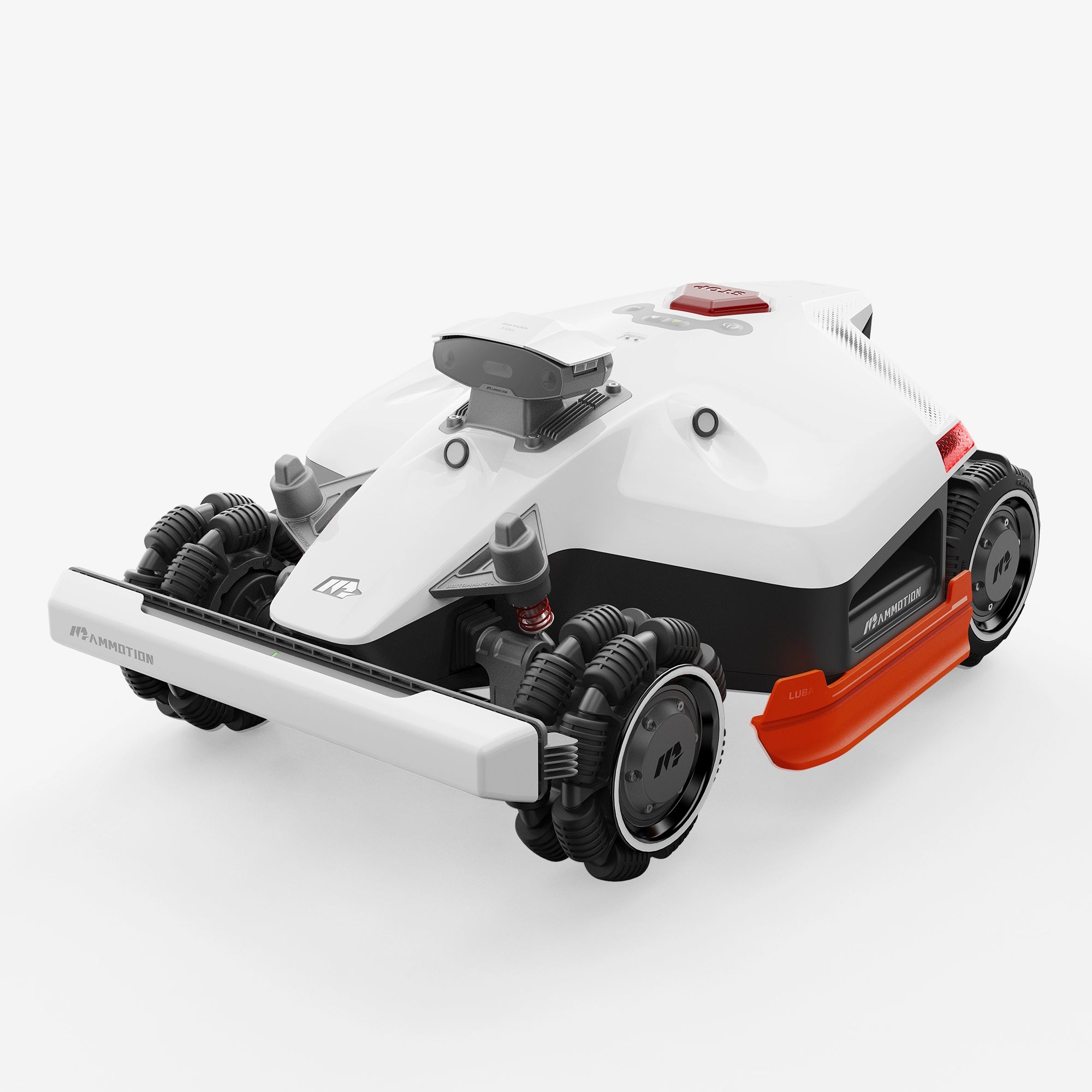
  • Mammotion LUBA 2 AWD 5000X

    Mammotion LUBA 2 AWD 5000X

    The LUBA 2 AWD 5000X takes the all-wheel-drive, wire-free platform of Mammotion’s $4,499 flagship 10000X, keeps the 15.7-inch dual-disc deck and 80 percent slope rating, halves the coverage to 1.25 acres, and charges $2,999. The formula works: Basic Tutorials ran one through a cluttered, uneven test garden and scored it 93 out of 100 — strong traction, near-silent cutting, no buried wire. The caveats are a fussy RTK base-station setup, camera navigation that turns inconsistent in dim light, and an app with a learning curve. The bigger issue is timing: Mammotion now labels the line upgraded to the 2026 LUBA 3, and the standard-cut 5000X is sold out at the official store and Amazon, leaving mostly the high-cut 5000HX twin at $2,999. A good machine, wrapped in an end-of-life buying decision.

    Who it’s for

    The 5000X targets the yard that defeats ordinary robot mowers: half an acre to 1.25 acres (1.5 at a stretch) with slopes, rough ground, and multiple separated lawns. All-wheel drive with front omni wheels carries it up 80 percent (38.6 degree) grades and over 3.2-inch obstacles, territory where a typical rear-drive robot spins its wheels at half that incline. It covers about 0.3 acre per charge in roughly three hours, then recharges and resumes, managing up to 50 zones from one map.

    Cut height decides which twin you buy. The 5000X cuts at 1.0 to 2.7 inches, suiting warm-season grasses like Bermuda kept short; the 5000HX covers 2.2 to 4.0 inches for northern fescue and bluegrass lawns. Everything else, from price to battery, is identical.

    • Yards of 0.5 to 1.25 acres with slopes up to 80 percent
    • Warm-season lawns cut at 1.0 to 2.7 inches (the HX handles 2.2 to 4.0)
    • Properties chopped into many zones: front, back, side strips, up to 50
    • Buyers who refuse to bury a boundary wire
    • Bargain hunters willing to buy a superseded model if the price dips

    Key specs

    Spec Detail
    Coverage 1.25 acres recommended, 1.5 acres max, 0.3 acre per charge
    Cutting deck 15.7 in width, two discs, 12 pivoting razor blades, 165W disc motor
    Cutting height 1.0–2.7 in (5000X); 2.2–4.0 in (5000HX)
    Drive and slope All-wheel drive, 80% (38.6°) climb, 3.2 in obstacle clearance
    Battery 12Ah, up to about 3 hours of mowing per charge
    Navigation RTK GNSS plus UltraSense AI Vision; iNavi NetRTK and 4G now free for life
    Zones and safety Up to 50 zones, recognizes 200+ object types, GPS anti-theft
    Weight and size 41 lb; 27.1 x 20.2 x 10.7 in
    Warranty 3 years; official 1-year extension sold for $309

    Living with it

    Terrain ability is the headline, and it holds up outside the spec sheet. Basic Tutorials tested it in a garden strewn with toys, hedges, and uneven ground: it chewed through grass up to 3.5 inches tall and left a “clean and precise cut” after one pass. Obstacle avoidance, via camera plus ultrasonic and bumper sensors, steered around clutter rather than plowing through it.

    The cut itself is the second surprise. TechRadar’s three-week test of the smaller LUBA 2 AWD 1000, which shares this deck, found the motors close to silent, the snip of blades the loudest sound, and praised the parallel, checkerboard, and diamond patterns. Neighbors will hear a lawn being cut; they will not hear a mower.

    Setup is where the polish thins. The RTK base station wants a wide view of open sky, mounted high, and Basic Tutorials needed several repositioning attempts before reception settled; the same review hit Bluetooth lag while mapping, forcing a crawl at 0.2 meters per second. Mammotion’s iNavi update softens this: since April 2026 the network-RTK correction service and built-in 4G are free for the device’s lifetime, so the mower can lean on network corrections instead of a perfectly placed antenna.

    The remaining weakness is light. Mammotion’s own LUBA 3 comparison page concedes the LUBA 2’s camera-plus-RTK navigation gets inconsistent under dense foliage or in poor light, which is exactly why the successor gained LiDAR. Under heavy canopy, at dusk, or in deep shade, the 5000X can hesitate or skip patches the LUBA 3 handles.

    Owner sentiment tracks the reviews. The 5000X listing on Amazon sits at 4.3 out of 5 stars, as does the X-series family listing with 109 ratings; wire-free setup and cut quality draw praise, dropped connectivity is the recurring complaint. Two practical notes: there is no grass catcher, mulching only, and wet clippings stick to the deck and your shoes; and the app, with FPV remote driving, lawn-pattern printing, and per-zone schedules, genuinely takes an evening to learn.

    Cost of ownership

    List price is $2,999, and that is the price you will actually see: at review time the official store showed no discount, the standard 5000X was sold out there and on Amazon, and dealers like Wellbots stocked only the 5000HX at the same $2,999. Clearance is plausible but not guaranteed, and the newer LUBA 3 AWD 5000 sits only $300 away.

    Running costs are close to trivial. The 12Ah pack stores roughly a quarter of a kilowatt-hour, so a full 1.25-acre pass of four-plus charges consumes about one kilowatt-hour — under 20 cents at average US rates, and well under $10 for a season of weekly mowing. Blades are cheap too: a 24-pack costs $49, two full changes of the 12 blades, which owners swap every month or two in season.

    The subscription math improved after launch: the built-in 4G module originally included one free year, but since April 2026 Mammotion provides 4G and the iNavi NetRTK service free for the life of the device, removing the only recurring fee this mower ever had.

    The warranty runs 3 years, with a fourth year sold for $309. One caveat: this is a superseded model, and the store’s $79 replacement cutting disc for the LUBA 2 AWD was itself out of stock at review time. Assume model-specific parts thin out from here.

    How it compares

    The unavoidable comparison is Mammotion’s own LUBA 3 AWD 5000 at $3,299. For $300 more you get a 15Ah battery covering 1,500 square meters per charge instead of 1,200, plus 360-degree LiDAR fused with dual AI vision that works under trees and in darkness where the 5000X struggles. With canopy or evening schedules the LUBA 3 wins at list price; on an open lawn the 5000X gives up little.

    The Segway Navimow X350 costs $3,499, covers 1.5 acres, and brings LiDAR-assisted wire-free navigation of its own, but it is not all-wheel drive and its slope rating sits far below the LUBA’s 80 percent. On rolling suburban lawns it is a refined rival; on steep or rough ground the LUBA keeps moving.

    Within the family, the LUBA 2 AWD 3000X saves $400 at $2,599 but drops to 0.75 acre and 30 zones; the 10000X at $4,499 doubles coverage to 2.5 acres with 100 zones. For a flat quarter-acre, skip the LUBA class: Mammotion’s YUKA mini line starts at $749.

    FAQ

    Should I buy the 5000X or pay $300 more for the LUBA 3 AWD 5000?

    Buy the 5000X only if your lawn has open sky and you find it at or below $2,999. The LUBA 3’s LiDAR fixes the documented weakness in shade and low light, adds a bigger battery, and is in stock. At list the newer machine wins; a clearance 5000X in the mid-$2,000s flips the answer.

    What is the difference between the 5000X and the 5000HX?

    Cutting height only. The 5000X cuts 1.0 to 2.7 inches, right for Bermuda and other warm-season grasses kept short; the 5000HX cuts 2.2 to 4.0 inches for cool-season fescue and bluegrass. Coverage, battery, navigation, and the $2,999 price are identical, and the HX is the one actually in stock.

    Does it still need the RTK base station and a paid plan?

    It ships with an RTK base station that wants a clear sky view, and setup patience is the most common early complaint. Since April 2026 the iNavi NetRTK service and built-in 4G are free for the device’s lifetime, so there is no subscription, and network corrections reduce dependence on perfect antenna placement.

    Bottom line

    Buy it if your yard runs up to 1.25 mostly open acres with slopes or rough terrain that scare off two-wheel-drive robots, and you can get the 5000X, or the in-stock 5000HX twin, at $2,999 or less. The cut quality, near-silence, 80 percent climbing, and free 4G and NetRTK make it one of the most capable wire-free mowers at this price, and the 3-year warranty applies to end-of-line stock.

    Skip it if your lawn sits under heavy tree cover, where the camera-plus-RTK navigation demonstrably lags the LiDAR-equipped LUBA 3 AWD 5000 at $300 more, or if your yard is flat and modest, where the Segway Navimow X350 and Mammotion’s cheaper YUKA line make more sense. And if you cannot find stock near list price, do not chase it: this platform’s replacement is already on shelves.

    Sources and further reading

  • BLUETTI Apex 300

    BLUETTI Apex 300

    Our verdict: The BLUETTI Apex 300 is a flexible option for buyers who want one system to cover home outages, RV power, and later expansion. This is a research-based review, not a hands-on lab test; the score weighs published specs, pricing, independent evidence, and the limits a buyer should know before ordering.

    The short version is simple: choose the Apex 300 if you want a portable battery that can grow into a bigger backup setup. Skip it if you only need a small power station for laptops, or if you want a permanently installed solar battery with one contractor handling the whole design.

    Check the Apex 300 price at BLUETTI. TheClearBuy may earn a commission if you buy through this link, at no extra cost to you.

    What we evaluated

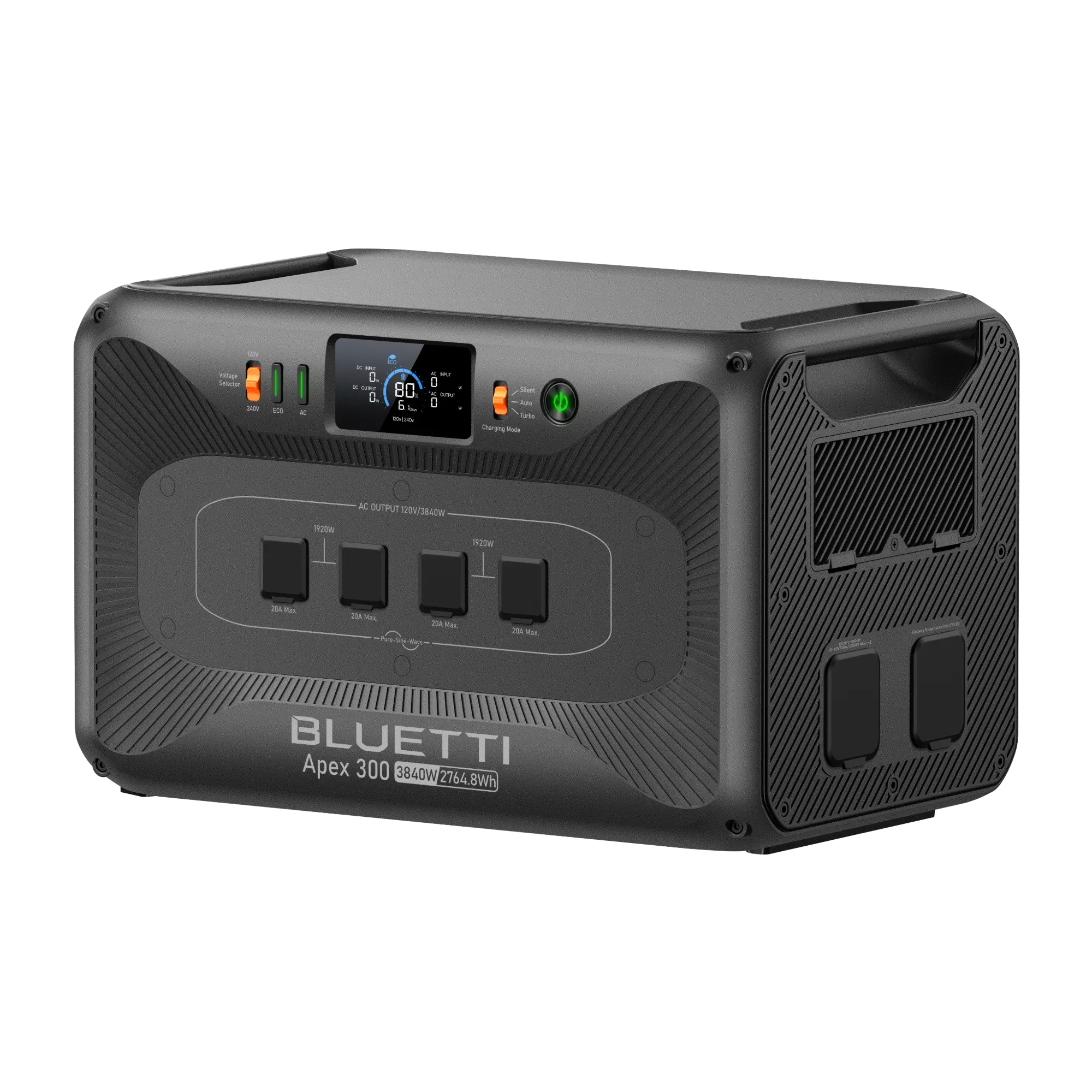
    We evaluated the Apex 300 from BLUETTI’s product page, published specifications, current US pricing, and independent testing from CleanTechnica, Popular Mechanics, and David Poz. We did not handle the unit ourselves. BLUETTI lists the base Apex 300 at 2,764.8Wh of battery capacity and 3,840W of output.

    The important context is that Apex 300 is not just a single camping battery. BLUETTI positions it as a modular platform that can start as a 2.7 kWh unit and expand with additional batteries, solar input, RV charging accessories, and home integration hardware.

    Where the Apex 300 makes sense

    The best fit is a buyer who wants backup power but is not ready to commit to a fixed whole-home battery. The Apex 300 can cover short outages with the base unit, then grow into a larger setup if you add B300K or B500K batteries and the right integration gear.

    That flexibility matters because backup needs vary a lot by house. A refrigerator, router, lights, and a few outlets are a very different problem from central air conditioning or a long storm outage. Starting smaller reduces the chance of overbuying on day one.

    Power and expansion

    The base specs are strong for a portable-format system: 3,840W output, 2,764.8Wh capacity, 120V/240V support, and a modular path toward much larger capacity. BLUETTI says multi-unit configurations can reach 11.52kW output and 58kWh capacity with multiple Apex units and expansion batteries.

    That headline number should not be treated as a simple cart add-on. Once you move from portable backup into panel-connected home backup, you are dealing with electrical design, transfer equipment, local code, and load prioritization. The product is flexible, but the installation plan still matters.

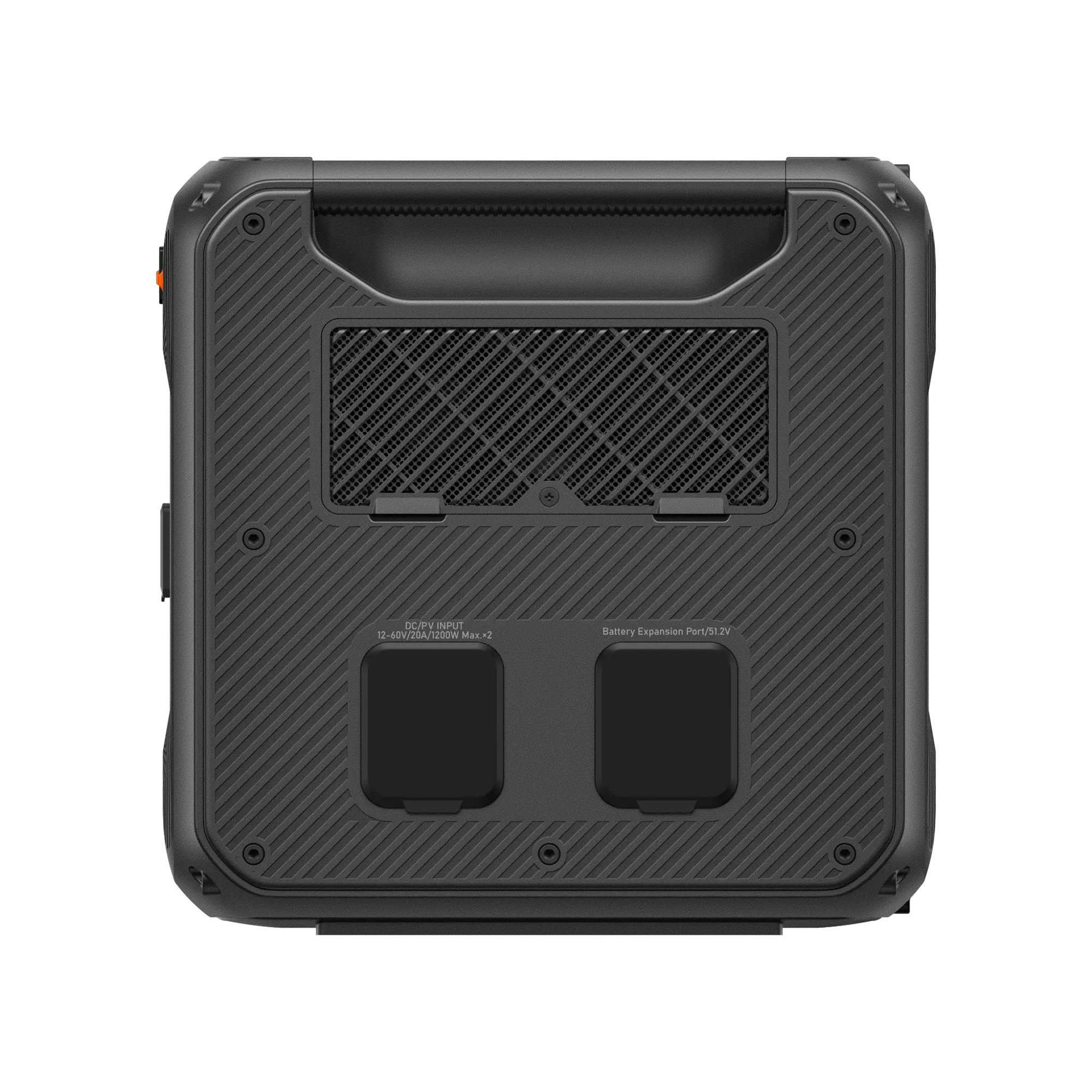
    BLUETTI Apex 300 side panel with solar inputs and battery expansion port
    The side panel groups the solar inputs and battery expansion connection. Check the manual before connecting accessories. Image: BLUETTI.

    Charging and solar use

    BLUETTI’s page emphasizes fast AC charging, generator charging, vehicle charging options, and solar expansion through accessories such as SolarX 4K. For outage prep, the useful point is not just maximum solar wattage; it is whether the system can be charged before a storm and topped off during a multi-day outage.

    The Apex 300 also has a stronger case for RV buyers than many home-only batteries. Dual-voltage support, alternator-charging accessories, and expansion packs make it plausible as a clean generator alternative for some RV setups.

    Planning to recharge while driving? Compare our BLUETTI Charger 1 review and BLUETTI Charger 2 review to understand the different vehicle-charging approaches. Confirm Apex 300 compatibility, required cables and input limits with BLUETTI before buying either accessory.

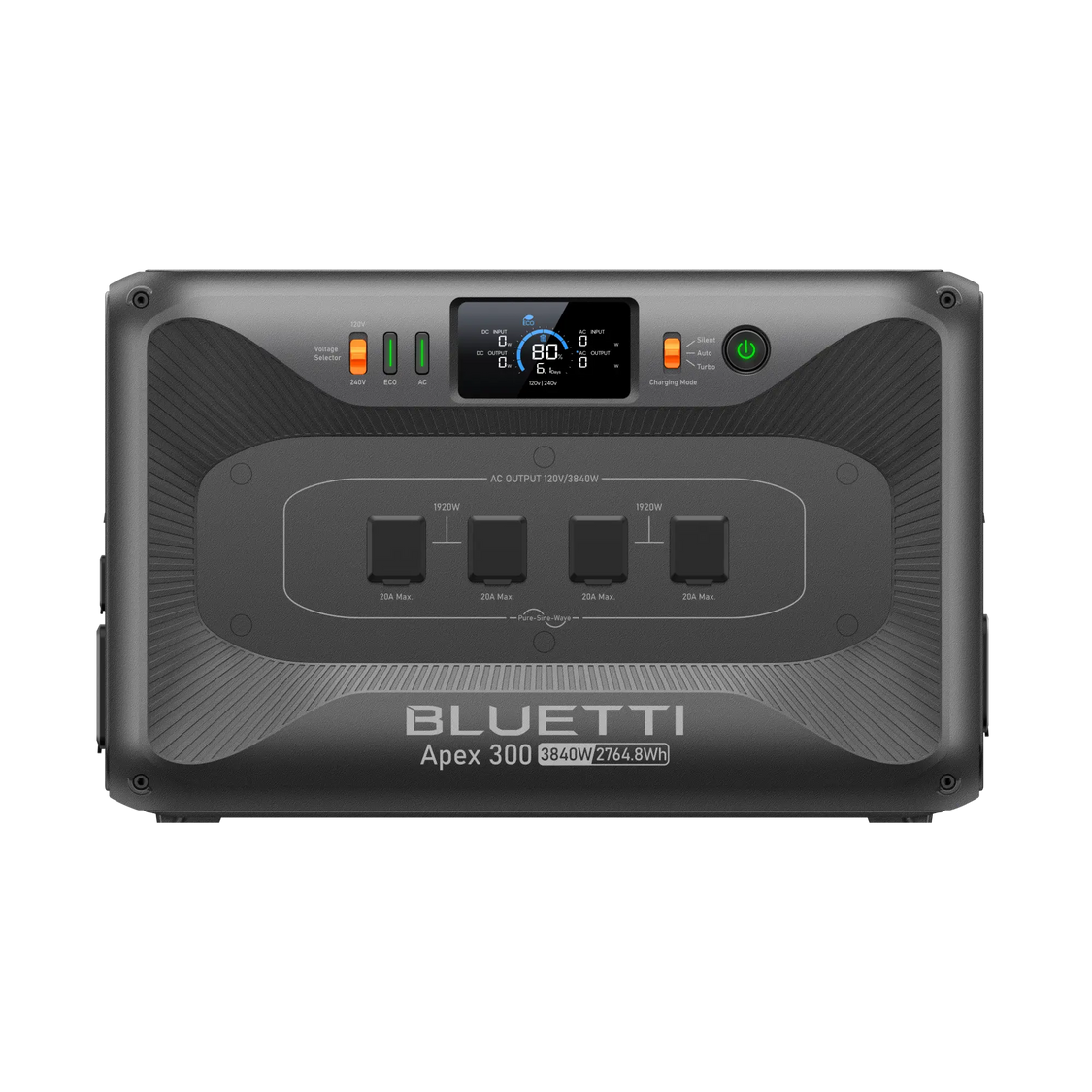
    BLUETTI Apex 300 display, controls and covered AC outlets
    The display and front controls help you monitor the system; the covered AC outlets are shown here. Image: BLUETTI.

    Will it solve your outage problem?

    Start with the loads you actually need, not the biggest number on the box. A simple planning estimate is: usable watt-hours ÷ average watts = hours. Using 85% as a conservative planning assumption, the 2,764.8Wh battery gives roughly 2,350Wh of usable energy before temperature, inverter losses, battery reserve, and startup surges change the result.

    Example load Illustrative average draw Planning estimate
    Router, lights and small electronics 100W About 23 hours
    Refrigerator plus router and lights 200W average About 12 hours
    Several larger appliances 500W average About 4.7 hours

    These are planning examples, not BLUETTI or TheClearBuy test results. Refrigerators cycle on and off, while motors and heating elements can need a short startup surge. Measure your actual load with a plug-in power meter and check the Apex 300 manual before assuming it can run a specific appliance.

    What will the complete setup cost?

    The base Apex 300 price was $1,499 when checked on September 14, 2026. That is the entry point, not necessarily the price of a working home-backup system. Your real total can include expansion batteries, solar or vehicle-charging accessories, transfer equipment, wiring, permits, delivery and professional installation. Ask for the complete bill of materials before buying; if you only need a router, lights and phone charging, a smaller power station may solve the problem for much less.

    Do not compare the Apex 300 with a fixed whole-home battery by sticker price alone. Compare the finished systems: usable energy, supported loads, installation, warranty region and what happens when the outage lasts longer than one evening.

    Should you buy it?

    Buy the Apex 300 when your priority is flexible backup for a refrigerator, networking equipment, lights or selected 120V/240V loads, and you are willing to plan the circuits and accessories. The modular path makes more sense when you expect your backup needs to grow.

    Skip it when your outage plan is only phones and laptops, when you want one contractor to install a permanent whole-home system, or when the complete accessory and installation quote is outside your budget. The right answer may be a smaller battery, a generator, or a professionally designed fixed system.

    What gives us pause

    The biggest weakness is total system cost. The base unit was listed at $1,499 on BLUETTI’s US product page when checked on September 14, 2026, but useful home-backup builds can climb quickly once batteries, solar hardware, and integration gear are added.

    The second caveat is weight and handling. A high-capacity lithium iron phosphate (LFP) power station is not something most people casually move around the house every day. For many buyers, Apex 300 will behave like a semi-portable backup hub, not a grab-and-go battery.

    The third caveat is marketing language around payback and energy savings. BLUETTI cites potential bill savings and payback scenarios, but actual savings depend on local rates, time-of-use plans, solar production, installation cost, and usage pattern. We do not count those projections as guaranteed value.

    Apex 300 vs BLUETTI Elite 400

    The BLUETTI Elite 400 is the better read if you want a portable power station first. The Apex 300 is the more ambitious system: higher output, 120V/240V support, and a clearer path into home integration.

    If your goal is emergency power for a refrigerator, router, and lights, Apex 300 is easier to justify. If your goal is laptop charging, camping lights, or small electronics, it is more battery than you need.

    Who should buy the BLUETTI Apex 300

    • You want one battery platform for home outages, RV trips, and off-grid use.
    • You need 120V and 240V capability in a system that can expand later.
    • You are comfortable planning loads and accessories instead of buying a tiny plug-and-play battery.
    • You value LFP battery chemistry and a modular upgrade path.

    Who should skip it

    • You only need to charge phones, laptops, lights, or a router.
    • You want a fully installed home battery quoted by one solar contractor.
    • You do not want to think through panels, circuits, solar input, generator input, or expansion batteries.
    • You are trying to minimize upfront cost above all else.

    Verdict

    The BLUETTI Apex 300 earns a 7.8 because it offers unusually flexible backup power in a modular format, with enough output to matter for real outage planning. It loses points for total build cost, electrical-planning complexity, and the gap between headline expansion claims and the work required to build a safe home-backup system.

    For the right buyer, this is a serious alternative to buying a small generator and a separate portable battery. For the wrong buyer, it is an expensive way to solve a small problem.

    FAQ

    Is the BLUETTI Apex 300 a whole-home battery?

    Not by itself. The base unit is a modular power station with 2,764.8Wh capacity and 3,840W output. Whole-home or partial-home use requires the right expansion batteries, accessories, and electrical setup.

    Can the Apex 300 run 240V appliances?

    BLUETTI lists 120V/240V support for the Apex 300 platform. Whether it can run a specific appliance depends on wattage, startup surge, wiring, and the system configuration.

    Is the Apex 300 good for RV use?

    Yes, it is one of the more plausible BLUETTI options for RV buyers because it supports high output, expansion batteries, and charging accessories. It still needs to be sized against your RV loads.

    Where can I find the Apex 300 manual?

    The official Apex 300 support page provides the user manual, product FAQs and video instructions. Check the manual for your model and region before choosing cables, solar panels or expansion equipment.

    Sources and limitations

    For connection diagrams and operating instructions, use the BLUETTI Apex 300 manuals and support hub. Our review methodology explains how we distinguish manufacturer claims from independent evidence.

    Limitation: this is a research-based verdict using manufacturer data and independent hands-on sources. TheClearBuy did not perform its own battery test or electrician-installed home trial.

  • BLUETTI Elite 400 Portable Power Station

    BLUETTI Elite 400 Portable Power Station

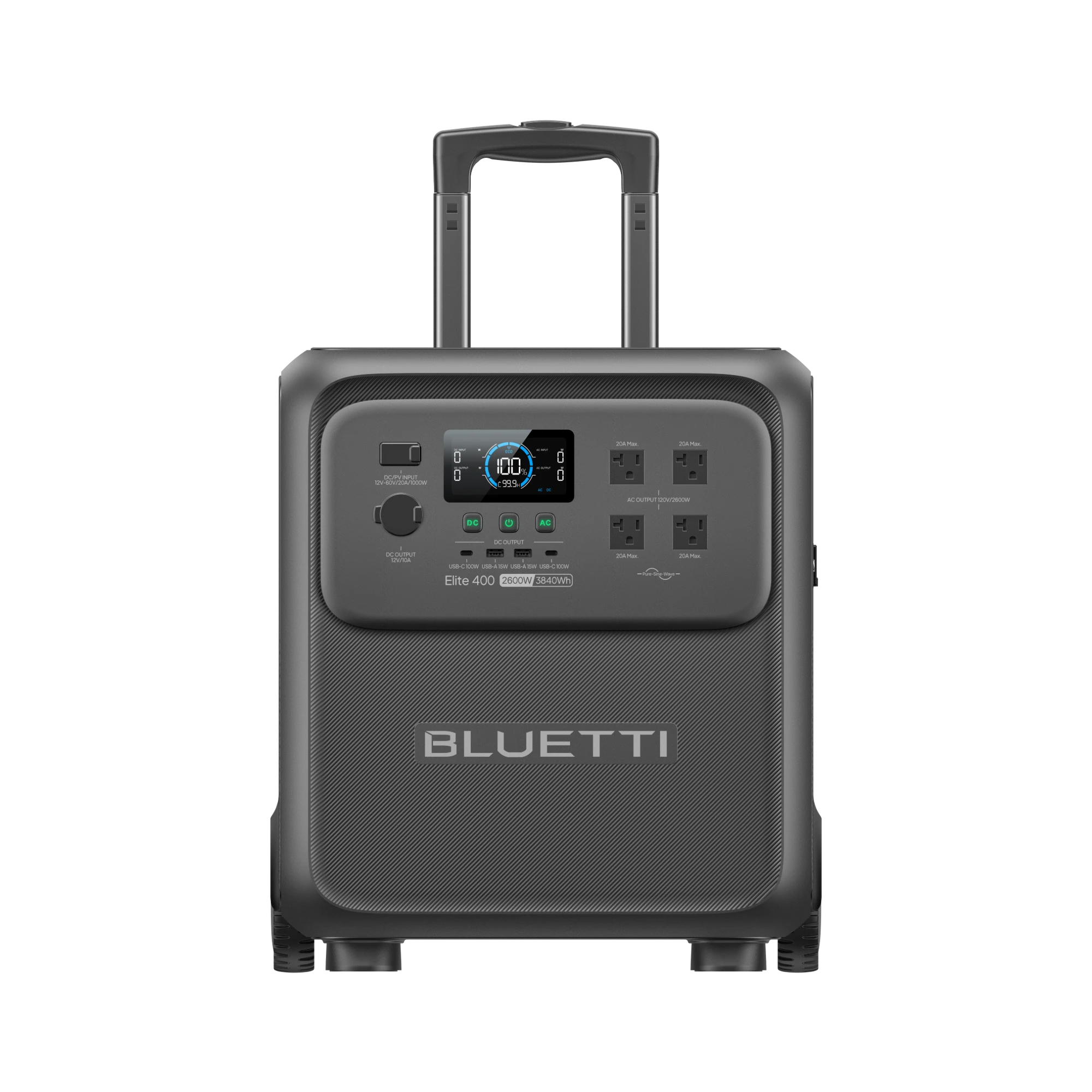
    Bluetti built the Elite 400 around one bet: a near-4kWh backup battery you can wheel through a doorway beats a bigger one bolted to the garage wall. The hardware backs the bet up, with 3,840Wh of LiFePO4, a 2,600W pure sine inverter, luggage wheels and a telescoping handle on an 86-pound body. Independent testers confirmed fast charging, quiet operation and clean power, then flagged the trade-offs: a 1,000W solar ceiling that undersizes the battery, no expansion path, and light-load efficiency that trims real capacity to roughly 3,100Wh delivered. At the $2,699 launch MSRP it struggled against rivals. At the current $1,399 official price, about 36 cents per watt-hour, it becomes one of the cheapest big LFP batteries on the US market.

    Who it’s for

    The Elite 400 serves the outage-preparedness buyer first. Fstoppers ran a full-size refrigerator with fans for roughly two and a half days on one charge, and the 15ms UPS switchover kept a desktop computer alive through the cut without a reboot. Renters get the clearest win: this is whole-fridge, days-long backup with zero installation, no electrician and no landlord conversation.

    The mobility pitch needs honest framing. On flat floors the wheels and telescoping handle work like decent luggage, and reviewers moved it one-handed from garage to kitchen. Stairs, gravel and grass turn it back into an 86-pound lift, which Fstoppers called “a two-hand, mind-your-back heave.” Buyers planning serious off-grid solar should also look elsewhere, because the 1,000W input cap means a full solar recharge takes four-plus hours of perfect sun.

    • Households that want fridge-and-essentials outage backup without an electrician
    • Renters who cannot install a wall battery or transfer switch
    • CPAP and desktop users who need the 15ms UPS switchover
    • Car campers with flat rolling ground between trunk and pitch
    • Buyers who rank watt-hours per dollar above future expandability

    Key specs

    Spec Detail
    Battery 3,840Wh LiFePO4, rated 4,000 cycles, no expansion support
    AC output 2,600W continuous, 3,900W Power Lifting mode, 4 x 120V outlets (US)
    Other ports 2 x USB-C 100W, 2 x USB-A 15W, 12V car socket 120W
    AC charging Full in 2.5 hr claimed; 2 hr 27 min measured by The Solar Lab
    Fast charge 0 to 80 percent in 70 min, but only with AC plus solar combined (2,800W)
    Solar input 1,000W max, 12 to 60V, 20A
    UPS and standby 15ms switchover, 3W standby draw, about 20W with inverter idling
    Weight and size 86 lb, 19.3 x 17.0 x 11.3 in, wheels plus telescoping handle
    Warranty 60 months (5 years)

    Living with it

    Mobility is the trait that separates this unit from everything else near 4kWh, so it earns first mention. An EcoFlow DELTA Pro 3 weighs around 108 pounds; an Anker SOLIX F3800 is heavier still. At 86 pounds with real rubber-tired wheels and a handle that extends like a suitcase, the Elite 400 is the only battery in this class one person moves without dread, provided the route is flat. Notebookcheck called it significantly more compact and lighter than its direct rivals, and the dimensions confirm it: the footprint is smaller than a carry-on bag.

    The unit is also quiet and electrically clean. Notebookcheck measured about 40dB from one meter during charging, quieter than most rivals under the same load, and near-silent output at modest draws. Fstoppers ran computers and camera-battery chargers through the pure sine inverter with no complaints, and the surge headroom started a refrigerator compressor without stumbling.

    Efficiency is the first real weakness. Notebookcheck measured 82 percent at a 250W load, which turns 3,840Wh on the label into about 3,130Wh at the outlet, and The Solar Lab landed at 77 percent across its standard test. Efficiency climbs to roughly 93 percent near full inverter load, so heavy appliances waste less than trickle loads. The inverter also draws about 20W just sitting on, enough to drain a full battery in eight days. Turn the AC side off when nothing needs it.

    The charging headline needs a footnote. The 70-minute figure requires wall power and solar feeding the unit at once, 2,800W combined, a setup few owners will run. On AC alone The Solar Lab measured 2 hours 27 minutes to full and Notebookcheck came in just over two hours, which still beats almost everything this size. Solar alone is the slow path: 1,000W maximum input against a 3,840Wh pack means a full day of good sun in practice.

    Smaller frictions round out the picture. There is no built-in light, an odd omission on a blackout product. The app covers scheduling, sleep mode and remote monitoring but trails EcoFlow’s on features, and the display, to its credit, stays readable in direct sunlight. US units carry four AC outlets; European reviewers got two, so ignore that complaint in overseas reviews.

    Cost of ownership

    Bluetti launched the Elite 400 at a $2,699 MSRP in late 2025 and has repriced it downward since. The official store sells it for $1,399 as of August 2026, and deal sites have pushed bundles to around $1,221 with discount codes. Nobody should pay list; the $1,399 direct price is the honest ceiling and coupons appear monthly.

    Running costs stay small. A full recharge pulls about 4.4kWh from the wall at the 87 percent charge efficiency Notebookcheck measured, roughly 75 cents at average US residential rates. The 3W standby draw costs about $2 a year. There are no consumables, filters or fluids to budget for.

    The battery math favors long ownership. LiFePO4 rated at 4,000 cycles means a full cycle every day for a decade before capacity drops to 80 percent, and the 60-month warranty doubles what much of the category offers. Keep the original box; Bluetti’s warranty terms ask for it. Owner reports on support are the caveat here: The Solar Lab logged 24-to-48-hour response times, and retailer reviews echo the slow-but-eventual pattern.

    The structural cost is the missing expansion port. Rivals let you add battery modules when needs grow; the Elite 400’s 3,840Wh is a hard ceiling, so outgrowing it means buying a second unit at full price. Price that risk into your decision if your backup needs might double.

    How it compares

    The EcoFlow DELTA Pro 3 offers 4,096Wh, a 4,000W inverter, 2,600W of solar input and expansion to 48kWh, and it sold for $2,549 to $2,799 through summer 2026. It beats the Elite 400 on every capability line and loses on the two that may matter most: it costs $1,200 to $1,400 more and weighs over 100 pounds.

    The Anker SOLIX F3800 matches the 3,840Wh capacity, doubles the inverter to 6,000W with 240V split-phase output, and accepts expansion batteries. Anker’s 2026 sales put it at $1,615 to $1,709, only about $250 above the Elite 400. Anyone eyeing well pumps, dryers or a transfer switch should pay the difference. The Bluetti answers with 46 fewer pounds and better manners as luggage.

    The cheaper sibling is the Bluetti Elite 300: 3,014Wh and 2,400W at a $1,199 MSRP, with street prices near $1,011. It gives up the wheels and 22 percent of the capacity while cutting a third of the weight, and Notebookcheck concluded it is the better choice for buyers who carry rather than roll. That reasoning holds unless multi-day fridge backup is the whole point.

    FAQ

    How long will it run a refrigerator in an outage?

    Plan on two to two and a half days for a full-size fridge, which is what Fstoppers observed in real use. Account for inverter losses by treating usable capacity as roughly 3,100Wh, and stretch runtime by switching the AC inverter off between compressor-heavy appliances.

    Is the 70-minute charge time real?

    Only with AC and solar feeding the unit at the same time, 2,800W combined. From a wall outlet alone, independent measurements landed between two hours and 2 hours 27 minutes for a full charge, which still leads the 4kWh class.

    Can I add expansion batteries later?

    No. The Elite 400 does not accept Bluetti’s B500K or any other expansion pack, and three independent reviews confirm the fixed capacity. If you expect your needs to grow, look at Bluetti’s Apex 300 ecosystem or the EcoFlow DELTA Pro 3 instead.

    Bottom line

    Buy it if you want the most watt-hours per dollar in a battery one person can actually move: $1,399 for 3,840Wh of LiFePO4 undercuts every big-name rival, the 2.5-hour AC recharge and 15ms UPS work as advertised, and the wheel-and-handle design solves the problem that keeps most 4kWh units parked in a garage. For fridge-plus-essentials outage backup in a house, apartment or camper, it is the value pick of the class.

    Skip it if you are building around solar, need 240V output, or expect your capacity needs to grow, because the 1,000W solar cap and missing expansion port are permanent. The Anker SOLIX F3800 adds split-phase power and expandability for about $250 more on sale, and the lighter Elite 300 saves nearly $400 if 3kWh is enough and you would rather carry than roll.

    Sources and further reading

  • Traeger Woodridge

    Traeger Woodridge

    Traeger built the Woodridge as the cheapest full-size door into its ecosystem, and most of the plan lands: 860 square inches of cooking space, steady temperatures from 180 to 500°F, full WiFIRE app control and a cleanup system that empties grease and ash into a single keg. Independent testers found the same two gaps, though. Smoke flavor runs milder than expected because Traeger reserves its Super Smoke mode for the pricier Woodridge tiers, and the 500°F setting does not translate into real searing power at the grate. It lists at $899.99, up $100 since its early-2025 launch, and dips to $799.99 on sale. At the sale price it is an easy first pellet grill; at full list, the $250 step to the Woodridge Pro buys features you will actually miss.

    Who it’s for

    This is a grill for the buyer replacing a propane burner or a neglected offset who wants smoking to become a background task. Set 225°F from the couch, watch the wired probe in the app, and it holds temperature with no babysitting: one tester ran three weeks of chicken, burgers, kielbasa and brisket and praised the app control above all else. The 860 square inches swallow six whole chickens or eight racks of ribs.

    It is not the grill for smoke-flavor chasers. Traeger tiers its features deliberately, and the base Woodridge gives up Super Smoke mode, the pellet-level sensor and caster wheels to hit its price. You also need a 120V outdoor outlet, and at 138 pounds on two fixed rear wheels, the Woodridge moves by lifting one end like a wheelbarrow. Park it where it will live.

    • First-time pellet-grill buyers who value app control over maximum smoke intensity
    • Households cooking for six to ten people on weekends
    • Owners with a patio spot near an outdoor outlet, since the grill rarely moves
    • Warranty-minded buyers: 10 years against the 3 to 5 typical in this class

    Key specs

    Spec Detail
    Cooking area 860 sq in total: 520 sq in main grate, 340 sq in upper rack
    Hopper 24 lb pellet capacity, no fuel-level sensor on the base model
    Temperature range 180 to 500°F, digital Set-It & Forget-It controller
    Connectivity WiFIRE Wi-Fi app control, one wired meat probe included
    Cleanup EZ-Clean keg collects grease and ash in one removable bin
    Weight and mobility 138 lb, two fixed rear wheels, lift-to-roll
    Power 120V outlet required for ignition, auger and fan
    Warranty 10-year limited

    Living with it

    Temperature stability is the strongest trait, and it is the thing a pellet grill exists to do. Smoked BBQ Source ran the Woodridge from a 200°F brisket up through 500°F tests and found it held its set point throughout; Bob Vila’s three-week test agreed across a half-dozen cooks. The app deserves equal billing: reviewers across outlets called Traeger’s controller and software the best in the category, with the probe syncing cleanly and remote temperature changes working without drama.

    The cleanup system is the quiet upgrade over every older Traeger. Grease and ash both funnel into one sealed keg under the barrel, replacing the grease bucket that used to hang off the side. It works, with one caveat: ash still builds up around the firepot, so plan on a shop-vac pass every few cooks.

    Smoke flavor is the honest weakness. Smoked BBQ Source found ribs and beef ribs cooked at 250 to 275°F came out with less smoke character than expected, and Bob Vila’s tester found low-temperature smoking the hardest part of the experience. The cause is structural, not a defect: Traeger keeps its Super Smoke mode, which idles the fire to boost smoke output at low temperatures, exclusive to the Woodridge Pro and Elite. On the base model your levers are pellet choice and patience.

    Searing is the second weakness. The controller goes to 500°F, but grate-level heat falls short of steakhouse crust; Smoked BBQ Source could not get an adequate sear on steaks, and Bob Vila’s reviewer found it easier to finish meat in a skillet. Burgers and chicken pick up respectable grill marks, but if a hard sear matters to you, this machine will not deliver it alone.

    Day-to-day frictions are small but real. Owners report about five minutes of ignition before the app shows preheating, and one timed 22 minutes to 275°F, so budget a half hour from cold to smoking. Assembly took Bob Vila’s tester about three hours. And with no pellet sensor, an overnight cook means walking out to eyeball the hopper.

    Cost of ownership

    List price is $899.99 at Traeger, Ace Hardware and most retailers as of August 2026, up about $100 since launch. Discounts recur: Best Buy has run it at $799.99. Nothing about the grill changed between those prices, so patience is worth exactly $100.

    Pellets are the real running cost. Traeger-brand hardwood pellets run about $20 per 20 lb bag, and low-and-slow cooking burns roughly 1 to 2 pounds per hour, so a 12-hour brisket costs $12 to $24 in fuel; high heat burns closer to 3. A weekend regular should budget $150 to $250 a year in pellets, while electricity adds a few dollars. Pellets must stay dry, because a rained-on bag turns to mush that jams augers.

    The 10-year limited warranty is the best in the mainstream pellet category, double or triple what Z Grills, Pit Boss and Camp Chef offer. It matters in practice: a forum owner whose base Woodridge drifted up to 100°F between displayed and actual temperature got the faulty sensor replaced by support at no cost. The fine print still excludes paint and normal wear, and the single-wall body both sheds heat in freezing weather and wants a $60 to $90 cover against rust.

    One practical constraint: this is an electric appliance. No outlet, no cookout, and a damp extension cord across the lawn is a bad plan.

    How it compares

    The Traeger Woodridge Pro at $1,149.99 is the comparison that matters, because it fixes the base model’s biggest flavor gap. The $250 step buys Super Smoke, a pellet-level sensor with app alerts, keep-warm mode, a folding shelf and 970 square inches instead of 860, or seven chickens instead of six. Smoked BBQ Source, after testing the base model, called the Pro “definitely the smarter buy.” For anyone who picked pellet cooking for the smoke, that judgment is hard to argue with.

    The Woodridge Pro Plus at $1,399.99 adds an enclosed storage cabinet to the Pro and nothing else you can taste, so most buyers can skip it. The Woodridge Elite at $1,799.99 is the interesting one: an insulated body for winter smoking plus a 20,000 BTU propane sear station bolted to the side, which directly answers both of the base model’s weaknesses. It also costs exactly twice as much.

    Below the Traeger line, the Z Grills 7002C2E lists at $777 with Wi-Fi, a 24 lb hopper and 697 square inches. It undercuts the Woodridge while matching its connectivity on paper. You give up the one-keg cleanup, the polish of Traeger’s app, and most of the safety net: Z Grills warranties run 3 years, not 10.

    FAQ

    Does the base Woodridge produce enough smoke flavor?

    It produces mild, real wood smoke, and long cooks like brisket pick up plenty over 10-plus hours. Faster cooks come out lighter than many buyers expect, because the base model lacks the Super Smoke mode Traeger fits to the Pro and Elite. Hickory or mesquite pellets help; if deep smoke is the whole point for you, buy the Pro.

    Can it sear a steak?

    Not properly. The dial reads 500°F but grate temperatures fall short of crust-forming heat, and two independent testers separately resorted to finishing steaks in a skillet. Treat the Woodridge as a smoker and roaster that can grill burgers, then reverse-sear steaks indoors or on a side burner.

    Can it run an overnight brisket unattended?

    Fuel-wise yes: at 1 to 2 pounds per hour, the 24 lb hopper comfortably outlasts a 12-hour cook at 225°F. The catch is the missing pellet sensor: the app cannot warn you if the hopper runs low. Top it off before bed and set probe alerts.

    Bottom line

    Buy it if you want your first pellet grill for set-and-forget smoking, you cook for a crowd, and you can catch it at the recurring $799.99 sale price. The temperature control, app and one-keg cleanup are the same core hardware Traeger sells up the range, the 860 square inches are generous, and the 10-year warranty outlasts everything at this price.

    Skip it if smoke flavor or searing is your main reason for buying, because both are exactly what Traeger removed to hit $899.99. The Woodridge Pro adds Super Smoke, a pellet sensor and more space for $250, and most independent reviewers point there; the Elite solves winter insulation and searing outright at twice the price. If the budget is firm, the Z Grills 7002C2E does the core job for over $100 less, as long as you accept a 3-year warranty and a plainer app.

    Sources and further reading