Blog

  • Tineco FLOOR ONE S7 Stretch Steam

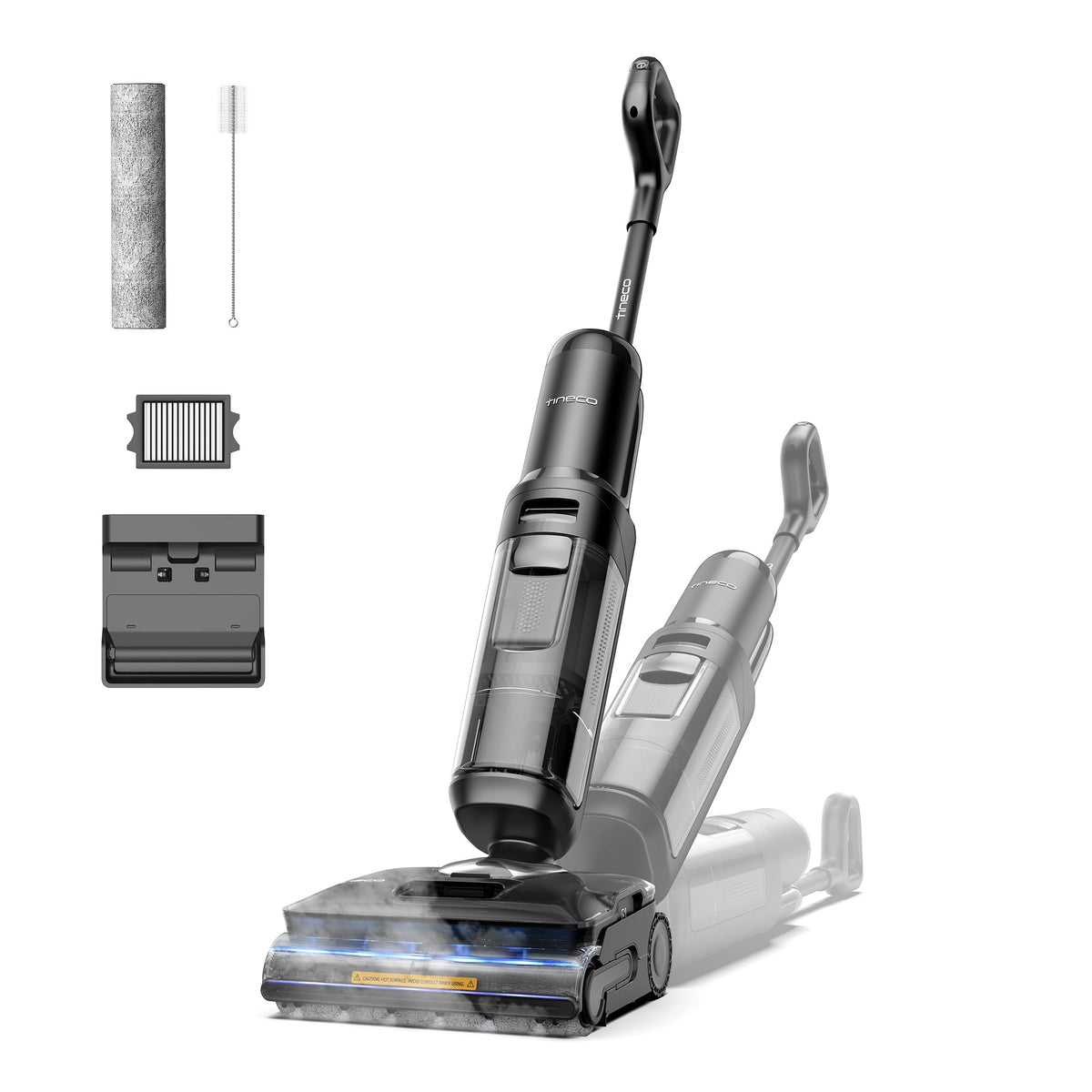
    Tineco FLOOR ONE S7 Stretch Steam

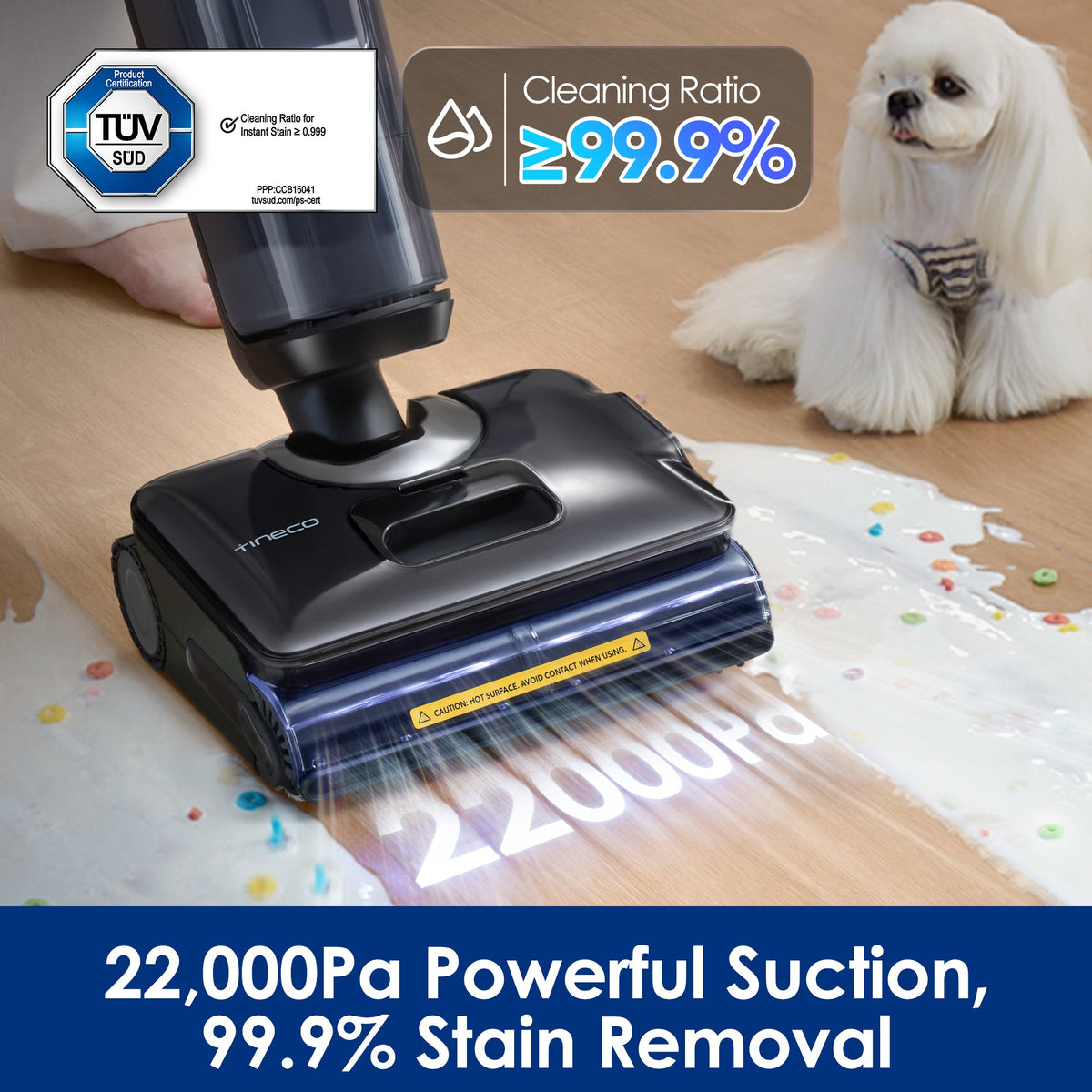
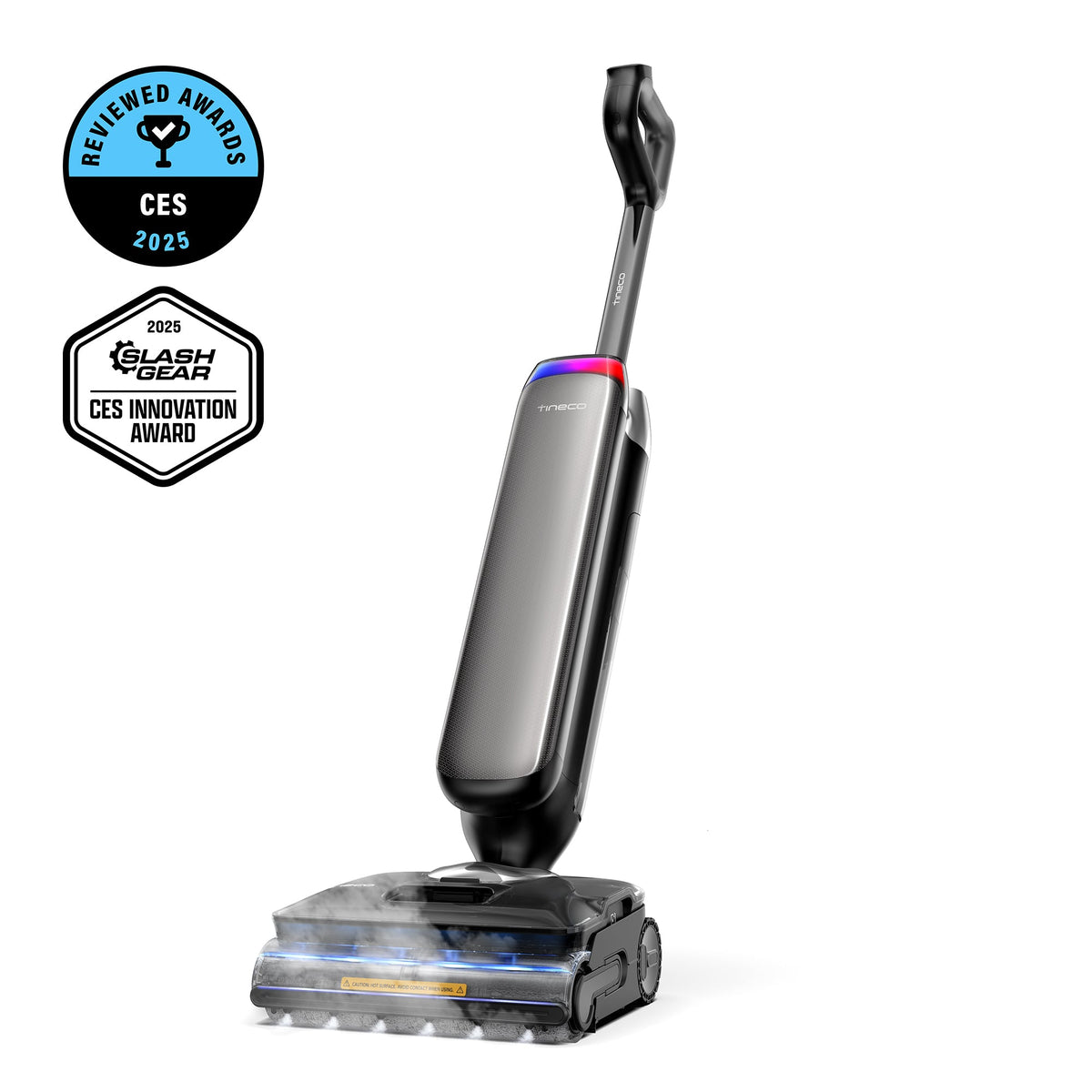
    The Tineco FLOOR ONE S7 Stretch Steam packs the three features that actually matter in a wet-dry vacuum — real steam, a fully flat-folding body, and a self-cleaning, self-drying dock — into one machine that lists at $1,199 but routinely sells around $699 to $899. For hard-floor households with kids, pets, or a kitchen that sees real cooking, it is one of the most complete floor washers you can buy without stepping up to flagship pricing.

    Who it’s for

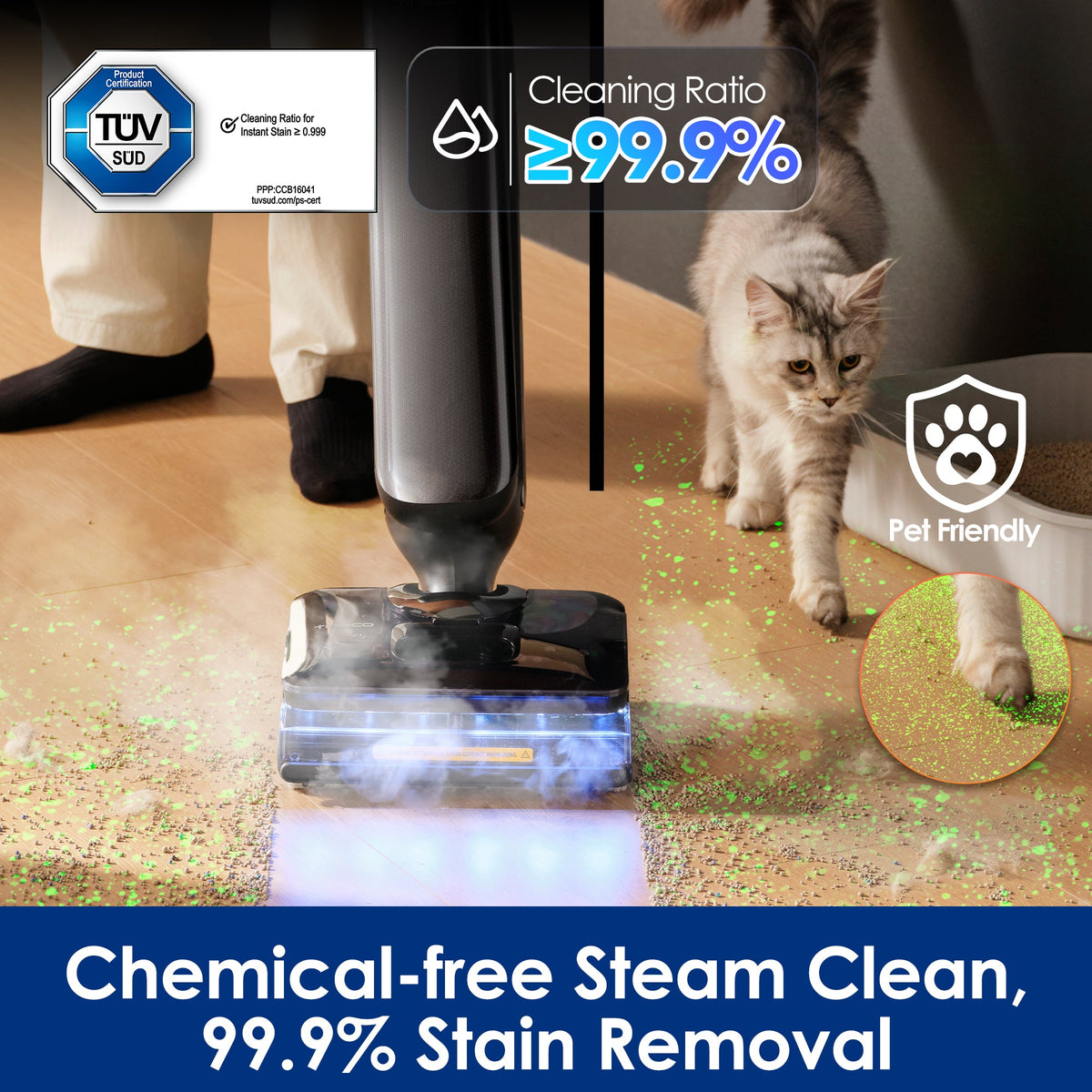
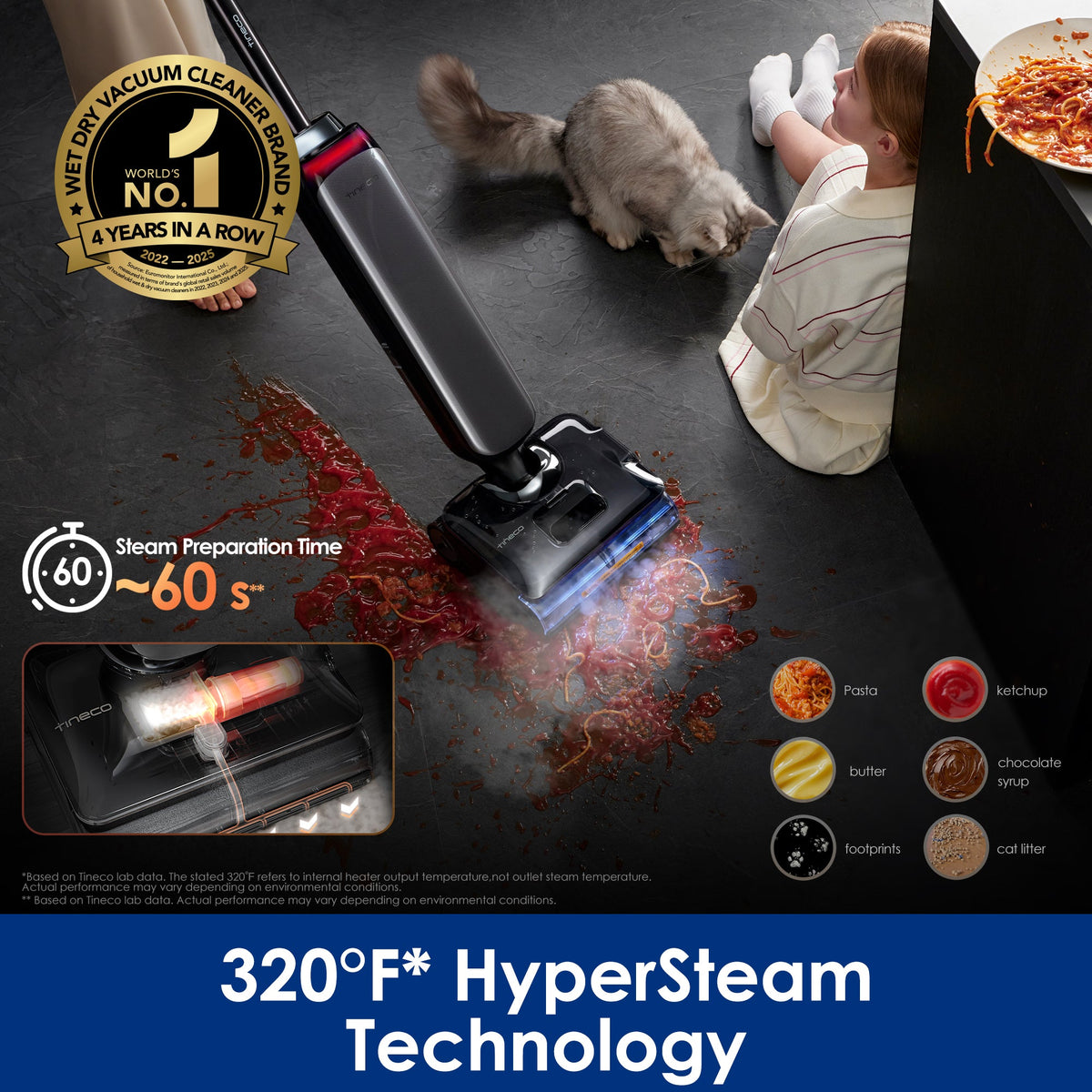
    Wet-dry vacuums exist for homes where sweeping then mopping is a daily chore rather than a weekly ritual: mostly hard floors, food on the ground, paws tracking in from outside. The S7 Stretch Steam targets three buyers within that group. First, hygiene-focused households — steam at up to 320°F, with outlet temperature held above 210°F, dissolves grease and sanitizes in a way that room-temperature water and detergent simply cannot, which matters for crawling babies and food-prep zones. Second, anyone with under-furniture real estate: the 180° lay-flat design lets the machine slide fully horizontal under beds, sofas, and consoles, territory that upright wet-dry vacs like older Tinecos and most Bissells can’t touch. Third, pet owners — the DualBlock anti-tangle brush and lay-flat reach are built specifically for the hair-under-the-couch problem.

    It is not for carpeted homes (it handles sealed hard floors, tile, vinyl, and sealed wood only) and not for anyone with unsealed hardwood, where steam is a genuine hazard to the finish.

    Key specs

    Spec Tineco FLOOR ONE S7 Stretch Steam
    Price (US) $1,199 list; frequently $699–$899 on sale
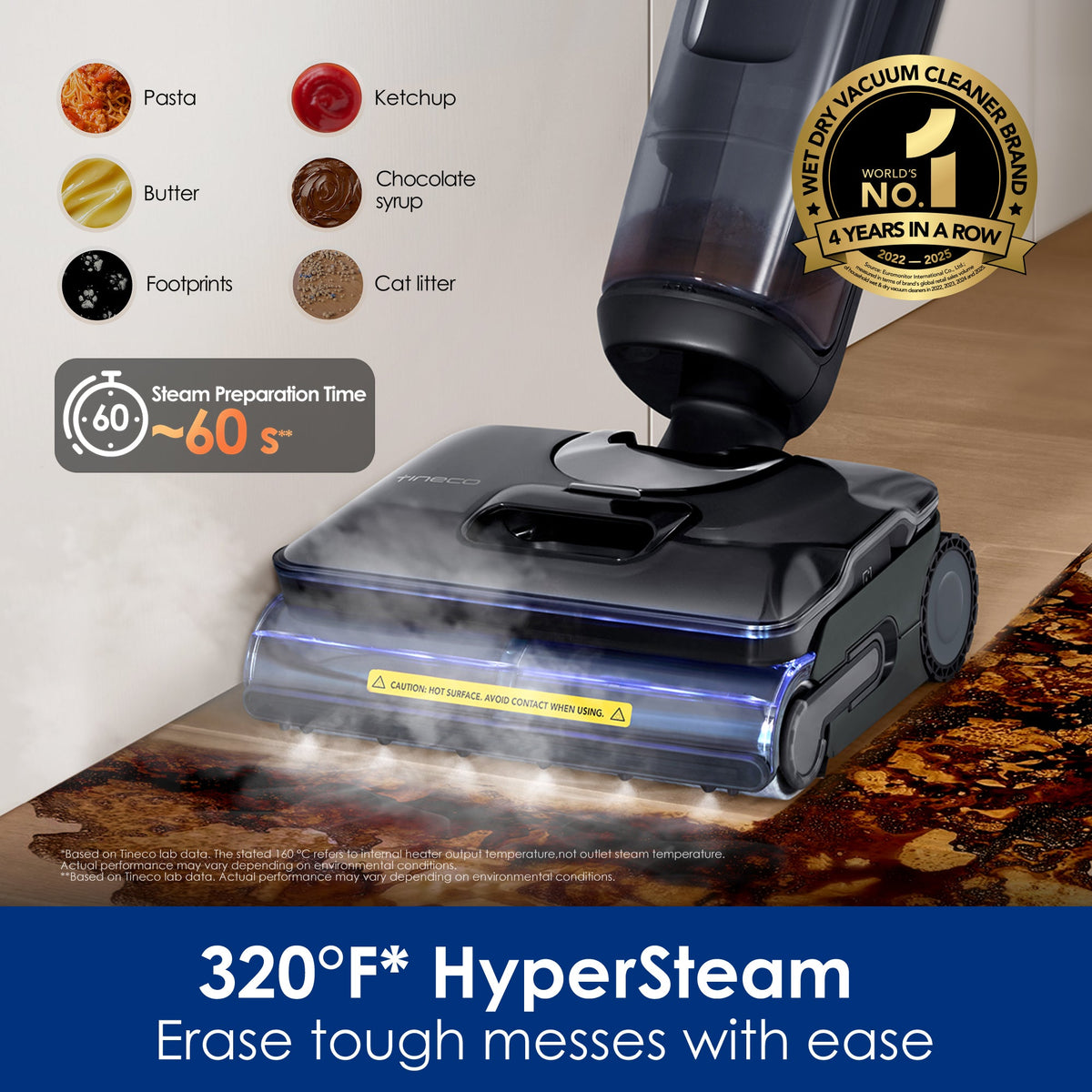
    Steam Heats up to 320°F (160°C); outlet temp stays above 210°F
    Design 180° lay-flat reach, three-sided edge cleaning
    Tanks 0.88L clean water / 0.7L dirty water
    Runtime Up to 80 min standard; up to ~30 min in steam mode
    Battery 25.2V built-in; ~4.5-hour recharge
    Self-cleaning FlashDry: 5-min quick or 40-min quiet mode (≤45 dBA)
    Weight 12.7 lbs (7.8 kg)
    Tineco FLOOR ONE S7 Stretch Steam

    Living with it

    The daily experience revolves around the iLoop smart sensor, which detects how dirty the floor is and automatically ramps suction and water flow — the LED ring shifts from red to blue as a pass comes clean, which turns out to be weirdly satisfying and genuinely useful feedback. For routine maintenance you may never touch steam mode; standard washing with the 80-minute runtime covers most homes twice over. Steam is the special-occasions weapon: dried pasta sauce, grease shadows around the stove, the mystery stickiness near the high chair. Expect about 30 minutes per charge in steam mode, which is enough for a kitchen and dining area, not a whole-house steam session.

    The lay-flat mechanism is the sleeper feature. Most wet-dry vacuums clean 90 percent of your floor and ignore the 10 percent under furniture where pet hair actually accumulates; going fully horizontal fixes that. Two honest caveats: at 12.7 pounds the S7 is not light, and while it is self-propelled on forward passes, extended sessions register in your wrists. And the 0.7L dirty tank fills fast in a genuinely dirty house — plan on a mid-clean rinse. The FlashDry cycle is the feature that keeps the machine pleasant long-term: it washes the roller and dock, then dries the brush so the machine never develops the sour-mop smell that plagued early wet-dry vacs.

    Cost of ownership

    Consumables are the quiet cost of every wet-dry vacuum. Budget for replacement brush rollers and filters roughly twice a year (about $30 to $60 annually depending on use) plus Tineco’s cleaning solution, though small amounts of compatible solution stretch a long way. The built-in battery is not user-replaceable, so treat battery health kindly — store it docked, and expect the pack to be the component that eventually ages out. Tineco covers US purchases from its own store with a 2-year warranty, better than the category’s typical 1 year. Electricity and water costs are trivial. Overall running cost lands well under $100 per year — cheaper than replacing mop heads and buying floor cleaner for a traditional bucket setup, with far less labor.

    How it compares

    Inside Tineco’s own lineup, the step-up is the Tineco FLOOR ONE S9 Artist, which we also review. The S9 Artist adds a sleeker design, a richer dynamic display, and more premium trim for roughly $300 more, but the S7 Stretch Steam actually matches or beats it where it counts — similar steam and suction performance and slightly longer 80-minute runtime versus 75. Unless the design-object aesthetics matter to you, the S7 is the better value of the two.

    Against the wider market, Bissell’s CrossWave HydroSteam undercuts it at around $400 but is corded, can’t lie flat, and its drying and self-cleaning are cruder — a fine budget pick, a clearly lesser machine. Dyson’s WashG1 (about $700) offers beautiful engineering and separates debris without a filter, but it has no suction and no steam, making it a floor washer rather than a true one-pass vacuum-and-mop. The S7 Stretch Steam is the most complete package of the three.
    Tineco FLOOR ONE S7 Stretch Steam

    FAQ

    Is the Tineco S7 Stretch Steam safe for hardwood floors?

    It is designed for sealed wood, tile, vinyl, and other hard floors. On sealed hardwood, use standard washing mode routinely and steam sparingly on stains. Avoid steam entirely on unsealed, waxed, or oiled wood — high heat and moisture can damage those finishes.

    How is steam different from regular wet-dry vacuum cleaning?

    Standard mode scrubs with water and cleaning solution at room temperature. Steam mode heats water up to 320°F, which dissolves grease and dried-on messes chemically-free and sanitizes the surface — useful for kitchens and homes with crawling kids or pets.

    Does the S7 Stretch Steam work on carpet?

    No. Like nearly all wet-dry floor washers, it is hard-floor only. For area rugs and carpet you still need a conventional vacuum or a dedicated carpet cleaner.

    Bottom line

    The FLOOR ONE S7 Stretch Steam is the sweet spot of Tineco’s steam lineup: it delivers the flagship features that change daily life — steam sanitizing, lay-flat reach, self-drying — without flagship pricing, especially at its frequent sub-$800 street price. Buy it if you have mostly sealed hard floors, pets or kids, and real cooking messes. Skip it if your home is mostly carpet, your hardwood is unsealed or oiled, or you only need light maintenance mopping — in that last case a cheaper non-steam wet-dry vac or even a robot with decent mopping will cover you for half the money.
  • Zenbivy Ultralight Quilt

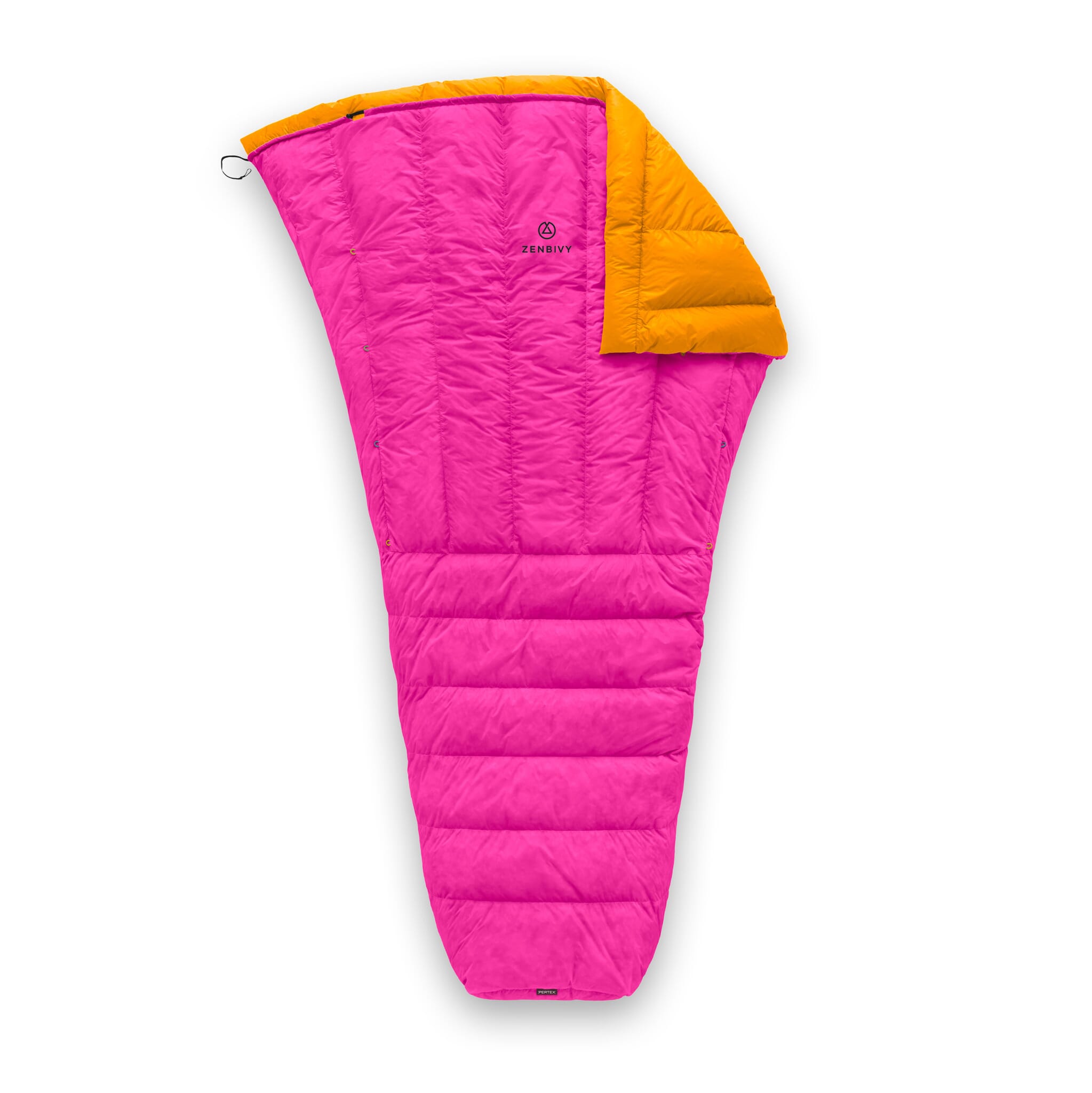
    Zenbivy Ultralight Quilt

    The Zenbivy Ultralight Quilt solves the one problem that pushes people back to mummy bags: cold air sneaking in when you roll over. At $359 for the 25°F down version, it delivers 900+ fill power and a 17 oz packed weight that stands up against any premium quilt on the US market. The catch sits in the business model, because the clip system that makes this quilt special only works with a sheet Zenbivy sells separately for $139.

    Who it’s for

    Side sleepers and restless sleepers get the most out of this design. Traditional quilts rely on pad straps that pull tight across your back, and every roll breaks the seal. Zenbivy’s sheet wraps the pad with raised side wings, and the quilt clips inside those wings, so the insulation stays below the wall no matter how you move.

    It also suits people who run hot and cold in the same night. You can throw the top open, cinch it down, or tuck extra clothing inside the sheet without unclipping anything.

    Weight-obsessed thru-hikers who already sleep fine under a simple strapped quilt will find less to justify here. So will anyone who wants one item that works out of the box, since the quilt alone leaves your head and shoulders exposed.

    Key specs

    Spec Detail
    US price $359 (25°F, 900+ FP down, Regular)
    Temperature rating 25°F limit / 35°F comfort; a 10°F limit / 20°F comfort version is also sold
    Insulation options 900+ FP ExpeDRY goose or Muscovy down, 950+ FP Ultrasonic Muscovy, or PrimaLoft Gold synthetic
    Fill weight 286 g Regular / 326 g Large / 376 g XL (25°F down)
    Total weight 482 g (1 lb 1 oz) Regular; 538 g Large; 623 g XL
    Shell fabric 10D Pertex Quantum, 26 gsm, coating-free cire, PFAS-free C0 DWR
    Cut dimensions 72″ x 54″ Regular; 80″ x 58″ Large; 84″ x 64″ XL
    Warranty Lifetime

    Living with it

    Reviewers consistently report the same two things. The draft sealing works, and the setup takes a few nights to learn. Treeline Review named the Ultralight Bed its favorite gear of 2025 and praised the color-coded clip alignment, then flagged that the clips are small and awkward for cold hands. That is a fair complaint about any hardware you operate at 2 a.m. in a dark tent.

    OutdoorGearLab scored the Ultralight Muscovy 25 Bed 73 out of 100, ranking it fourth of eleven ultralight bags. Comfort earned 9.0 out of 10. Warmth earned 6.5, and testers wrote plainly that it is rated for 35°F conditions and you should not expect more. That gap between the two scores describes this product accurately: outstanding to sleep in, average for its stated temperature.

    Read the rating label carefully. The “25°F” number is the limit rating, the point where a warm sleeper survives without sleeping well. Comfort sits at 35°F. Cold sleepers planning shoulder-season trips should look at the 10°F version instead of hoping to layer their way through.

    Two more practical notes. The quilt ships with a mesh storage sack rather than a compression sack, so budget for one. And the 20″ sheet width was discontinued, leaving the 25″ version, which fits pads up to 26″ wide and 4″ tall.

    Cost of ownership

    The $359 sticker understates the real number. The Ultralight Sheet runs $139, and Zenbivy does not discount clip quilts and sheets as a bundle, so the working system lands near $498 before tax. OutdoorGearLab lists the complete Muscovy 25 Bed at $458 in its own configuration, which gives you a sense of the range depending on down type.

    You also need a compatible pad, up to 26″ wide and no more than 4″ thick. Many popular insulated pads exceed 4″, so check your current one before ordering. Add a compression sack at roughly $20 to $30.

    Against that, the lifetime warranty and 900+ fill power argue for a long service life. Premium down at this fill power holds loft for many seasons with proper storage, meaning uncompressed in a large sack between trips. Amortized over a decade of regular use, the system cost per night compares reasonably to a $500 mummy bag.

    How it compares

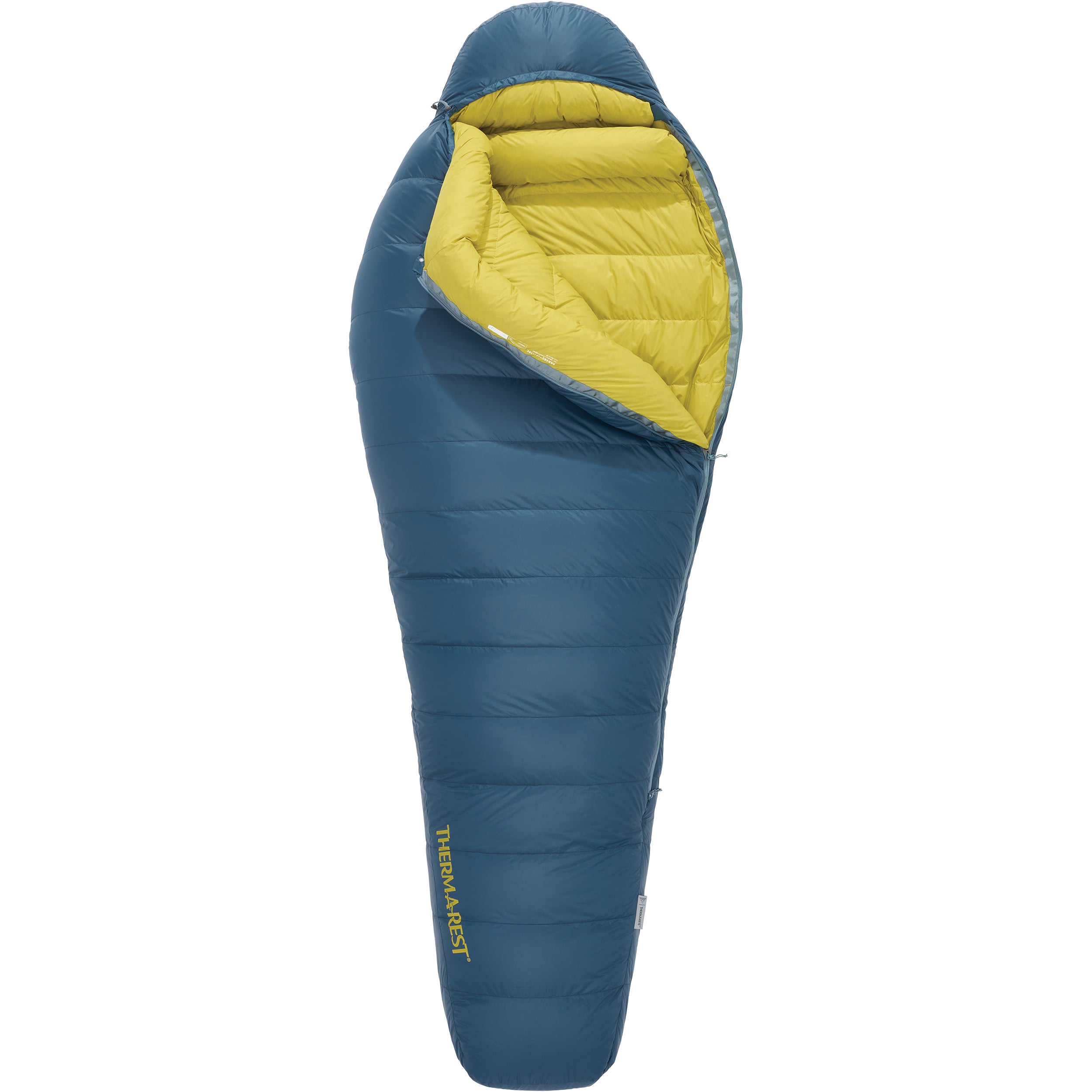
    The obvious counterargument is a real sleeping bag. The Therm-a-Rest Parsec 0F Down Sleeping Bag costs about $530 and weighs 2 lbs 6 oz in Regular, using 800 fill power Nikwax hydrophobic down for a 14°F comfort and 0°F limit rating. It weighs more than a pound extra and gives up all the venting flexibility. It also delivers genuine cold-weather performance the Zenbivy 25°F cannot touch, with no learning curve and nothing to buy separately.

    Among quilts, Enlightened Equipment‘s Enigma 20 starts around $320 and configures anywhere from roughly $235 to $590 depending on fill power and fabric. It is lighter for the temperature rating and cheaper, though it uses conventional pad straps and drafts more when you roll.

    Katabatic‘s Palisade 30 lists at $349 and uses its own cord-and-clip pad attachment, widely regarded as the best of the strap-style systems. Build quality matches Zenbivy. The head area stays open, so you supply a hood or hat.

    Hammock Gear‘s Economy Burrow 20 lists at $325 and is the value pick, with the 30°F configuration available closer to $180. Fill power and fabric quality sit below the Zenbivy, and the weight penalty is real, but the price gap buys a lot of other gear.

    Summed up: Zenbivy charges a premium for comfort engineering. If drafts have never bothered you, three cheaper quilts do the insulation job just as well.

    FAQ

    Do I need the Zenbivy sheet to use this quilt?

    Functionally, yes. The quilt has no pad straps of its own. Its clips mate with the sheet’s side wings, and that pairing is what eliminates drafts and manages your pillow. Used bare over a pad, it becomes an ordinary open quilt with no attachment method. Zenbivy sells conversion kits to adapt the sheet to other brands’ quilts, which tells you which half of the system carries the design.

    Is the 25°F rating a comfort rating?

    No. Zenbivy publishes 25°F as the limit and 35°F as comfort. Independent testing agrees, with OutdoorGearLab scoring warmth 6.5 out of 10 and describing it as a 35°F piece of gear. Plan around the comfort number, or buy the 10°F version, which lists 20°F comfort.

    Will it fit my sleeping pad?

    The current 25″ sheet accommodates pads up to 26″ wide and 4″ tall. Thickness disqualifies more pads than width does, since several popular winter pads measure 4.5″ or more. Measure your inflated pad before ordering, and note that the narrower 20″ sheet has been discontinued.

    Bottom line

    This is the most comfortable way to sleep under down at 17 oz, and the clip system earns its reputation. Score it on the quilt alone at $359 and it looks expensive for a 35°F comfort rating. Score it as the $498 system it truly is and the value depends entirely on how much drafts bother you.

    Buy it if you sleep on your side, toss all night, or have already tried a strapped quilt and hated it. Skip it if you sleep still, chase the lowest possible cost per degree, or camp regularly below freezing, where the Parsec 0F or the 10°F Zenbivy makes far more sense.

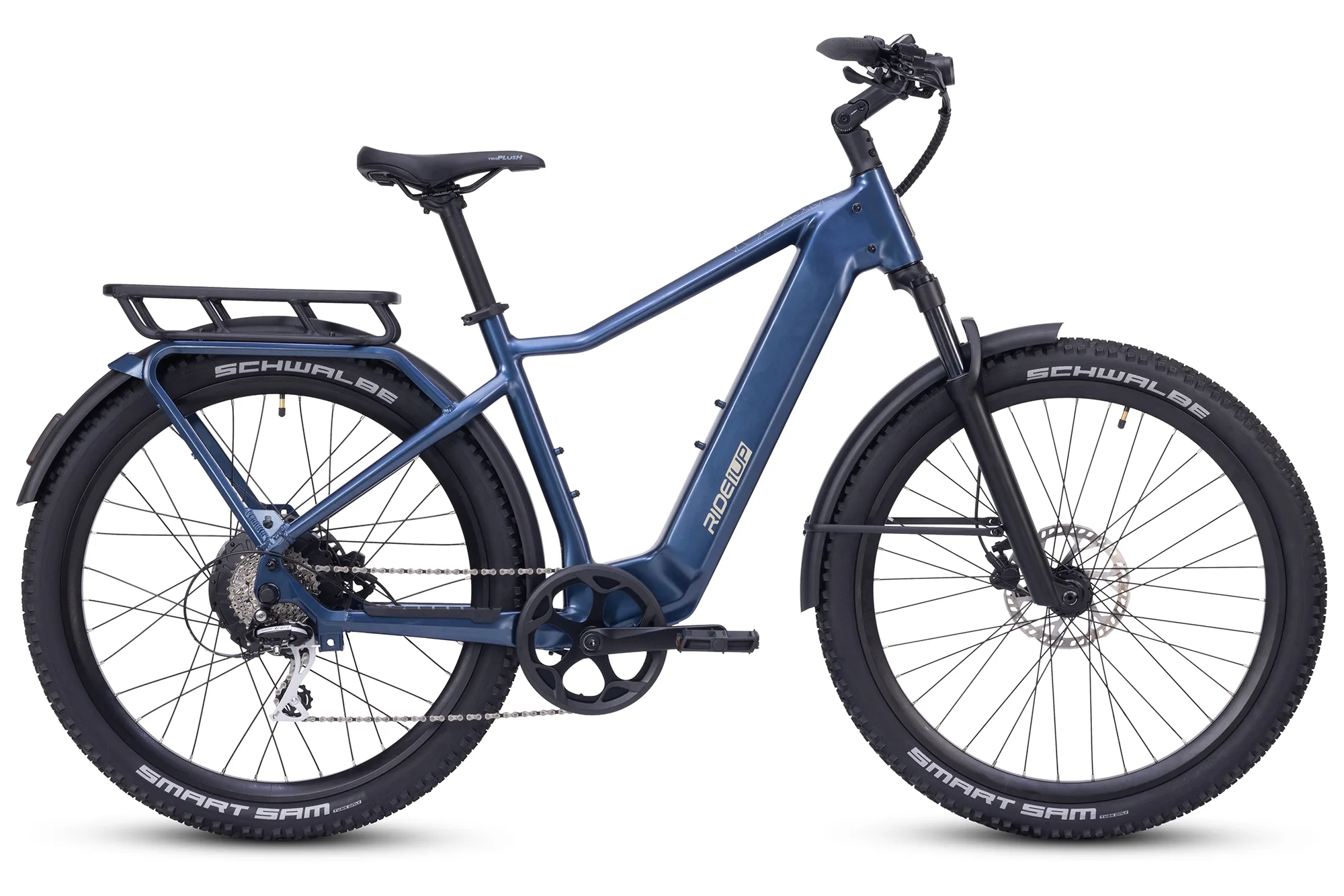
  • Ride1Up Vorsa

    Ride1Up Vorsa

    The Ride1Up Vorsa is the rare sub-$1,700 e-bike that does not feel like a compromise picked from a spec sheet. At $1,595 for the standard build, it pairs a 95 Nm hub motor with a dual-sensor pedal assist system and a 720Wh battery that independent testers have pushed past 90 miles at low assist. The drivetrain and fork are where Ride1Up saved money, and both show it.

    Who it’s for

    The Vorsa suits a rider who wants one bike for several jobs: weekday commuting, weekend gravel paths, and the occasional grocery run with a loaded rear rack. It rewards people who actually pedal. The Intui-Drive torque sensor gives the bike a natural, bicycle-like feel that cadence-only budget e-bikes cannot match, and you can switch to the cadence sensor when you want throttle-style shove without effort.

    Three builds share the same powertrain. The Vorsa Lite at $1,495 strips the rack and fenders and rolls on 27.5 x 2.2 inch tires, landing at 61 pounds. The standard Vorsa at $1,595 adds a 150-pound-rated rack, metal fenders, and 2.6 inch Schwalbe rubber. The Vorsa FT at $1,695 swaps in 26 x 4 inch Kenda Krusade fat tires for sand and snow, at the cost of 72 pounds and noticeably heavier steering.

    Skip it if you need a bike you can lift up three flights of stairs, or if you want a shop within driving distance to handle warranty work. Riders under 5’2″ or over 6’3″ should also look elsewhere, since Ride1Up offers exactly one size for each of the two frame styles.

    Key specs

    Spec Detail
    Motor 750W AKM rear hub, 95 Nm torque
    Battery 48V 15Ah (720Wh) Reention Flamingo, Samsung 50GB 21700 cells
    Range (claimed / tested) 30 to 60 miles claimed; Electric Bike Report measured 42.6 miles at max assist and 92.4 miles at minimum
    Class and speed Class 1, 2, or 3 selectable, up to 28 mph
    Weight 61 lb (Lite), 65 lb (Vorsa), 72 lb (FT)
    Payload 440 lb total system weight; 150 lb rear rack rating
    Brakes Star Union hydraulic disc, 180mm front / 203mm rear, motor cutoff
    Drivetrain Shimano Acera 8-speed, 48T chainring, 11-32T cassette
    Safety and warranty ANSI/CAN/UL 2849 certified; 1-year warranty, 30-day returns

    Living with it

    The headline number is range, and it holds up. Electric Bike Report’s standardized test returned 42.56 miles at full power and 92.42 miles at the lowest assist level, which they called one of the most efficient results they had recorded from the brand. A separate long-term owner on the Electric Bike Review forums documented 38 miles in Eco mode using only 30 percent of the pack. For a bike at this price, that removes range anxiety from most commutes.

    Climbing is the other strong suit. On Electric Bike Report’s standard hill, the Vorsa posted 1:19 on throttle alone and 1:04 while pedaling, good enough for first place among the commuter e-bikes they had tested at the time. The 95 Nm figure is not marketing filler. Braking measured 22 feet 6 inches, a few inches longer than the commuter average, which is acceptable given the weight.

    The dual-sensor setup is genuinely useful and slightly annoying. Switching between torque and cadence sensing works, but the display does not carry your power profile settings across, so you retune every time. There are no saved presets. Reviewers also flagged the 100mm coil fork as budget-tier: it takes the edge off broken pavement and does little more. Off-road mode unlocks 36 mph, which exceeds every US e-bike class limit and belongs on private land only.

    The 11-32T cassette is the weakest spec on the bike. On steep grades above the motor’s comfort zone, or with the battery low, you run out of easy gears fast. Reviewers have asked Ride1Up for an 11-42T range and at least nine speeds, and that criticism is fair.

    Cost of ownership

    Electricity is trivial. A full 720Wh charge draws about 0.72 kWh, roughly 13 cents at the US average residential rate near 18 cents per kWh. Ride down 40 miles of commuting a week and you spend under $7 a year on energy.

    The real costs sit elsewhere. Ride1Up ships a 2A charger, so a full refill takes close to seven hours. Plan on overnight charging and budget for a faster charger if you turn the bike around twice a day. The warranty runs one year against manufacturing defects, which trails the two-year coverage from Aventon and Velotric.

    Support is the honest weak point. A verified owner who logged 5,500 miles across two Vorsas summarized it as responsive but not helpful, and recommended buying replacement parts outright rather than fighting a warranty claim. That same owner had to bleed the hydraulic brakes on both bikes, replace rear pads early on one, and rebuild a wheel that arrived with poor spoke tension. None of that ended the relationship: they still called the Vorsa the right balance of performance, quality, and price. Treat it as the direct-to-consumer tax. You save several hundred dollars and you become your own mechanic, or you pay a local shop that may charge extra to service a bike it did not sell.

    How it compares

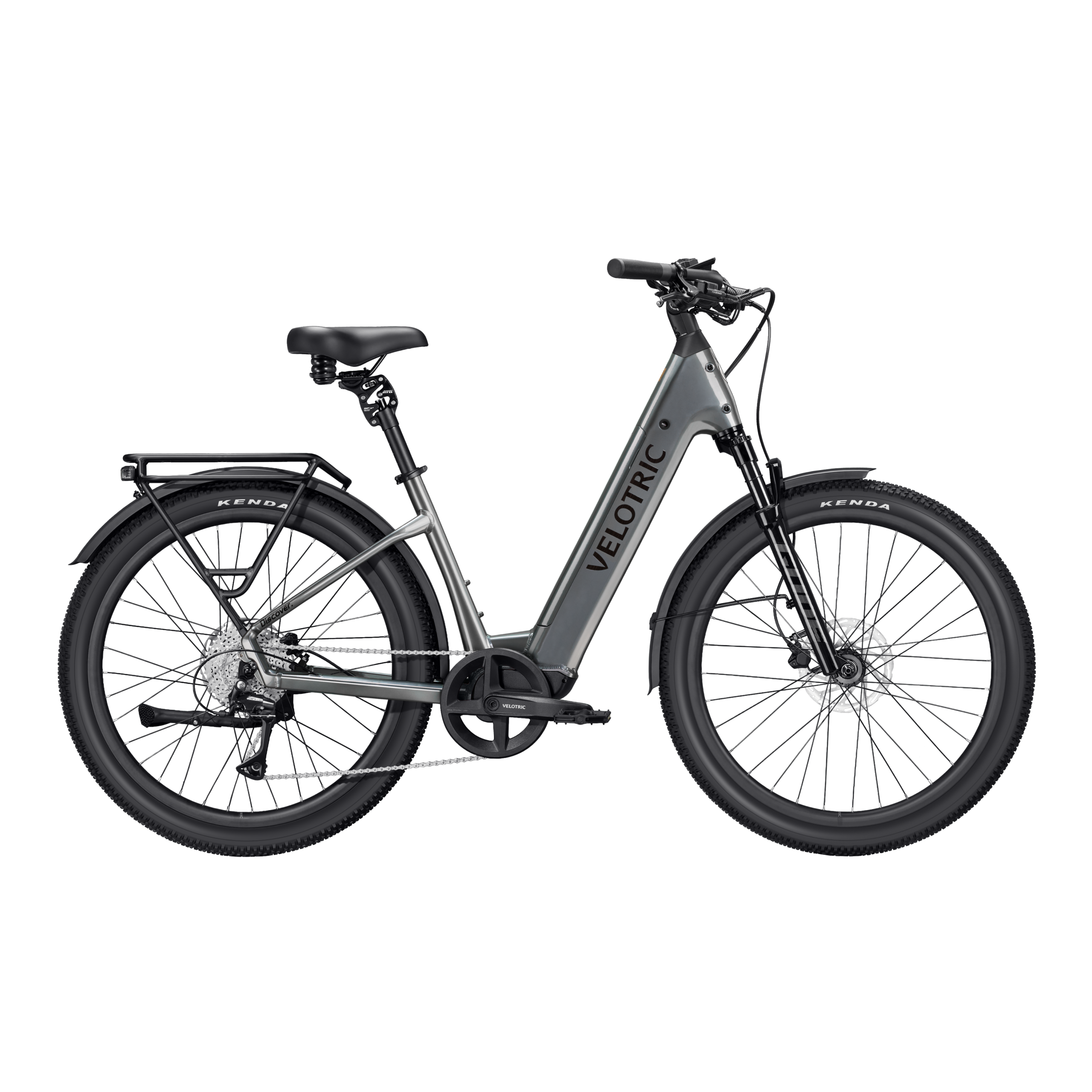
    Against the Velotric Discover 3 at $1,999, the Vorsa gives up an air fork with rebound adjustment and roughly 400 dollars of polish, and gives back nothing on torque. The Discover 3 is the smoother commuter. The Vorsa is the more capable climber for less money.

    The Velotric Breeze 1 at $1,799 targets a different rider entirely: 48 pounds, cruiser geometry, comfort over grit. Choose the Breeze if your rides are flat and social. Choose the Vorsa if hills and mixed surfaces are part of the route.

    Storage-constrained buyers should weigh the Velotric Fold 1 Plus at $1,449. It fits in a car trunk or a studio apartment closet, which the 65-pound Vorsa never will, but a 20 inch folder cannot match the Vorsa’s stability at 25 mph.

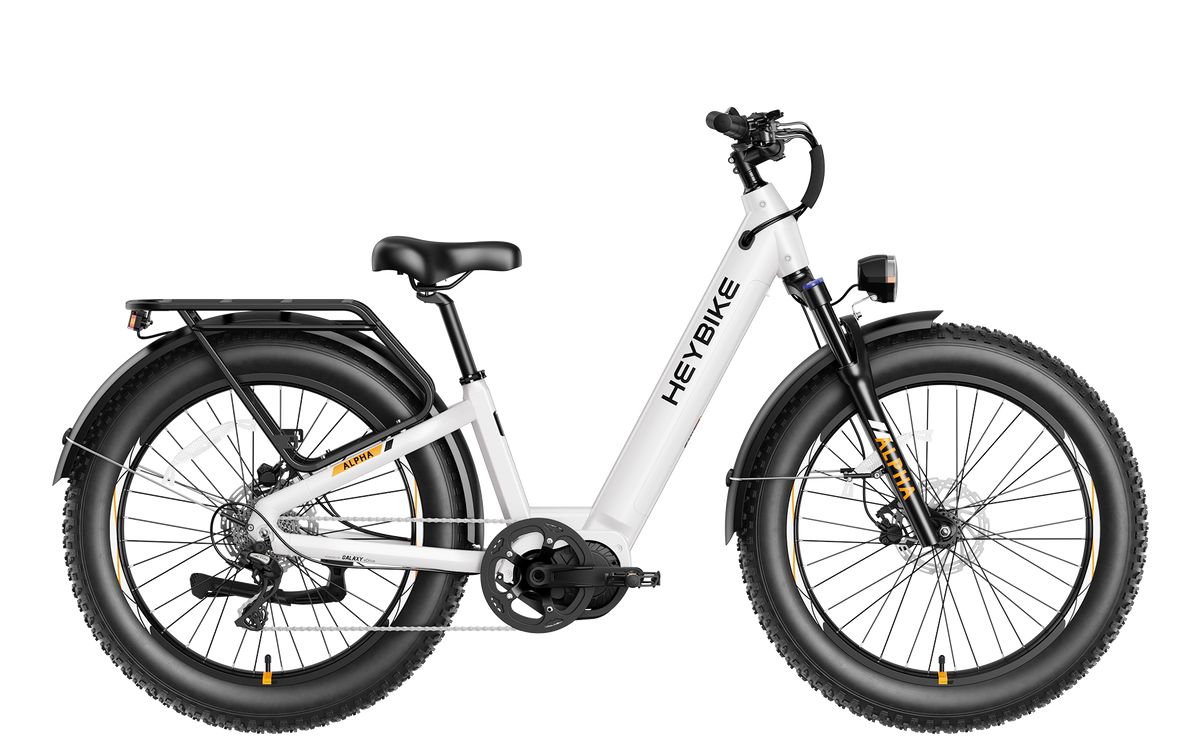
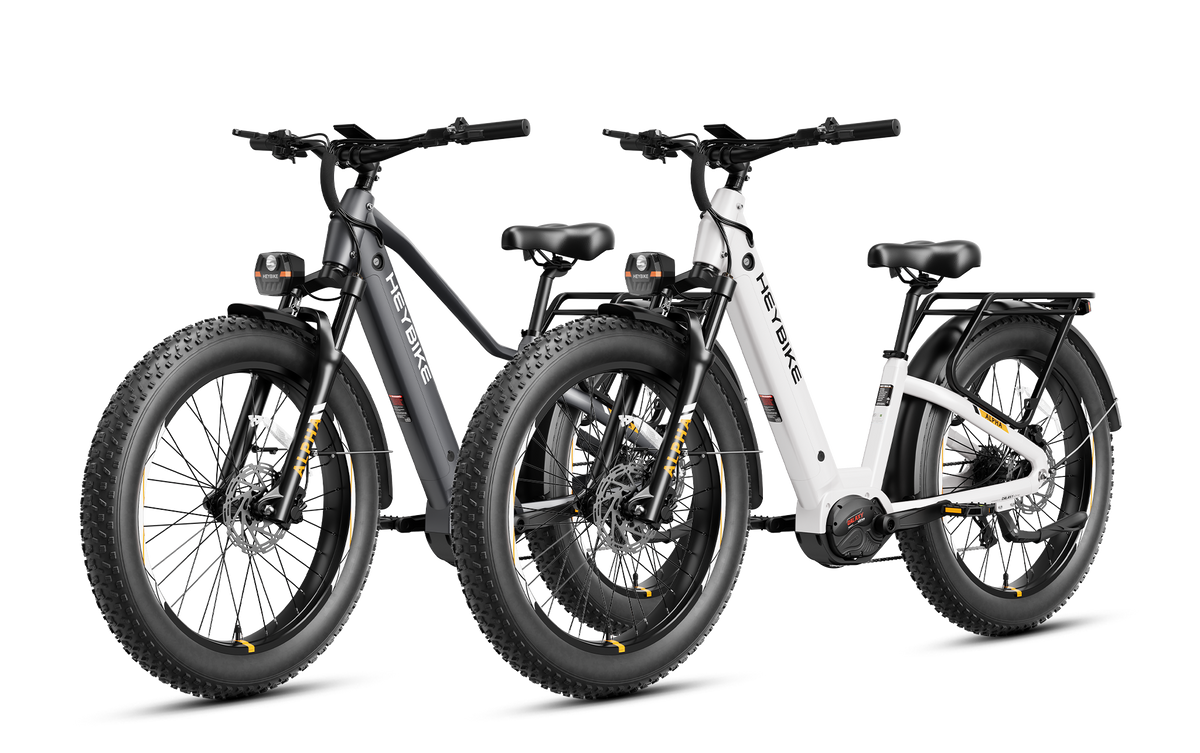
    The Heybike ALPHA at $1,299 undercuts the Vorsa and answers with a Mivice 500W mid-drive making 105 Nm. Mid-drive torque routed through the cassette climbs better on paper and puts more wear on your chain. The Vorsa’s advantage is the tested range and a more refined torque sensor.

    Cargo shoppers comparing this to the Aventon Abound LR at $1,999 are comparing two different tools. The Abound LR hauls two kids on a MIK-compatible long rack. The Vorsa carries 150 pounds on a rack and rides like a bike.

    Among wider market rivals, the Aventon Level 3 offers a smoother ride and dealer support at a higher price, and the Lectric XPeak 2.0 undercuts the Vorsa on cost while giving up the torque sensor and the range.

    FAQ

    Is the Vorsa legal to ride on bike paths?

    Yes, in Class 1 or Class 2 mode. The display lets you select Class 1, 2, or 3, so you can drop to a 20 mph limit where local rules require it. The unlockable off-road setting reaching 36 mph exceeds every US class definition and should stay on private property.

    Which build should I buy?

    Take the standard Vorsa at $1,595 for commuting and light trail duty. The Lite makes sense if you value the 61-pound weight and do not need fenders or a rack. Choose the FT only if you regularly ride sand, snow, or deep gravel, since the fat tires add drag and 7 pounds.

    How long does the battery last before replacement?

    Ride1Up has not published a cycle rating for the Reention Flamingo pack. Samsung 50GB cells are a known quantity in this class, and typical lithium packs retain about 80 percent capacity after 500 to 800 full cycles under normal use. Treat any specific lifespan claim without a manufacturer figure behind it as a guess.

    Bottom line

    At $1,595, the Vorsa earns its price with tested range and climbing that beat bikes costing several hundred dollars more. The narrow cassette, the budget fork, the slow charger, and a one-year warranty backed by thin support are the trade-offs you accept. If you can turn a wrench and a bike shop is not part of your plan, this is one of the strongest values in the category.

  • Therm-a-Rest Parsec 0F Down Sleeping Bag

    Therm-a-Rest Parsec 0F Down Sleeping Bag

    The Therm-a-Rest Parsec 0F/-18C packs 27 oz of 900-fill down into a bag that weighs 2 lb 7 oz, which makes it one of the lightest genuine 0-degree bags you can buy at any price. It costs $599.95 and undercuts the Western Mountaineering and Feathered Friends equivalents by $200 to $250 while weighing less than both. Two things temper the enthusiasm: the 0F figure is a survival limit rather than a comfort rating, and the pad connectors are too small for most pads on the market, including Therm-a-Rest’s own.

    Who it’s for

    Winter backpackers who count grams belong here. Nothing else at 0F with a real EN/ISO rating gets close on warmth per ounce at this price, and the 7.5 x 11 in packed size leaves room in a 65-liter pack for the rest of a winter kit.

    Shoulder-season alpine users also benefit. A bag with a 14°F comfort rating handles most spring and fall nights in the Rockies, the Sierra, and the White Mountains with margin left over, and margin is what lets you sleep instead of shiver.

    Two groups should look elsewhere. Cold sleepers planning nights at or below 0°F need to go warmer, because comfort at 14°F does not mean comfort at zero. Broad-shouldered campers and dedicated side sleepers may find the mummy cut restrictive at 62 in shoulder girth in the regular.

    Key specs

    Spec Regular Long
    Comfort / Limit (EN-ISO) 14°F / 0°F 14°F / 0°F
    Total weight 2 lb 7 oz (1,100 g) 2 lb 10 oz (1,194 g)
    Fill 27 oz of 900-fill 30 oz of 900-fill
    Down type PFAS-free hydrophobic duck down, RDS certified
    Shell / lining 20D recycled nylon ripstop with DWR / 20D recycled nylon
    Girths (shoulder / hip / foot) 62 / 57 / 42 in 65 / 58 / 48 in
    Fits height up to 72 in 78 in
    Packed size 7.5 x 11 in

    Living with it

    Therm-a-Rest builds the Parsec with zoned insulation, putting roughly 60% of the down over your chest and 40% underneath. The logic is sound: down compressed beneath your body does almost no insulating work, so the loft belongs where it can trap air. The catch is that this design assumes a warm pad. Pair the Parsec with an R-value of 5 or higher for winter use, because a thin pad turns the 40% underneath into a cold spot the bag was never designed to cover.

    Field reports line up with the published numbers. A tester at Advnture used it in Scotland’s Cairngorms down to roughly -9°C, right at the comfort limit, and reported success at that threshold. A separate owner testing near 7°F concluded he would not recommend the bag below about 5°F. Both findings point the same direction: treat 14°F as the working number and 0°F as the number that keeps you alive with layers on.

    The YKK anti-snag zipper draws consistent praise. Advnture’s tester called it smooth enough to operate firmly with one hand, with minimal snagging, which is a meaningful quality-of-life detail at 2 a.m. in a bag you cannot see. The zipper runs on the left side only, so left-zip users get their preference and everyone else adapts.

    The Toe-asis foot warmer pocket, a down-lined pouch in the footbox, gives you somewhere to stash a hot water bottle or warm cold feet directly. It sounds gimmicky and works well. Draft tubes run along the zipper and around the neck, the hood cinches down properly, and an internal stash pocket holds a phone or headlamp battery where body heat keeps it alive.

    Then there are the SynergyLink connectors. Multiple independent reviewers report that the straps are too small to fit around most pads, including Therm-a-Rest’s own NeoAir XTherm. Advnture described them as tight even with a Therm-a-Rest pad. If keeping the bag anchored to your pad matters to you, plan on replacing the straps with longer webbing or accepting that the feature does not work.

    The 20D shell is what makes the weight possible. It also means the bag deserves care around stove flare-ups, rough granite, and dog claws.

    Cost of ownership

    MSRP sits at $599.95 for the regular, with the long running higher. Discounts appear regularly, and the bag has been seen at REI in the $450 to $490 range during sale periods, which turns a good value into a strong one. Anyone without a fixed trip date should wait for a sale.

    Therm-a-Rest covers the Parsec with a limited lifetime warranty against defects in materials and workmanship, backed by a Better Sleep Guarantee offering a full refund within three months if the bag disappoints. That combination lowers the risk of buying a $600 bag without lying in it first.

    Ongoing costs are the usual down costs. Store it uncompressed in the large sack it ships with, because leaving it in the compression sack destroys loft over a few seasons. Budget for down-specific detergent and plan on washing it every 20 to 30 nights of use, or annually. The hydrophobic treatment on the down slows moisture absorption, and it does not replace a dry tent or a vapor barrier liner on multi-day winter trips.

    The bag is made in Vietnam and ships with both compression and storage sacks, so there are no immediate accessory purchases beyond a suitable pad.

    How it compares

    The Western Mountaineering Kodiak MF runs about $850 and weighs 2 lb 12 oz. It is cut wider, which suits larger bodies and side sleepers, and Western Mountaineering’s construction and USA manufacturing hold near-legendary status. You pay $250 more and carry 5 oz more for that.

    The Feathered Friends Snowbunting EX 0 costs roughly $789 and weighs 2 lb 15.2 oz. Its advantage sits in the shell: Pertex Shield EX water-resistant fabric at 15 denier with 40-denier ripstop reinforcements, which handles tent drip and condensation better than the Parsec’s 20D DWR nylon. For prolonged winter trips in wet snow, that difference is real.

    The NEMO Sonic 0 lists around $650 and brings thermo gills, zippered vents that let you dump heat on warmer nights without opening the main zipper. It weighs more than the Parsec and appeals to people who run hot or want one bag covering a wide temperature band.

    The Parsec wins the weight comparison against all three and the price comparison against two. It loses on shell durability to the Snowbunting and on cut generosity to the Kodiak.

    FAQ

    Is the Parsec 0 actually warm to 0°F?

    It is rated to 0°F as an EN/ISO limit, which describes the temperature at which a standard adult male sleeps curled without hypothermia. The comfort rating, the number most people should plan around, is 14°F. One owner testing near 7°F said he would not recommend the bag below roughly 5°F. Expect comfortable sleep in the teens, workable sleep near zero with a base layer and a hat, and misery below that.

    Do the pad straps fit a NeoAir XTherm?

    Multiple reviewers report they do not, or that they fit so tightly as to be impractical, even with Therm-a-Rest’s own pads. It is the most consistently repeated complaint about the bag. Longer replacement webbing solves it for a few dollars, and plenty of owners simply ignore the connectors.

    What sleeping pad R-value should I pair with it?

    Aim for R-5 or higher for genuine winter use, and R-6 or above if you sleep cold or expect frozen ground. The Parsec places only about 40% of its down underneath you by design, so the pad carries more of the insulating job than it would with an evenly filled bag. Undersizing the pad is the most common reason people find a good winter bag cold.

    Bottom line

    Buy it if you want the lightest credible 0-degree down bag under $700, you plan on nights in the teens and twenties with occasional dips toward zero, you already own a warm pad, and you appreciate a lifetime warranty with a three-month satisfaction guarantee behind it. At sale prices near $450 it becomes one of the best value propositions in winter sleep systems.

    Skip it if you sleep cold and plan repeated nights at or below 0°F, in which case buy a -10F or -20F bag instead of hoping. Skip it also if you have broad shoulders or sleep on your side and dislike a snug mummy, or if your winter trips involve persistent wet snow, where the Feathered Friends Snowbunting EX 0 and its Pertex Shield EX shell earn the extra $190.

  • Velotric Discover 3

    Velotric Discover 3

    Velotric built the Discover 3 around a single idea: give commuters a bike they stop worrying about. A 730Wh pack, a 750W motor rated at 75Nm, an 80mm air fork and both UL 2849 and UL 2271 certification arrive at $1,999, which is roughly what competitors charge for noticeably less equipment. Independent testing supports the range claims, and the complaints that remain are small enough to live with.

    Who it’s for

    This bike targets the rider who commutes five days a week and wants the battery to be a non-issue. Electric Bike Report measured 86.7 miles in Eco mode. For most US commutes that means charging on weekends instead of nightly, which changes how the bike fits into a routine.

    It also suits riders who value comfort over speed. The air fork, the suspension seatpost and the 27.5 by 2.4 inch Kenda hybrid tires soften pavement joints and gravel shoulders. Riders between 5’2″ and 6’7″ can be fitted across the two frame sizes, and a step-through option widens that further.

    • Daily commuters covering 10 to 25 miles each way
    • Riders who want throttle and pedal assist without choosing one philosophy up front
    • Anyone hauling groceries, a child seat, or panniers on the 66 lb rated MIK rack
    • Buyers who want UL certification documented rather than implied

    It fits poorly if you carry a bike up stairs, ride singletrack, or want a lightweight bike you can lift into a sedan trunk.

    Key specs

    Spec Detail
    Motor 750W nominal, 1,100W peak, 75Nm torque, rear hub
    Battery 730Wh (48V, 15.2Ah), UL 2271 certified, IPX7 rated
    Tested range 86.7 miles Eco, 37.4 miles Turbo (Electric Bike Report)
    Brakes Tektro hydraulic disc, 180mm rotors, 22 ft 7 in stop from 20 mph
    Suspension 80mm air fork with lockout, suspension seatpost
    Weight and payload 65 lb (size L), 440 lb total payload capacity
    Drivetrain and display Shimano Acera 8-speed, 3.5 in color touchscreen with USB-C
    Classes and sizes Class 1, 2 and 3 switchable; Regular and Large frames

    Living with it

    The headline feature is SensorSwap, which lets you flip between torque-sensor and cadence-sensor behavior in the app. Torque mode reads pedal pressure and feels like a stronger version of your own legs. Cadence mode delivers a flat push the moment you turn the cranks, which helps riders with knee problems or anyone starting on a hill. Most bikes at this price commit to one and leave you with it.

    Power tuning goes further than most riders will need. Assist levels, torque sensitivity, output ceiling and throttle behavior all adjust independently. Reviewers who spent time in these menus reported the app freezing during custom mode setup. The bug appears cosmetic rather than dangerous, and it is the kind of thing firmware updates address, but it is real and it showed up in more than one published test.

    The lighting package matters more than spec sheets suggest. A 500 lumen headlight, integrated tail light and turn signals mean you skip the aftermarket light shopping most e-bike buyers do in month two. Apple Find My and Android tracking are built in, so a stolen bike leaves a trail.

    Weight is the honest downside. At 65 pounds in size L, the Discover 3 needs ground-floor storage or an elevator. Loading it onto a hitch rack is a two-hand, straight-back lift. The 440 lb payload absorbs a rider plus a full rack, so the mass buys real capability, but it also means a flat tire five miles from home is a genuinely annoying afternoon.

    Weather sealing reads well. The battery carries an IPX7 rating and the bike carries IPX6, so rain commuting is within design intent. Fenders come standard.

    Cost of ownership

    Start at $1,999. Velotric sells direct, so there is no dealer markup and no dealer service counter either. That trade matters: warranty work runs through email and shipping rather than a local shop, and owners of earlier Velotric models have reported friction on claims involving wheels and displays. Velotric’s Discover line has carried a two year warranty, and you should confirm current terms at checkout.

    Charging is close to free. A 730Wh pack takes about 0.73 kWh from empty, which at typical US residential rates lands near 13 cents per full charge. Ride 3,000 miles a year and electricity costs you a few dollars.

    Budget for consumables instead. Hydraulic brake pads wear faster on a 65 lb bike carrying a 180 lb rider, so plan on pads once or twice a year with regular use. Chains stretch under 75Nm and want replacing every 1,500 to 2,000 miles. Tires at 27.5 by 2.4 inches are a common size, so replacements stay cheap. A shop tune-up runs $75 to $150 depending on your market.

    The larger line item sits years out. Replacement batteries in this class typically run several hundred dollars, and a 730Wh pack sits at the expensive end. Treat that as a year-four expense rather than a surprise.

    How it compares

    Inside Velotric’s own lineup the decision comes down to what you are optimizing for.

    • Velotric Breeze 1 at $1,799 saves you 17 pounds and $200. It runs a 65Nm motor and a 13.4Ah battery, so you give up torque and roughly a quarter of the range. Choose it if you carry the bike or ride mostly flat city miles.
    • Velotric Nomad 2X at $2,499 adds full suspension and fat tires. It is the right bike for dirt roads, sand and snow. On pavement the Discover 3 is faster, lighter and $500 cheaper.
    • Velotric Fold 1 Plus at $1,499 matches the 75Nm motor and folds to a 37.8 by 19.7 by 33.5 inch package in about 30 seconds. Apartment dwellers and RV owners should look here first, accepting smaller wheels and a rougher ride.
    • Aventon Abound LR at $1,999 costs the same and matches the 440 lb payload, but it is a cargo bike. The long rear rack takes two child seats. If passengers are the point, Aventon wins. If range is the point, the Discover 3 wins clearly.

    Outside the family, the Aventon Level 3 and the Ride1Up 700 Series compete in the same commuter band. Both are capable. Neither pairs a 730Wh battery with an air fork, a suspension seatpost and a 3.5 inch touchscreen at $1,999, which is the specific combination that makes the Discover 3 hard to argue against right now.

    Discover 3 naming note

    If you are searching for Velotric Discover 3 reviews, this is the step-through commuter model with the 1,100 W peak motor, listed 65-mile range, and Velotric’s SensorSwap torque/cadence assist option. It is different from the Discover 2 and from the more off-road-leaning Nomad line, so use the exact “Discover 3” name when comparing prices, batteries, and accessory compatibility.

    Also compare it with our Velotric Nomad 2X review if you want fatter tires and trail-friendly handling rather than a city commuter stance.

    FAQ

    Will it really do 80 miles on a charge?

    In Eco mode on flat ground, yes. Electric Bike Report recorded 86.7 miles. Turbo mode with hills and a heavier rider dropped that to 37.4 miles. Plan around 40 to 50 miles for normal mixed riding and treat the 87 mile figure as a best case rather than a commute plan.

    Is the Discover 3 legal on bike paths?

    It switches between Class 1, Class 2 and Class 3 on the fly. Set it to Class 1 for paths that ban throttles, then switch to Class 3 for road riding at up to 28 mph. Local rules vary by city and by trail system, so check your specific paths.

    Do I need a bike shop to assemble it?

    Most owners complete assembly at home in under an hour with the included tools. Handlebars, front wheel, pedals and fenders are the main steps. A shop safety check afterward costs little and catches torque errors on the brake and stem bolts, which is worth doing on a 28 mph bike.

    Is the Velotric Discover 3 the same as the Nomad 2X?

    No. The Discover 3 is a commuter-style e-bike, while the Nomad 2X is the more rugged fat-tire model. Pick the Discover 3 for city riding and mixed errands; consider the Nomad 2X if traction and rougher surfaces matter more.

    Bottom line

    Buy it if you commute regularly, store the bike at ground level, and want the longest range and the most comfort available near $2,000. The value case is strong: the air fork, suspension seatpost, hydraulic brakes, integrated lighting, MIK rack, touchscreen display and dual UL certifications would push the price higher at most competitors. Published testing has been consistently positive, and the flaws that surfaced are software bugs rather than hardware failures.

    Skip it if you live in a walk-up apartment, need to lift the bike into a car, or ride enough technical terrain to want real suspension travel. Skip it also if local dealer support matters to you, since Velotric handles warranty work directly and earlier models have generated complaints about how those claims are resolved. Riders who want a lighter bike should look at the Velotric Breeze 1, and anyone hauling kids should compare the Aventon Abound LR before deciding.

  • Heybike ALPHA

    Heybike ALPHA

    The Heybike Alpha does something almost no other fat-tire e-bike near $1,299 manages: it puts a real mid-drive motor, the Mivice 500W unit rated at 105 Nm, in a frame with hydraulic brakes and a 680Wh battery. It earns a 6.9 rather than a higher score because three systems around that motor fall well short of it, and because Heybike’s warranty record gives buyers a genuine reason to hesitate. The powertrain is the best part of this bike by a wide margin, and the rest of the package keeps getting in its way.

    Who it’s for

    The Alpha suits a specific rider: someone who actually pedals, lives near hills or loose surfaces, and wants mid-drive torque without paying mid-drive prices. Fire roads, packed gravel, beach sand, and winter slush all sit inside this bike’s comfort zone thanks to the 26×4.0 tires and the motor’s ability to multiply through the 8-speed cassette.

    • Riders who want assistance that feels like strong legs rather than a push from behind. The torque sensor handles that well.
    • People carrying weight. The 400-pound payload rating is generous, and the motor does not sag under a heavy rider the way a 45 Nm hub motor would.
    • Anyone climbing grades that defeat budget hub-drive bikes. Electric Bike Report clocked the Alpha at 1:19 on its standard hill test, placing it seventh all-time among the mid-drives that outlet has measured.

    Skip it if you want throttle-only riding. That single decision disqualifies the Alpha for a large share of the budget fat-bike audience, and the reason appears in the next section.

    Key specs

    Spec Detail
    Motor Mivice 500W mid-drive, 105 N·m, 1000W peak, torque and cadence sensing
    Battery 680Wh removable, UL 2271 certified, 2A charger (54.6V)
    Claimed range Up to 60 miles; independent testing recorded 79.2 mi at PAS 1 and 19.4 mi at PAS 5
    Weight / payload 71.6 lb / 400 lb total capacity
    Drivetrain Shimano Altus 8-speed, no shift sensor
    Brakes / tires Hydraulic disc; 26″ x 4.0″ fat tires; hydraulic front suspension fork
    Class / top speed 28 mph assisted; half-twist throttle requires pedal start
    Warranty / price 2 years; UL 2849 certified; $1,299 on sale, $1,799 list
    Heybike ALPHA

    Living with it

    Start with the throttle, because it shapes the whole ownership experience. Reviewers consistently report that it will not engage from a standstill, that it needs pedaling first, and that its output is capped somewhere around 10 to 13 mph. That turns a feature most buyers assume works into a slow cruise-control toggle. If you expected to twist and go at a stoplight with groceries on board, the Alpha will disappoint you every single ride.

    The fork is the second weak link. It offers preload and little else, so it behaves like an on/off spring. Testers describe a pogo effect while pedaling and poor composure on fast, rough descents. On the terrain this bike is styled for, that matters more than it would on a commuter.

    Third, the display misreports. Electric Bike Report measured 25.6 mph while the screen showed 29 mph, and the battery gauge can jump more than 10 percent at a time. You lose the ability to plan a route by remaining charge, which is a practical problem given how wide the real range window is. Riding at PAS 5 costs roughly four times the energy of PAS 1 on this bike, so guessing wrong leaves you pedaling 71 pounds home unassisted.

    Other recurring owner reports include squeaky brakes, clumsy shifting under load, and pedal assist that reacts more aggressively than some riders want. The motor itself draws praise for being quiet and natural. Braking measured 20 feet 2 inches, better than the fat-bike average, so stopping power is a strength.

    Cost of ownership

    Mid-drives push their torque through the chain and cassette instead of the hub, and the Alpha ships without a shift sensor. That combination accelerates wear whenever you shift under power, which most riders do without thinking. Budget for a chain roughly every 1,000 to 1,500 miles and a cassette every second or third chain if you ride hard. Parts are cheap, around $25 to $45 per item, and the labor adds up if you do not turn your own wrenches.

    • Battery replacement: plan on $450 to $650 for a 680Wh pack when capacity fades, typically after 3 to 5 years of regular cycling.
    • Tires: 26×4.0 rubber runs $50 to $80 each and wears faster than a 700c commuter tire.
    • Service access: many local shops decline warranty work on direct-to-consumer brands, so repairs route through Heybike.
    • Support risk: Trustpilot and BBB filings include accounts of slow ticket responses, parts stated as out of stock, and claims denied after the warranty window closed on issues first reported inside it.

    That last bullet is the largest hidden cost. A $1,299 bike with a $600 battery and an unreachable support desk becomes an expensive bike quickly.

    How it compares

    At the same money, the Velotric Fold 1 Plus at $1,499 gives up mid-drive smoothness and delivers a 750W hub motor, 624Wh battery, 450-pound payload, Apple Find My tracking, and a switchable torque or cadence sensor. It is the safer buy for someone who wants a bike that simply works, folds into a car, and comes from a company with a better support reputation.

    For pavement riders, the Velotric Breeze 1 weighs 48 pounds against the Alpha’s 71.6 and rides far better in traffic, though its 65 Nm hub motor will not touch the Alpha on a steep grade. If your real need is hauling rather than terrain, the Aventon Abound LR at $1,999 brings 733Wh, 4G GPS tracking, a dealer network, and a 440-pound capacity for a few hundred dollars more.

    The Alpha’s honest position: cheapest legitimate mid-drive in the fat-tire class, with the compromises you would expect at that price and a few you should not have to accept.

    FAQ

    Is the throttle actually usable?

    Barely. It requires pedaling to activate and limits output to a low cruising speed. Treat the Alpha as a pedal-assist bicycle and ignore the throttle entirely in your buying decision.

    Will the drivetrain survive 105 Nm without a shift sensor?

    Yes, if you ease off the pedals before every shift. Riders who shift under full power will replace chains often and may snap one eventually.

    Is it worth $1,799 at full list price?

    No. At list, the Fold 1 Plus and Abound LR offer better hardware, tracking, and support. The Alpha only makes sense during its frequent discounts to $1,299 or lower.

    Bottom line

    Buy the Alpha if you want mid-drive climbing at a hub-drive price, you pedal by preference, you can service a drivetrain yourself, and you accept that the fork, display, and throttle are placeholders rather than features. On the right terrain, this motor genuinely outperforms every hub motor in its price bracket.

    Do not buy it if you plan to ride throttle-only, if you need accurate battery data for commuting, if you ride fast technical descents where the fork will punish you, or if a slow warranty process would leave you stranded without transportation. Those buyers should look at the Velotric Fold 1 Plus or spend up for the Aventon Abound LR.

  • SwitchBot K20+ Pro

    SwitchBot K20+ Pro

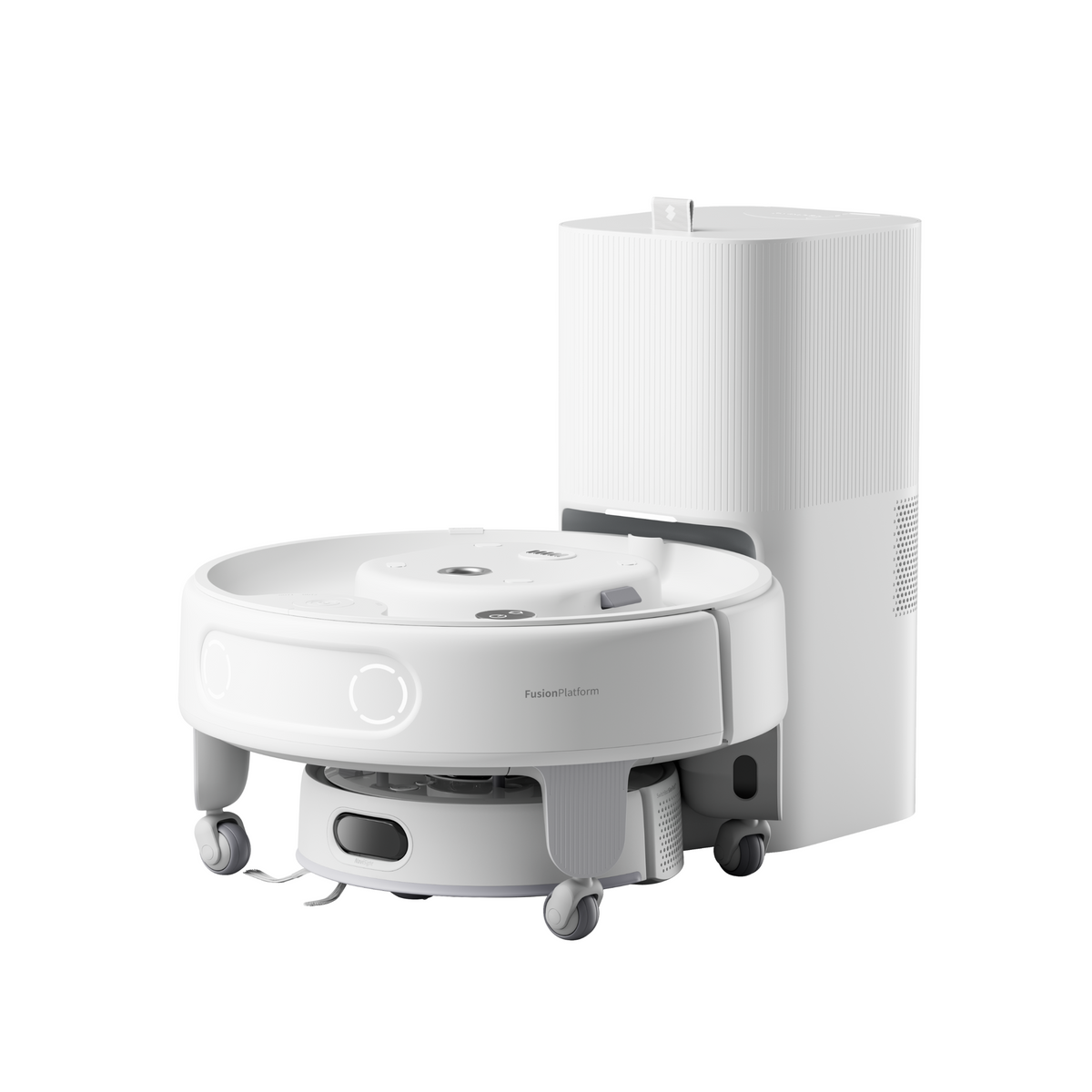
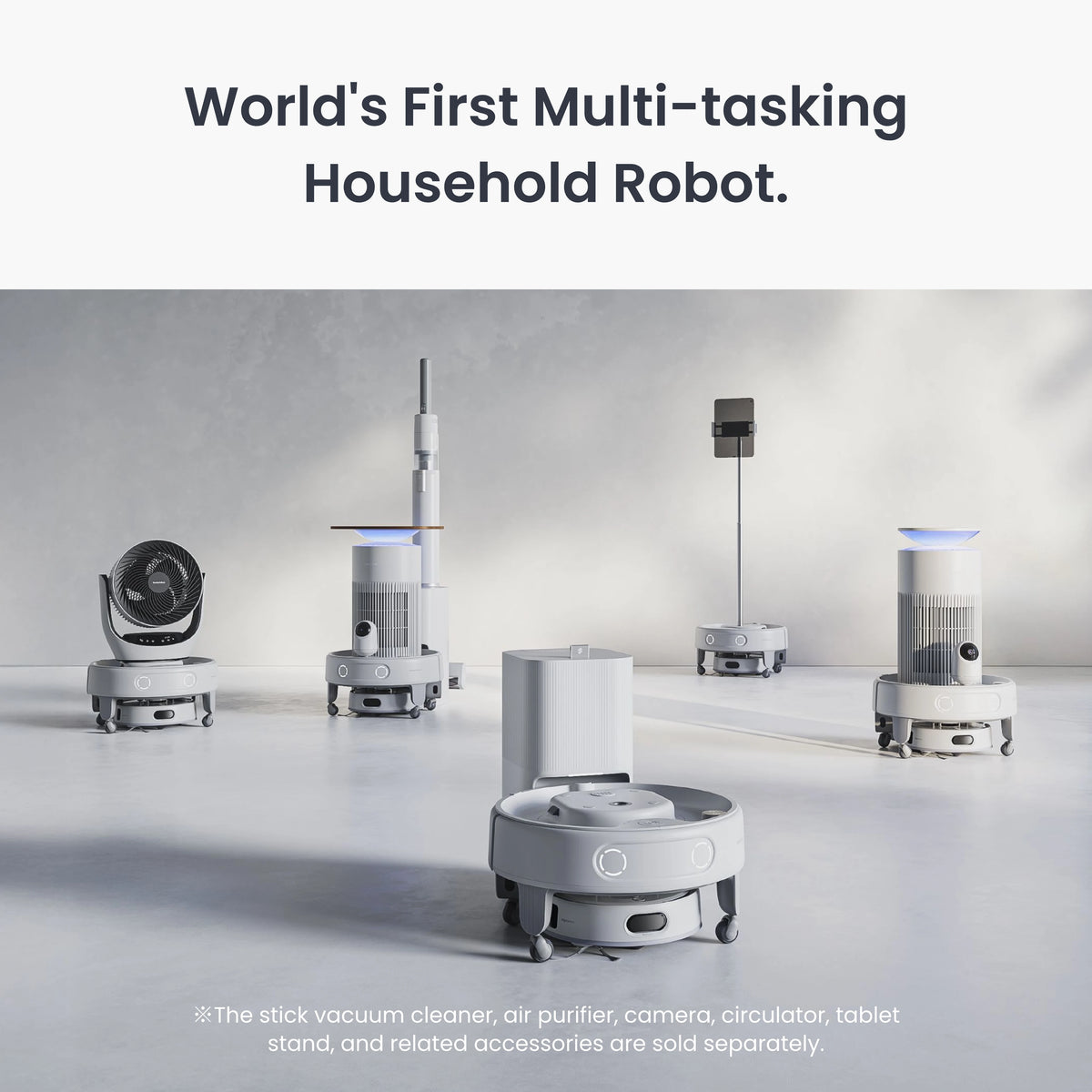
    The SwitchBot K20+ Pro is the first robot vacuum that is honestly more interesting for what rides on top of it than what it sucks up underneath. It is a competent compact vacuum with LiDAR navigation and a self-empty dock, but its FusionPlatform turns it into a roving base for an air purifier, security camera, or tablet stand. At about $700 before add-on kits, it is a fascinating buy for smart-home tinkerers — and a middling one for people who just want the cleanest floors per dollar.

    Source check: SwitchBot’s official product page lists the K20+ Pro at US$699.99, confirms LiDAR and the 1-year warranty, and identifies the included mobile base and mopping kit. Check the current bundle and accessory prices at SwitchBot before buying.

    Who it’s for

    This robot makes the most sense for two groups. The first is smart-home enthusiasts, especially those already inside the SwitchBot ecosystem of sensors, locks, and hubs — the K20+ Pro plugs into the same app and works with Alexa, Google Assistant, and Siri Shortcuts. The idea of one mobile base that vacuums at 9 a.m., carries an air purifier to the nursery at noon, and patrols with a camera while you travel is genuinely novel, and nothing else on the US market does it.

    The second group is small-space dwellers. The K20+ Pro rides on a compact roughly 10-inch chassis, meaningfully smaller than mainstream robots, so it fits between chair legs and into bathroom corners that a full-size Roborock bumps off of. Pet owners get a bonus use case: the optional camera lets you check on animals from anywhere, at floor level, in any room. It is not for buyers who want maximum deep-clean performance, serious mopping, or a set-and-forget appliance with no accessory decisions to make.

    Key specs

    Spec SwitchBot K20+ Pro
    Price (US) Approximately $699.99 (base bundle; modules extra)
    Suction 4,000Pa
    Navigation LiDAR with AI 3D obstacle detection
    Dock Auto-empty station, 2.5L dust bag (up to ~60 days)
    Battery 3,500mAh, roughly 4-hour recharge
    Platform payload FusionPlatform carries up to 8 kg (17.6 lbs)
    Modules Air Purifier Kit, Patrol (camera) Kit, Air Flow Kit, Device Stand Kit
    Warranty 1 year, 30-day money-back guarantee
    SwitchBot K20+ Pro

    Living with it

    As a vacuum, the K20+ Pro is solidly mid-pack. Its 4,000Pa of suction is respectable for such a small chassis, and the compact body is the real cleaning advantage — coverage in cluttered apartments beats bigger robots because it simply fits through more gaps. LiDAR mapping is quick and accurate, room-by-room scheduling works as expected, and the 2.5-liter self-empty dock means you touch the machine about once every two months. Mopping is the weak spot: it drags a wetted pad in a single pass, fine for dust film on tile, useless against dried spills. Treat it as a vacuum with light mopping, not a floor washer.

    The module system is where daily life gets interesting — and where expectations need managing. The platform can ferry up to 17.6 pounds, so the air purifier module genuinely works as a whole-home purifier that follows your schedule instead of serving one room. The Patrol Kit turns it into a mobile camera you can drive around remotely. But each kit is a separate purchase, swapping modules is a manual affair, and the robot cannot vacuum while carrying cargo on top in most configurations. It is a platform you curate, not an appliance that disappears into the background.

    2026 buyer note: SwitchBot now sells the K20+ Pro in several kit forms, and the official US listing starts at $699.99 for the robot while pushing add-ons such as the Patrol Kit, Air Purifier Kit, Air Flow Kit, and Adjustable Device Stand Kit. That matters because the search phrase “what is the scooter” sometimes pulls shoppers into small mobile robots generally; the K20+ Pro is not a rideable scooter or mobility device. It is a small autonomous base that can move approved accessories around the home, so buy it for indoor automation rather than transportation.

    Cost of ownership

    Budget honestly here, because the sticker is only the entry fee. Consumables run cheap — dust bags, a rotating side brush, and filters, perhaps $30 to $50 per year. The modules are the real spend: the Air Purifier and Patrol kits each add meaningful cost (typically $100 to $250 per kit depending on bundle and promotions), so a fully kitted robot can approach $1,100 to $1,200. SwitchBot backs it with a 1-year warranty and 30-day returns, shorter coverage than the 2 years some rivals offer. The upside: the modular design means capability grows over time without replacing the robot, which is a form of future-proofing no conventional vacuum offers.

    How it compares

    Against conventional robots at $700, the K20+ Pro loses the pure cleaning fight. A Roborock Q-series or midrange Ecovacs Deebot at the same price delivers higher suction, proper oscillating or spinning mops with washing docks, and better brush systems for pet hair. If floors are the whole mission, buy one of those. What they cannot do is carry a payload, purify air room to room, or drive a camera to the back bedroom.

    The better mental model is a robot fleet. We increasingly see households assigning one robot per domain — a Mammotion LUBA 2 AWD 10000X handling the lawn outside (we review it separately, and its all-wheel-drive, no-wire approach is the same “autonomy first” philosophy applied to grass), a dedicated floor washer for hard-floor kitchens, and something like the K20+ Pro as the indoor utility player. In that framing, the SwitchBot is less a vacuum with gimmicks and more the first general-purpose home robot that happens to vacuum.

    SwitchBot K20+ Pro

    FAQ

    Is the SwitchBot K20+ Pro a scooter?

    No. Despite the small wheeled base, the K20+ Pro is a robot vacuum and modular household robot, not a ride-on scooter or mobility device. It can carry SwitchBot modules and small payloads on the FusionPlatform, but people should not ride it.

    Can the SwitchBot K20+ Pro vacuum and carry a module at the same time?

    Generally no — cleaning runs and cargo duty are separate jobs. You schedule vacuuming, then use the platform for purifier, camera, or delivery tasks between cleanings. The 8 kg payload limit applies to platform mode.

    Is the K20+ Pro good for pet hair?

    It is adequate. The 4,000Pa suction and self-empty dock handle everyday shedding on hard floors and low-pile rugs, and the camera module is great for pet checking. Heavy-shedding households with thick carpet should look at higher-suction conventional robots instead.

    Does it work without the SwitchBot ecosystem?

    Yes — it runs fully from the SwitchBot app with Alexa, Google Assistant, and Siri Shortcuts support. But its value climbs if you already use SwitchBot sensors and hubs, since the same app orchestrates everything.

    What is included with the K20+ Pro?

    SwitchBot lists the main robot, auto-empty station, mobile base, cleaning accessories, mopping kit, and Type-C charging cable. Optional modules and accessory prices can vary by bundle, so check the official listing before checkout.

    Bottom line

    The SwitchBot K20+ Pro is the most versatile robot vacuum you can buy, and the only one that grows into a mobile smart-home platform. Buy it if you live in a smaller space, love the SwitchBot ecosystem, or genuinely want the purifier-on-wheels and patrol-camera tricks — nothing else does this. Skip it if you want the deepest clean or real mopping for your $700; a conventional flagship robot will out-clean it, and buyers who will never purchase a single module are paying for a platform they’ll never use.

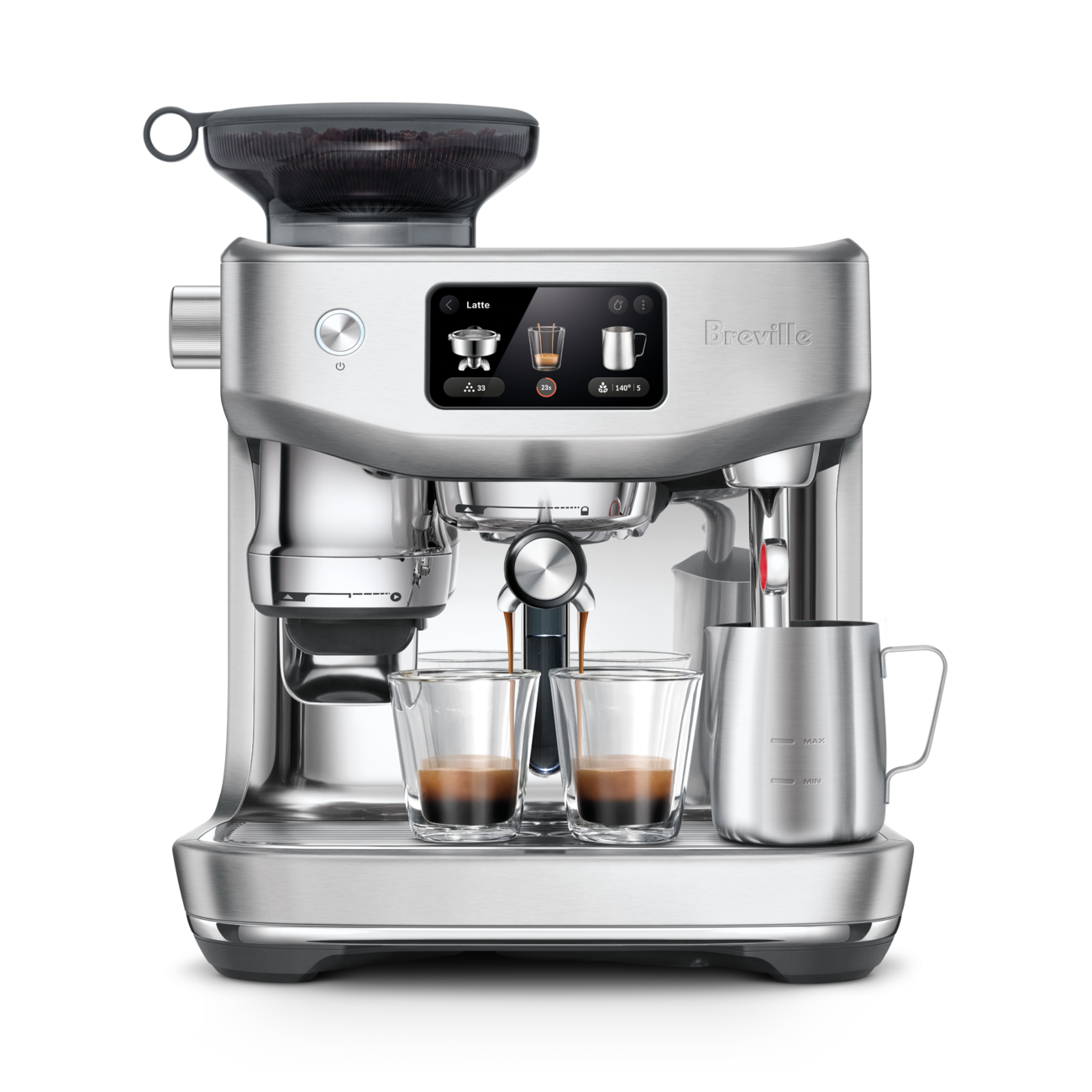
  • Breville Oracle Dual Boiler BES995

    Breville Oracle Dual Boiler BES995

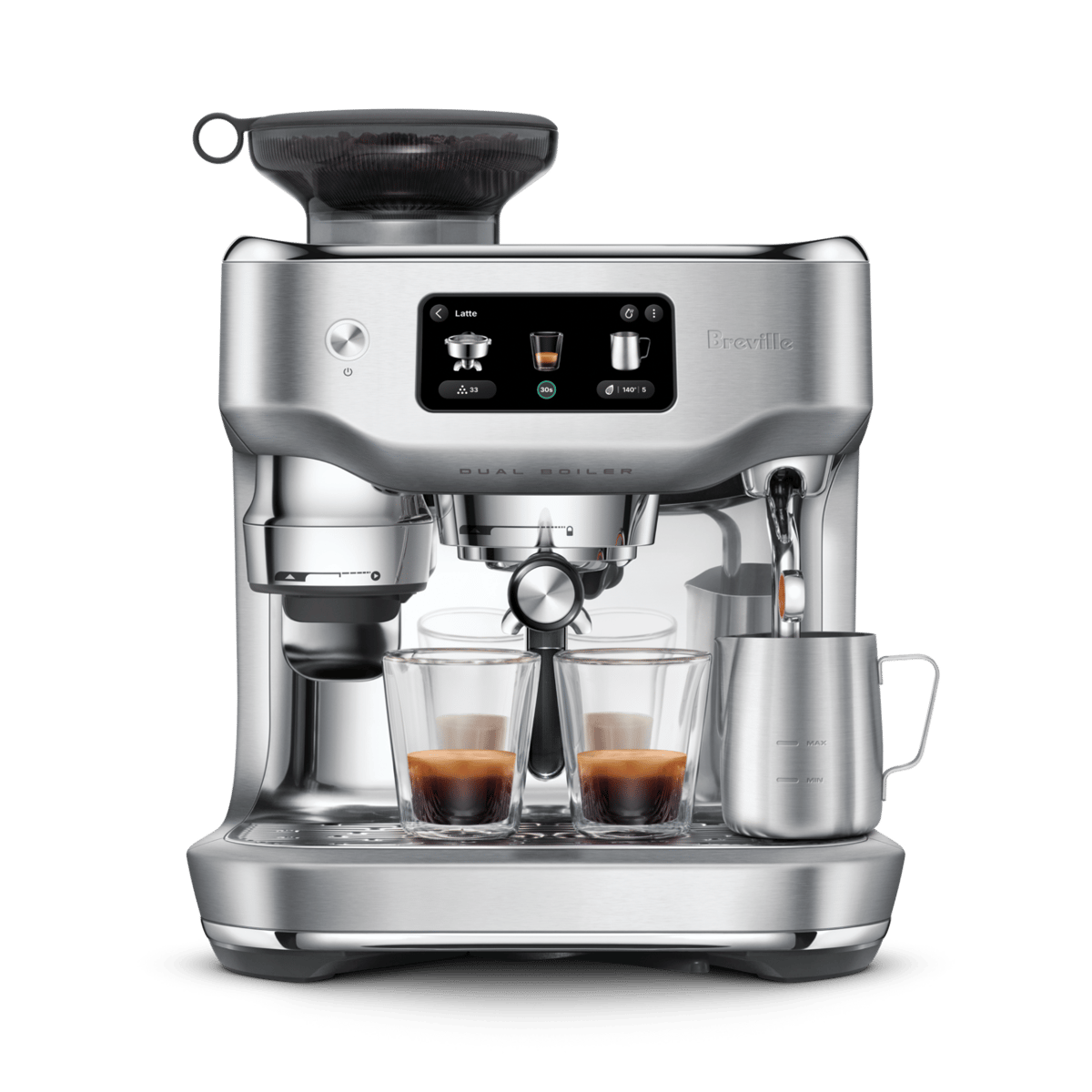
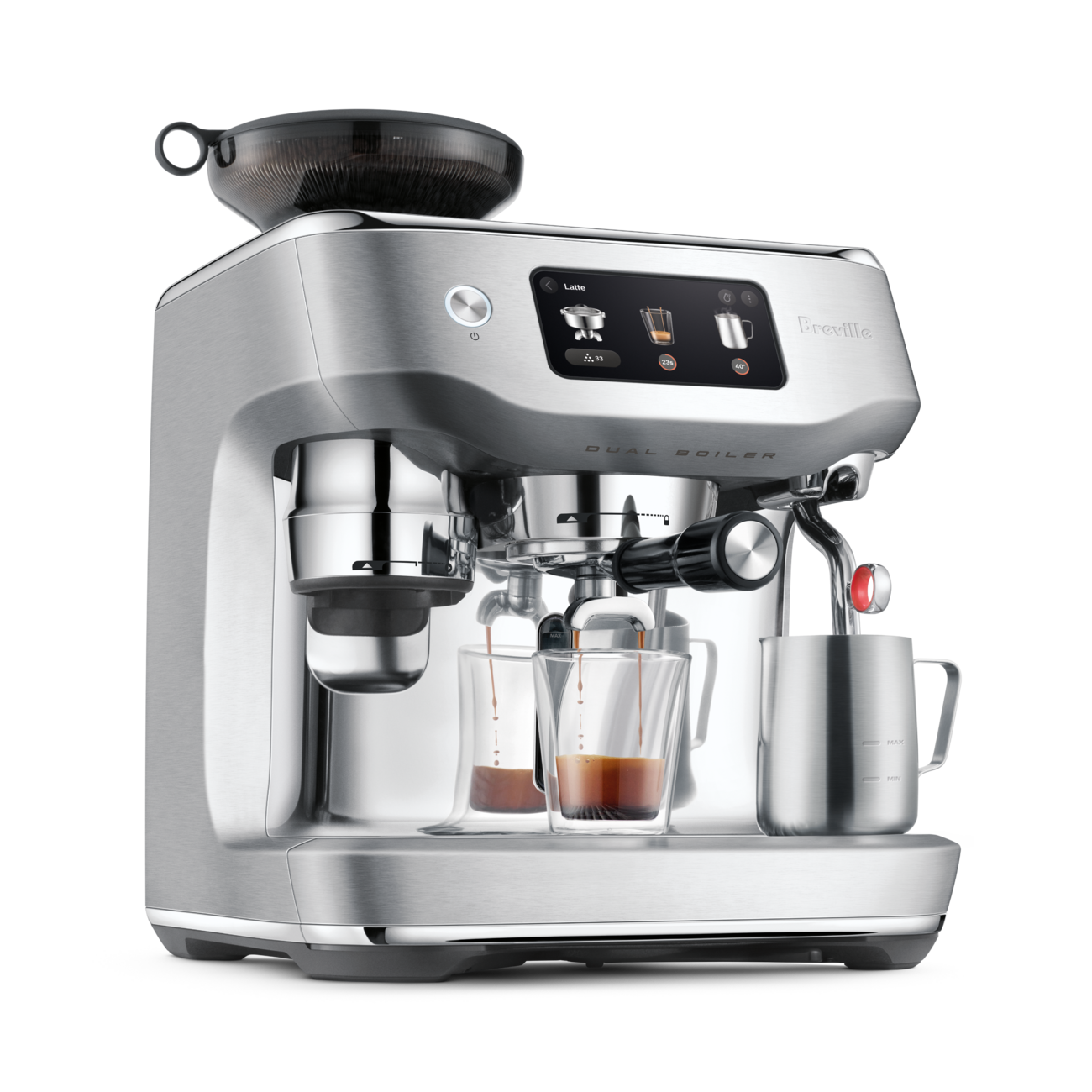
    The Breville Oracle Dual Boiler BES995 is the closest thing yet to a machine that thinks like a barista. It grinds, doses, tamps, dials in the shot, and textures milk on its own — while its dual stainless steel boilers let you pull espresso and steam simultaneously like a commercial machine. At roughly $3,000, it is a huge spend, but for latte-drinking households that want cafe results without a six-month learning curve, nothing else automates this much this well.

    Source check: Breville’s official BES995 product page confirms the dual-boiler, Auto Dial-In, Auto MilQ, 58mm portafilter, dimensions, and Breville+ pre-heat features. Check the current price and specifications at Breville before buying.

    BES995 naming note: Breville sells this machine as the Oracle Dual Boiler BES995 in the U.S.; shoppers may also search for it as the Breville BES995 or Oracle Dual Boiler BES995. It is the dual-boiler step-up from the Oracle Jet BES985: choose BES995 when simultaneous espresso extraction and milk steaming matter more than the Jet’s faster heat-up and lower price.

    Who it’s for

    This machine is aimed at a very specific buyer: someone who wants genuinely excellent espresso and milk drinks at home, makes more than one drink at a time, and has zero interest in becoming a hobbyist. If your mornings involve a cappuccino for you and a latte for someone else, the dual-boiler design means you are not waiting between extraction and steaming — the second drink lands minutes faster than on any single-boiler machine.

    It also suits lapsed espresso enthusiasts. Plenty of people buy a manual machine, fight with grind settings for a month, and go back to the drive-through. The Oracle’s Auto Dial-In System monitors every shot for under- or over-extraction and electronically adjusts the grinder itself, which removes the single biggest failure point in home espresso. Who it is not for: people who drink mostly black coffee (a much cheaper machine gets you there) and tinkerers who enjoy the manual ritual — although a full Manual mode exists, you would be paying for automation you plan to ignore.

    Key specs

    Spec Breville Oracle Dual Boiler BES995
    Price (US) Approximately $2,999.95
    Boiler system Dual stainless steel boilers, triple heat system with PID control
    Grinder Integrated Baratza European precision burrs, 45 settings, electronic auto-adjust
    Portafilter Commercial 58mm stainless steel, 22g dose
    Milk system Auto MilQ hands-free texturing; 115–165°F, 9 texture levels, dairy/oat/almond/soy presets
    Display 5.7-inch touchscreen, quad-core processor, Wi-Fi with Breville+ app
    Dimensions 17.9″ W x 14.6″ D x 14.8″ H
    Warranty 2-year limited (US)
    Breville Oracle Dual Boiler BES995

    Living with it

    Day to day, the workflow is what justifies the price. The Auto Puck System grinds, doses, and tamps directly into the 58mm portafilter — the same size used in commercial machines, which produces more even extractions than the 54mm baskets on Breville’s cheaper models. You lock in the portafilter, tap the 5.7-inch touchscreen, and the machine handles temperature, pressure, and shot timing. Milk is equally hands-off: park the jug under the steam wand, pick a milk type and texture level, and Auto MilQ stops itself at your chosen temperature. The presets for oat, almond, and soy matter more than they sound — plant milks foam differently, and most machines treat them all like dairy.

    The practical trade-offs are size and commitment. At nearly 18 inches wide and 15 inches tall, this is a permanent countertop resident, and it is heavy enough that you will not be sliding it in and out of a cabinet. It also rewards fresh beans; the auto grind adjustment can compensate for a lot, but stale supermarket beans will still taste like stale supermarket beans. The Wi-Fi app is genuinely useful in one narrow way — remote pre-heating means the boilers are ready when you walk into the kitchen rather than five minutes later.

    Cost of ownership

    Beyond the purchase price, running costs are modest but real. Budget for water filters (replaced every couple of months depending on hardness), periodic descaling powder, and cleaning tablets for backflushing — figure $60 to $100 per year in consumables. Breville includes a starter kit of filters, descaler, and cleaning tools in the box. The bigger financial picture is actually favorable: two milk drinks a day at cafe prices runs over $4,000 a year in most US cities, so the machine can genuinely pay for itself in under 18 months for a two-latte household. Out-of-warranty repairs on Breville’s premium machines can be expensive, so treat the two-year warranty window seriously and register the product.

    How it compares

    The obvious in-house question is the Breville Oracle Jet, which delivers most of the same automation — auto grinding, tamping, and assisted milk texturing — for around $2,000. The Jet uses a single ThermoJet heater, so it heats in seconds but cannot brew and steam at once; each milk drink takes 30 to 45 seconds longer, which compounds fast when you are making three drinks. If you mostly make one drink at a time, the Breville Oracle Jet is honestly the smarter buy and we cover it separately. The BES995 earns its extra $1,000 only in multi-drink households.

    Against the wider market, a La Marzocco Linea Mini ($6,500+) offers superior build quality and prestige but zero automation — it assumes you already have skills and a standalone grinder. The Lelit Bianca V3 (around $3,000) gives tinkerers flow-control paddles and E61-group tradition at a similar price, but again demands a separate grinder and real technique. The Oracle Dual Boiler occupies a lane those machines do not: prosumer hardware with the machine, not you, doing the barista work.

    FAQ

    Is the Breville Oracle Dual Boiler BES995 worth it over the cheaper Oracle models?

    Only if you regularly make two or more milk drinks back to back. The dual boilers eliminate the wait between pulling a shot and steaming milk. For single-drink routines, the Oracle Jet delivers nearly identical cup quality for about $1,000 less.

    Do I need barista experience to use the BES995?

    No. Auto mode handles grinding, dosing, tamping, shot dialing, and milk texturing end to end. The Auto Dial-In System even corrects grind size between shots. Manual mode is there if you develop the interest later.

    Can it make regular black coffee, not just espresso?

    Yes — it can pull americanos and long blacks (espresso plus hot water) via a dedicated hot water outlet. But if drip-style coffee is your main drink, a $3,000 espresso machine is the wrong tool.

    Can the BES995 brew espresso and steam milk at the same time?

    Yes. Breville describes the machine’s stainless-steel dual boilers as supporting simultaneous extraction and steaming. This matters most when preparing several milk drinks in sequence.

    Bottom line

    The Oracle Dual Boiler BES995 is the best fully automated prosumer espresso machine on the market right now. Buy it if your household drinks multiple lattes or cappuccinos daily, you value speed and consistency over ritual, and the roughly $3,000 price fits a long-term coffee-bar budget — it genuinely replaces the cafe. Skip it if you make one drink a day (get the Oracle Jet), drink mostly black coffee, or actually enjoy the manual craft of espresso; in each of those cases, most of this machine’s cost is buying automation you will not use.

  • Tineco FLOOR ONE S9 Artist

    Tineco FLOOR ONE S9 Artist

    The Tineco FLOOR ONE S9 Artist Steam is what happens when a wet-dry vacuum company decides to leave nothing on the table: strong suction, genuine hot steam, a lay-flat design that slides under furniture, and a dock that washes and hot-air-dries the machine for you. At a list price of $949 — frequently discounted toward $789–$899 — it is one of the most expensive floor washers you can buy, and for hard-floor-heavy homes with kids or pets, the spec sheet largely justifies it.

    Who it’s for

    This machine is aimed at households where hard floors dominate — tile, sealed hardwood, LVP, laminate — and where sticky, greasy, or pet-related messes are a routine event rather than a rare one. If you currently vacuum and then mop as two separate chores, a wet-dry vacuum collapses them into one pass, and the S9 Artist Steam adds heat for the dried-on messes a cold mop smears around.

    It is the wrong tool for carpet-heavy homes — like all floor washers, it is for hard surfaces only — and overkill for a small apartment with easy messes, where Tineco’s own cheaper models or a basic spray mop will do. Owners of unsealed hardwood or waxed floors should also pass on the steam function, since heat and moisture are exactly what those finishes dislike.

    Key specs

    Spec Detail
    Suction power 22 kPa
    Runtime Up to 75 minutes per charge (less in steam-heavy use)
    Steam system HyperSteam, 320°F internal heater with a minimum 210°F outlet temperature
    Tanks 1.0 L clean water, 0.72 L dirty water
    Reach 180-degree lay-flat design, roughly 5-inch clearance under furniture
    Self-cleaning One-touch cycle with 185°F FlashDry hot-air drying on the dock
    Weight About 12.7 lbs
    Warranty 2 years (Tineco US)
    Tineco FLOOR ONE S9 Artist

    Living with it

    The headline feature is steam, and it matters more than it sounds. A conventional wet-dry vacuum scrubs with room-temperature water and cleaning solution; the S9 Artist Steam pushes 210°F-plus steam at the floor, which on paper is hot enough to loosen dried food, grease film, and sticky spills without chemicals — and hot enough to sanitize, which is meaningful if a toddler eats off that floor. Steam mode draws more from the battery, so treat the 75-minute rating as a standard-mode figure and expect noticeably less when running steam continuously.

    The 180-degree lay-flat design with dual-sided edge cleaning addresses the two classic floor-washer complaints: the strip of grime left along baseboards, and the no-go zone under beds and sofas. With about five inches of clearance needed, most couches are now reachable. The trade-off is mass — at roughly 12.7 pounds plus water, this is a self-propelled-feeling machine on open floor but a workout on stairs, and there is no realistic way to use it on steps.

    Plan for the dock. It needs a permanent spot near an outlet, because after every session you should run the self-clean cycle, which flushes the brush roller and tubing and then dries the roller with 185°F air. That FlashDry step is the difference between a fresh-smelling machine and the musty odor that plagues cheaper floor washers. The iLoop sensor automatically adjusts suction and water flow to how dirty the floor is, and the LCD plus voice prompts tell you what the machine is doing; the app is genuinely optional, which we count as a feature.

    Cost of ownership

    Consumables are modest but real: replacement brush rollers and vacuum filters typically run $20–40 per set, and Tineco recommends refreshing them every few months depending on use — budget perhaps $50–80 a year for a busy household. Tineco’s cleaning solution is optional; the steam function reduces how much of it you need, which is a quiet running-cost advantage over non-steam rivals. Electricity use is trivial, and if your tap water is hard, using distilled or filtered water in the clean tank will keep mineral scale out of the steam system. The 2-year warranty on Tineco US purchases is standard for the category. The battery is the long-term wear item; like all cordless floor care, expect capacity to fade over several years of daily charging.

    How it compares

    The Bissell CrossWave HydroSteam (around $400) is the budget steam alternative. It is corded, less powerful, and lacks the lay-flat reach and self-drying dock, but it cleans hard floors with steam for less than half the price — a fair pick for smaller spaces.

    Tineco’s own FLOOR ONE S7 series (roughly $500–700 depending on variant) delivers most of the S9’s core washing performance without the full steam system or the newest reach features. If steam is not a priority, the step down saves real money.

    The Dyson WashG1 (around $700) takes the opposite approach: it is a dedicated wet floor cleaner with clever roller separation of debris, but it has no suction motor and no steam. It leaves floors impressively clean but cannot slurp up a bowl of spilled cereal the way a true wet-dry vacuum can.

    Tineco FLOOR ONE S9 Artist

    FAQ

    Can the Tineco S9 Artist Steam be used on carpet?

    No. Like all wet-dry floor washers, it is designed for sealed hard floors — tile, stone, laminate, LVP, and sealed hardwood. It can transition over a low doormat, but it is not a carpet cleaner, and steam should never be used on carpet or unsealed wood.

    Do you have to run the self-clean cycle every time?

    Practically, yes. The dirty tank collects a slurry of water, hair, and debris that should be emptied after each session, and the one-touch self-clean with hot-air drying keeps the roller and internal channels from souring. It takes a button press and runs unattended, but skipping it regularly is how any floor washer develops a smell.

    Is steam safe for hardwood floors?

    For properly sealed hardwood, Tineco positions the system as safe because the machine vacuums up moisture as it goes rather than leaving standing water. For unsealed, oiled, or waxed wood floors, skip steam mode — or this machine entirely — since heat and moisture can damage those finishes. When in doubt, check your flooring manufacturer’s guidance.

    Bottom line

    The FLOOR ONE S9 Artist Steam is the maximal version of the wet-dry vacuum idea, and its spec sheet — 210°F steam at the floor, 75-minute runtime, lay-flat reach, and a dock that washes and dries the machine — leads the category. Buy it if you have large hard-floor areas, pets or kids, and the budget to pay for the chore it eliminates. Skip it if your home is mostly carpet, if stairs are a big part of your cleaning routine, or if $900 is hard to swallow — the Bissell CrossWave HydroSteam or Tineco’s S7 line cover the basics for far less.

  • Breville Oracle Jet BES985

    Breville Oracle Jet BES985

    The Breville Oracle Jet BES985 is the most convincing answer yet to a stubborn question: how do you get true 58mm café-grade espresso at home without spending months learning to dial in shots? By automating grinding, dosing, and tamping while leaving the actual extraction in your hands, it lands in a sweet spot between fully manual prosumer machines and push-button super-automatics. At roughly $2,000, it is a serious investment — but on paper it removes the two biggest failure points in home espresso, and that is worth real money to a lot of people.

    Who it’s for

    The Oracle Jet is built for the household that drinks two to five milk drinks or espressos a day and wants café-quality results without the ritual. If you have ever watched a dialing-in tutorial and thought “I just want the coffee,” this machine is aimed squarely at you. It also makes sense for mixed households where one person enjoys tinkering and another just wants to tap a flat white on a touchscreen — both workflows coexist here.

    It is not the right machine for the espresso hobbyist who wants full manual control over distribution and tamping pressure; a manual dual boiler and a standalone grinder will give that person more room to grow for similar money. And if all you want is black coffee with minimal fuss, this is far more machine than you need.

    Key specs

    Spec Detail
    Grinder Integrated conical burr with Baratza-designed European precision burrs, 45 grind settings
    Portafilter Commercial-style 58mm, 22g dose, auto grind-dose-tamp
    Heating system Dual ThermoJet heaters, brew-ready in roughly 30 seconds
    Water tank 2.2 L (about 77 oz)
    Display 5-inch touchscreen with Wi-Fi updates, preset café drinks plus customizable recipes
    Milk system Auto MilQ steam wand with presets for dairy, oat, almond, and soy
    Dimensions 16.6 x 14.2 x 14.9 inches (W x D x H)
    Warranty 2 years

    Living with it

    The daily workflow is where the spec sheet translates into a genuinely different ownership experience. You lock in the portafilter under the grinder, and the machine grinds, doses, and tamps automatically; the Barista Guidance system then reads the shot and tells you whether to adjust the grind finer or coarser. Based on the spec sheet, the burr set with 45 settings gives enough resolution to dial in most medium and dark roasts, though ultra-light Nordic-style roasts may push against the fine end of the range.

    The dual ThermoJet system means there is no ten-minute boiler warm-up: about 30 seconds from off to brew-ready. The trade-off versus Breville’s dual-boiler Oracle machines is that the Jet works sequentially rather than running a full steam boiler in parallel — the Auto Queue feature manages the handoff between brewing and steaming for you, so in practice a latte comes together in one guided flow rather than two simultaneous ones. For one or two drinks at a time that is a non-issue; for entertaining a crowd, a dual boiler is still faster.

    Give thought to counter space. At nearly 17 inches wide and 15 inches tall, plus clearance to remove the 2.2-liter tank and bean hopper, this machine wants a permanent home, ideally not under low cabinets. The cold espresso and cold brew modes are a genuine differentiator on paper — very few machines in any class extract cold drinks without ice dilution.

    Cost of ownership

    Budget for consumables the way you would for any serious espresso machine. The water tank uses a replaceable filtration cartridge (typically $15–20 every couple of months, less if your water is soft), and you will need cleaning tablets for regular backflushing plus periodic descaling if you skip the water filter. None of this is expensive individually, but $50–100 a year in upkeep is realistic.

    Energy costs are actually a strong point: because ThermoJet heaters fire on demand instead of keeping a boiler hot all day, the machine draws meaningful power only while making drinks. Breville claims up to 32% better energy efficiency than thermoblock systems. The 2-year warranty is standard for the category; out-of-warranty repairs on touchscreen Brevilles can be costly, so treat the water filter and cleaning schedule as insurance, not suggestions. The real cost-of-ownership argument is the counterfactual: at $6 per café latte, a two-latte-a-day household spends over $4,000 a year at coffee shops.

    How it compares

    The Breville Oracle Touch (around $2,800) is the Jet’s bigger sibling, with a true dual boiler for simultaneous brewing and steaming. It is the better pick for high-volume households, but it is heavier, slower to heat, and $800 more for automation that is no better.

    The Breville Barista Touch Impress (around $1,500) offers assisted tamping and a similar touchscreen for $500 less, but uses a smaller 54mm portafilter and a less sophisticated dosing system. It is the value play; the Jet is the performance play.

    A Jura-style super-automatic at this price grinds and brews internally with zero involvement, but no super-automatic produces the shot quality of a properly dosed 58mm portafilter, and milk texture from automatic cappuccino systems generally trails a real steam wand. Choose Jura for convenience above all; choose the Jet if the coffee itself is the point.

    Check the exact model before buying

    When comparing Oracle Jet listings, check the model number against the manufacturer’s product page. Confirm the voltage, warranty region, included accessories, and seller before choosing a listing. Similar-looking codes alone do not prove that two offers contain the same machine or bundle.

    The newer Breville Oracle Dual Boiler BES995 is the more serious pick for households that value simultaneous brew-and-steam speed. The Oracle Jet BES985 is easier to live with for most daily users because it heats quickly and automates more of the shot guidance.

    FAQ

    Is the Oracle Jet fully automatic?

    No — Breville calls it semi-automatic, and that is accurate. Grinding, dosing, tamping, and milk texturing are automated, but you still move the portafilter between the grinder and the group head and start the shot yourself. It is best understood as a manual machine with the hard parts automated.

    Can it steam milk and pull a shot at the same time?

    Not simultaneously in the way a dual-boiler machine does. The Auto Queue feature sequences the shot and the milk steaming back to back with minimal waiting, which is fast enough for a couple of drinks but slower than an Oracle Touch when making four or more milk drinks in a row.

    Does the Oracle Jet make regular coffee?

    It can approximate one. Presets include Americano and long black styles, which combine espresso with hot water, and the cold brew mode covers chilled coffee. It does not brew drip-style filter coffee, so dedicated drip drinkers should keep their brewer.

    Bottom line

    The Oracle Jet BES985 is the strongest case Breville has made for automated espresso that still tastes like the real thing, and on paper it eliminates the mistakes — inconsistent dosing and bad tamps — that ruin most home shots. Buy it if you want café-level milk drinks daily and value your mornings more than the barista learning curve. Skip it if you enjoy the manual craft, if your budget stops at $1,500 (get the Barista Touch Impress), or if you rarely drink milk-based espresso drinks and would be paying for automation you will not use.

    Oracle Jet espresso workflow infographic showing grind, dose, tamp, brew, and milk texturing.